How to Use Lyft Electric Scooter: Step-by-Step
This post contains affiliate links. As an Amazon Associate, we earn from qualifying purchases.
To use a Lyft electric scooter, you need the Lyft app, a valid payment method, and a basic safety check. Open the app, find a nearby scooter, and scan its QR code to start it. Give the scooter a kick-start, then use the throttle to go and the handbrakes to stop. Always ride in the street or bike lane, wear a helmet, and park upright in designated areas without blocking pathways.
That’s the 30-second version. The difference between a smooth trip and a frustrating one, or worse, a violation fee, is in the details Lyft spells out in its own rules. Their Terms of Service include specific mechanical checks most riders skip, and the app has features like mid-ride pausing that change how you plan a trip. For a complete guide, you should learn how to use Lyft electric scooter correctly.
What follows: the exact steps from app to parking, the required safety rules straight from Lyft’s legal agreement for how to use Lyft electric scooter, and what to do when things don’t go as planned.
Key Takeaways
- Always perform the pre-ride inspection mandated by Lyft’s Terms of Service, specifically checking the fender alignment and tire pressure, skipping this can make you liable for pre-existing damage.
- You are charged from the moment you tap “Reserve.” The app holds a scooter for 15 minutes at a per-minute rate, plus a start fee when you begin your ride.
- Use the “Lock” feature for mid-trip stops. You can pause your ride and lock the scooter via the app, but you’ll continue to be charged a per-minute rate until you end the trip.
- Parking outside a “Permitted Area” can cost up to $100. The app uses geofencing; audio and visual cues will alert you to no-parking zones in real time.
- Report any accident, damage, or stolen scooter to Lyft immediately. If there’s injury or property damage, you must also file a police report within 24 hours.
Step 1: Find and Reserve a Scooter
Open your Lyft app and tap the scooter icon. The map will show available scooters as little icons. Don’t just walk to the closest dot, tap on it first. The pop-up will show you the scooter’s battery level. A scooter showing 50% might get you across town; one at 15% might not make it around the block, as the rate of battery loss varies based on conditions.
If you need a scooter to be there when you arrive, tap “Reserve.” This holds it for you for up to 15 minutes. What many people miss is this: you start paying the moment you reserve. Lyft charges a per-minute rate during the reservation window. It’s a small fee, but it adds up if you get delayed. Once you reach the scooter, you’ll tap “Start Ride” in the app and also pay a one-time fee to begin your ride.
Common mistake: Grabbing the first scooter you see without checking the battery. The rate of battery loss varies with road conditions and rider weight, so a 50% charge might only get you a couple of miles on a hill.
Step 2: Unlock and Perform the Pre-Ride Inspection
Find the QR code sticker on the scooter’s stem or deck. Open your Lyft app, point your camera at the code, and it will scan automatically. You’ll hear a click from the scooter’s locking mechanism. That’s your signal that it’s ready to go.
Now, before you even kick off, you have a job to do. Lyft’s Terms of Service make you legally responsible for a pre-ride inspection. This isn’t a casual glance. It’s a specific checklist.
The Mandatory Pre-Ride Inspection
| Check This | What to Look For | Why It Matters |
|---|---|---|
| Brakes | Squeeze the handbrake levers. They should engage firmly and the wheel should resist spinning. | Dual handbrakes with active motor braking are your main safety control. A mushy lever means reduced stopping power. |
| Tires | Look and press the tires. They should be firm, not flat. Look for deep cuts or wear. | Next-gen models have airless tires with anti-slip treads, but traditional pneumatic tires can go flat. |
| Lights & Reflector | Turn on the scooter (if possible) to check headlight and taillight. Ensure the reflector is clean. | These lights are designed to be visible from over 180 meters away, critical for evening rides. |
| Fender & Mounting Rods | Check that the fender is straight and the metal rods holding it are secure and aligned. | This is explicitly called out in Lyft’s Terms (Section 4.1). A loose fender can catch in the wheel and lock it. |
| General Condition | Look for obvious damage: cracked deck, bent handlebar, loose stem. | Riding a damaged scooter is dangerous and could make you liable for repair costs. |
If anything looks off, report it in the app immediately and find another scooter. Taking two minutes for this check can save you from a crash or a hefty damage fee.
Step 3: Start Riding
Okay, you’ve checked the scooter. Now, place one foot firmly on the deck. Use your other foot to give the ground a solid push, this is the kick-start. You need to get rolling at about walking speed, 3-5 mph, before the electric motor will engage.
Once you’re moving, gently press the thumb throttle on the right handlebar. Don’t jam it. A smooth press is all you need. The 400W motor will kick in and propel you forward. Keep your weight centered, knees slightly bent.
Your speed and control come down to two things: the throttle and the brakes. The left-hand lever controls the front brake; the right-hand lever controls the rear brake. For smooth, controlled stops, squeeze them together evenly. Newer Lyft scooters have “active motor braking,” which means the motor assists in slowing you down when you pull the brakes.
Where this goes sideways: Yanking only the front brake while going fast. That can pitch you forward over the handlebars. Practice gentle stops in an empty lot first.
Riding Basics Checklist:
- Posture: Stand centered, feet shoulder-width apart, knees soft.
- Throttle: Use your thumb, not your whole hand. Gradual pressure.
- Braking: Squeeze both levers evenly. Look ahead for your stopping point.
- Turning: Lean your body slightly, don’t just twist the handlebars.
- Hills: The motor will strain on steep inclines. Expect slower speeds and faster battery drain.
The Rules of the Road (And Sidewalk)
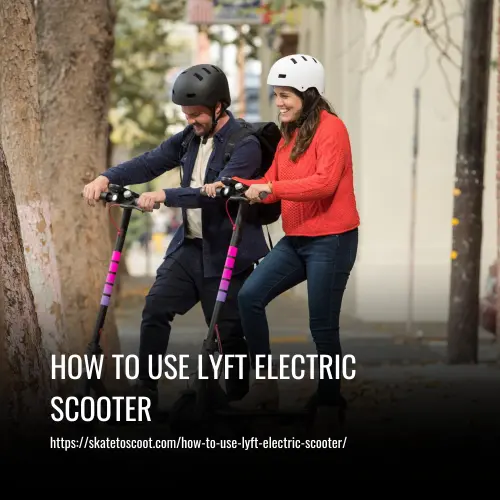
This is where recreational joyriding meets legal responsibility. You are operating a vehicle.
Lyft’s How-to-Ride guide and your local laws are clear: ride in the street or in a bike lane when it’s available. Riding on sidewalks is illegal in most cities and can result in a ticket. Lyft’s next-gen scooters even have “AI-powered sidewalk detection” that can alert you if you stray onto the sidewalk.
Follow all standard traffic laws:
- Ride in the same direction as traffic.
- Stop at all red lights and stop signs.
- Use hand signals (or the scooter’s built-in turn signals if equipped) to indicate turns.
- Always yield to pedestrians, everywhere.
- Never ride under the influence of drugs or alcohol.
Your responsibility doesn’t end with operation. You must also “adjust your riding behavior and braking distance to suit the weather, visibility, and traffic conditions.” Rain, leaves, or gravel drastically increase your stopping distance. If it’s wet, slow down and brake earlier.
How to Pause and End Your Ride
Need to run into a store or grab a coffee? You don’t have to end your trip. In the Lyft app, tap the “Lock” button. The scooter’s locking mechanism will engage, preventing anyone else from taking it. This is a “pause,” not a stop.
You will continue to be charged a per-minute rate while the scooter is locked. It’s a convenience fee for holding the vehicle. When you’re ready to ride again, just tap “Unlock” in the app. The scooter will be ready to go.
To end your ride for good, park properly (see next section), then open the Lyft app and tap “End Ride.” You’ll see your trip summary and total cost. You must end the ride in the app. Simply walking away does not end the billing.
Parking Your Scooter Properly
Bad parking is the number one complaint cities have about shared scooters. Do it wrong, and you could face a fee up to $100 for leaving a scooter outside a “Permitted Area.”
The Right Way to Park:
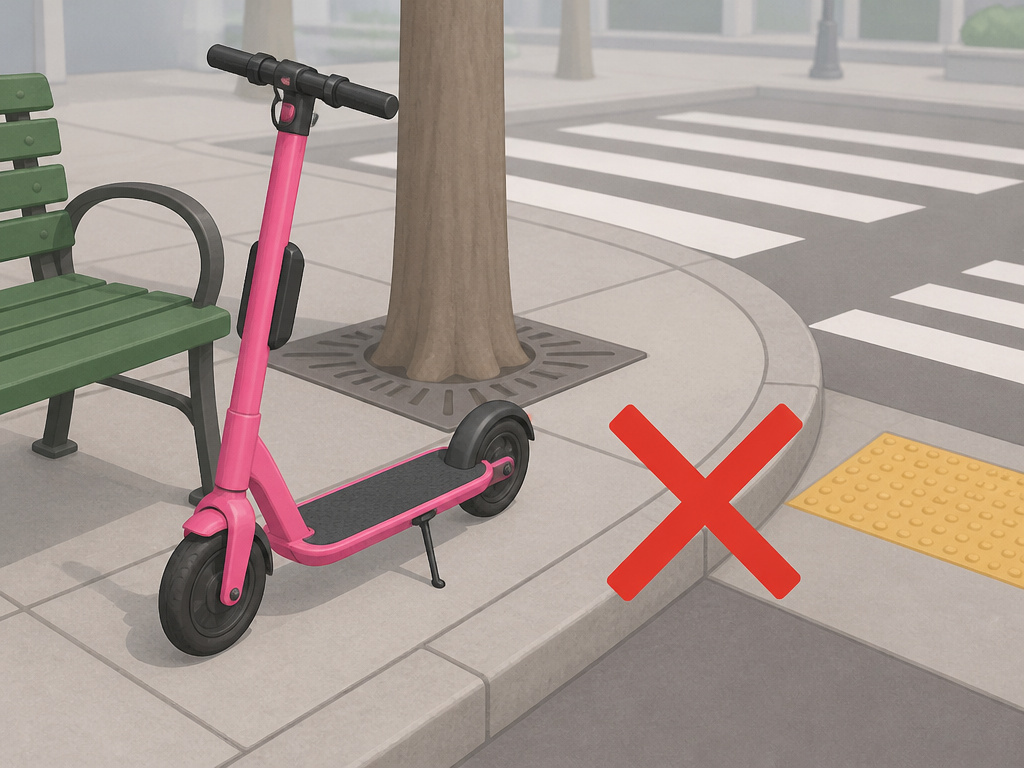
- Find a Legal Spot: Look for the “landscape or furniture zone” of the sidewalk (the area next to the curb with trees or benches). Bike racks or curbside spots are ideal.
- Park Upright: Use the kickstand to ensure the scooter is standing vertically.
- Don’t Block Anything: Never block sidewalks, corners, crosswalks, pathways, bus stops, or wheelchair ramps. Don’t block anything: Never block sidewalks, corners, crosswalks, pathways, bus stops, or wheelchair ramps.
Lyft’s next-gen scooters help with “audio and visual cues alert riders to restrictions in real-time.” If you’re in a no-parking zone, the scooter itself may beep or flash. Listen to it.
What to Do If Something Goes Wrong
Even with a perfect pre-check, things happen. The battery drains faster than expected. You hit a pothole. Another vehicle hits you. Here’s the drill, straight from Lyft’s Terms of Service.
Low or Dead Battery:
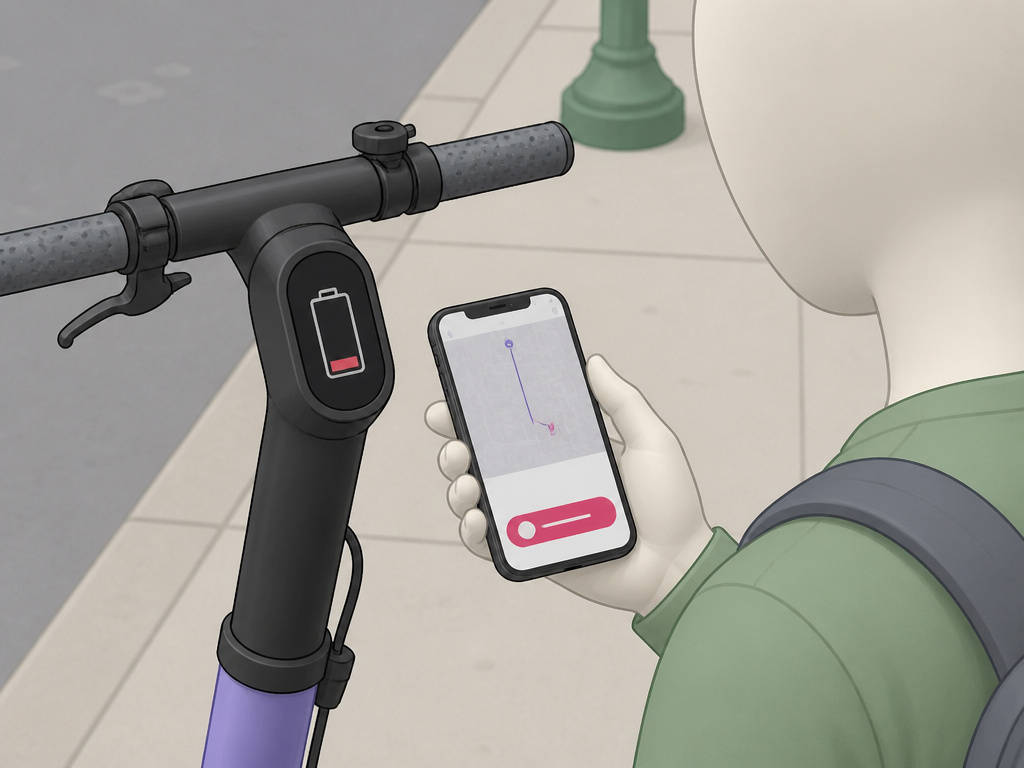
The Terms state the “level of charging power… Is not guaranteed” and the scooter “may run out of charging power and cease to operate at any time.” If your battery dies mid-trip, you are responsible for parking it legally. End your ride in the app and find another way home. If your battery dies mid-trip, you are responsible for parking it legally. End your ride in the app and find another way home.
Accident, Crash, or Damage:
- Report Immediately: You must “report any accident, crash, damage, personal injury, stolen or lost Rideable… To Lyft immediately” via the app or website.
- File a Police Report: “If a crash involves personal injury, property damage, or a lost or stolen Rideable, you shall file a report with the local police department within 24 hours.”
- Do Not Modify the Scooter: “You must not dismantle, write on, or otherwise modify, repair or deface a Rideable.” Don’t try to fix it yourself.
Scooter Won’t Unlock or Has a Error:
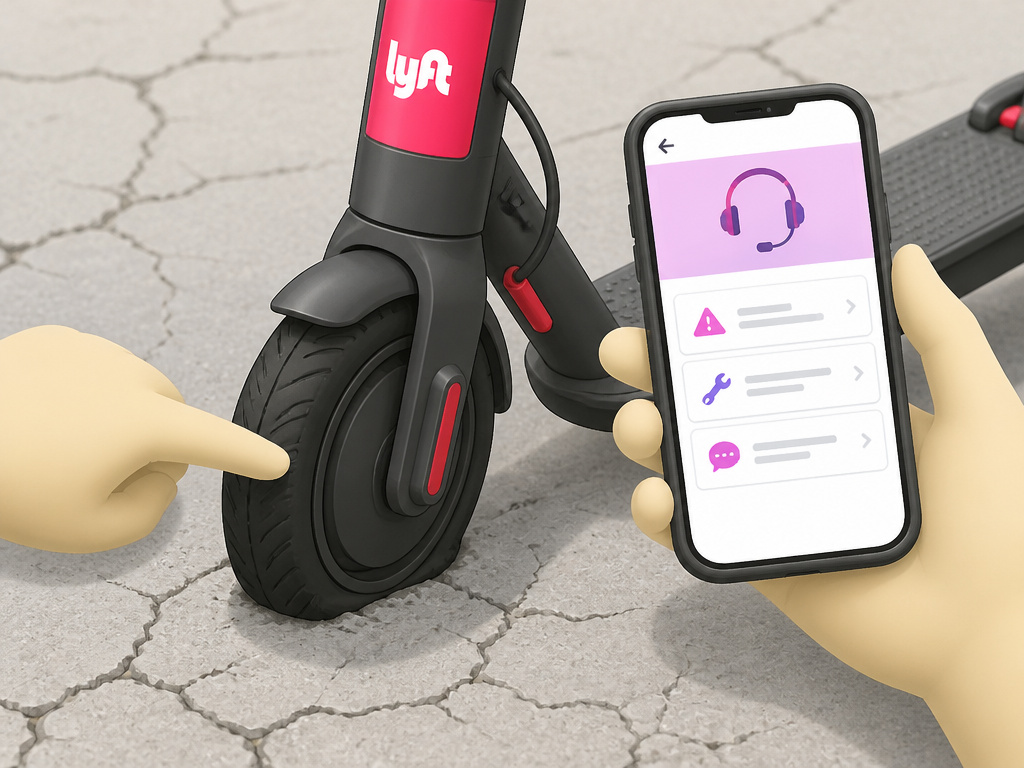
First, try ending your current ride in the app (if you can) and starting a new rental on that same scooter. If it persists, report it as “damaged” in the app and select a different scooter. Lyft’s customer support will handle it from there.
Lyft Scooter Specs: What You’re Actually Riding
It helps to know the machine. There are different Lyft scooter models, which explains the conflicting range numbers you might see.
| Feature | Lyft Urban Solutions Model | Lyft Next-Gen Scooter (2023) |
|---|---|---|
| Motor Power | 400W | “More power” (Likely similar or upgraded 400W+) |
| Battery Range | 80 km (approx. 50 miles) | 50 miles |
| Key Safety Features | Lights visible from 180m, patented lock | AI sidewalk detection, dual handbrakes + active motor braking, turn signals |
| Parking & Charging | Locking device for security/charging | Dock & dockless options, swappable batteries |
| Comfort Features | Standard | Suspension system, phone mount/charger, airless tires |
The 80 km vs. 50-mile figures represent different sources: Lyft Urban Solutions cites 80 km, while the Lyft Blog cites 50 miles for the next-gen scooter. The newer model boasts a phone mount, suspension, and the AI safety features.
Frequently Asked Questions
How fast does a Lyft scooter go?
Most shared Lyft electric scooters are speed-limited to comply with local regulations. The 400W motor is capable of more, but the software restricts top speed for safety in urban environments.
Can I ride a Lyft scooter in the rain?
Lyft’s Terms place the responsibility on you: “You are responsible for determining whether conditions… Make it dangerous to operate a Rideable.” Riding in heavy rain reduces visibility, tire traction, and braking effectiveness. If you choose to ride, slow down significantly and increase your following distance.
How do I find out where I can ride?
The Lyft app map shows the general service area. More importantly, the scooters themselves have geofencing. The next-gen models provide “audio and visual cues” if you enter a no-ride zone (like a park or private property). Always defer to local signage and laws, which take precedence.
What’s the difference between Lyft scooters and Lime or Spin?
While the basic process to rent an electric scooter is similar across brands, Lyft integrates closely with city transit systems (like Divvy in Chicago) and emphasizes station-based parking. Its next-gen model has unique safety tech like AI sidewalk detection. In contrast, a Lime scooter or Spin scooter might have different ergonomics, app features, and service areas.
Can I ride a Lyft scooter without a smartphone?
No. The entire rental process, finding, starting, and paying for the scooter, is managed through the Lyft smartphone app. You cannot start a Lyft scooter without the app.
Before You Go
Using a Lyft electric scooter is straightforward, but the line between a smooth experience and a bad one is drawn by the fine print. Remember the three things that catch new riders: the per-minute charge during reservation, the specific fender check in the pre-ride inspection, and the potential for a $100 improper parking fee.
Your first ride should be a short, simple trip in good weather to learn how to use Lyft electric scooter. Get a feel for the throttle and brakes in a calm environment. That initial confidence matters more than any spec. Once you’ve got the fundamentals of how to ride an electric scooter down, you can better judge whether the rental cost fits your commute. And always know the rules for riding on sidewalks versus the rules for riding on the road in your city, because the scooter, and local law enforcement, certainly will.