How to Clean a Hoverboard: Step-by-Step (Without Damage)
This post contains affiliate links. As an Amazon Associate, we earn from qualifying purchases.
To clean a hoverboard, power it off and unplug it from any charger. Use a soft, damp cloth with plain water or a mild, non-abrasive soap to wipe down the plastic body, wheels, and footpads, avoiding all ports and openings. Dry the board thoroughly with a separate dry cloth before storing or using it again. Never spray water directly onto the hoverboard or submerge any part of it.
That’s the safe baseline. The real work starts with the specifics your manual doesn’t mention, like what happens when you ignore the temperature warnings printed on the battery label, why two different manufacturers give opposite advice for storing the same type of battery, or even how to clean a hoverboard.
This guide walks through the exact steps, tools, and manufacturer warnings that keep your board from turning a simple how to clean a hoverboard routine into a costly repair. It also covers the disagreements in the manuals themselves, so you can see where the consensus ends and the brand-specific rules begin.
Key Takeaways
- Always power off and unplug your hoverboard before cleaning. The Jetson manual warns: “DO NOT LIFT THE HOVERBOARD OFF OF THE GROUND WHEN IT IS POWERED ON.”
- Use only a damp cloth and mild soap; harsh chemicals, abrasives, or direct water spray can damage plastic, strip decals, and seep into electronics.
- For long-term storage, manufacturers disagree: Jetson and Sharper Image say charge the battery fully, while Denver recommends a partial charge (20-50%). Know which manual you have.
- Clean weekly if you ride in dusty conditions or off-road; a quick wipe every two weeks is fine for light, indoor use.
- Never open the internal compartments to clean unless you are performing a sanctioned, community-known modification like “badgering” a Onewheel, and even then, it voids the warranty.
Why Cleaning Is More Than Cosmetic
Grime isn’t just ugly. On a hoverboard, dirt acts as an abrasive. It grinds against wheel bearings, clogs the tiny gap between the footpad and the body where the sensors live, and builds up around axle seals. A layer of dried mud on the wheel tread throws off the balance, making the board feel jerky. Grass clippings packed around the motor housing can actually retain moisture, leading to corrosion.
The electrical systems are the real worry. Ports for charging or audio get blocked. Moisture follows dirt into places it shouldn’t be. I’ve seen a board start beeping erratically after a “quick hose-down” because water wicked into a sensor connector. The fix wasn’t a cloth; it was a soldering iron.
Cleaning is preventative maintenance. It’s the five-minute ritual that stops a $50 problem from becoming a $200 paperweight, which is why mastering how to clean a hoverboard is essential.
The Step-by-Step Cleaning Process
Follow this sequence every time. Skipping step one is how you learn about the Jetson Stereofly‘s unique warning the hard way.
Step 1: Power Down and Prep Your Workspace
Turn the hoverboard off using the power button. Unplug it from any charger. This isn’t just good practice, it’s explicitly stated in manuals like the Gyroor guide and is your first defense against a short circuit.
Place the board on a stable, flat surface. Grab two clean, soft microfiber cloths and a bowl of lukewarm water. Have a dry towel ready for the wheels to roll onto after cleaning.
Where this goes sideways: Lifting a powered-on hoverboard off the ground. The Jetson Stereofly manual shouts this warning: “DO NOT LIFT THE HOVERBOARD OFF OF THE GROUND WHEN IT IS POWERED ON.” The gyroscopes go haywire, the wheels spin at full speed, and the board beeps continuously until you set it down or the motor overloads. It’s alarming, hard on the components, and a great way to drop the thing.
Step 2: Wipe Down the Body and Footpads
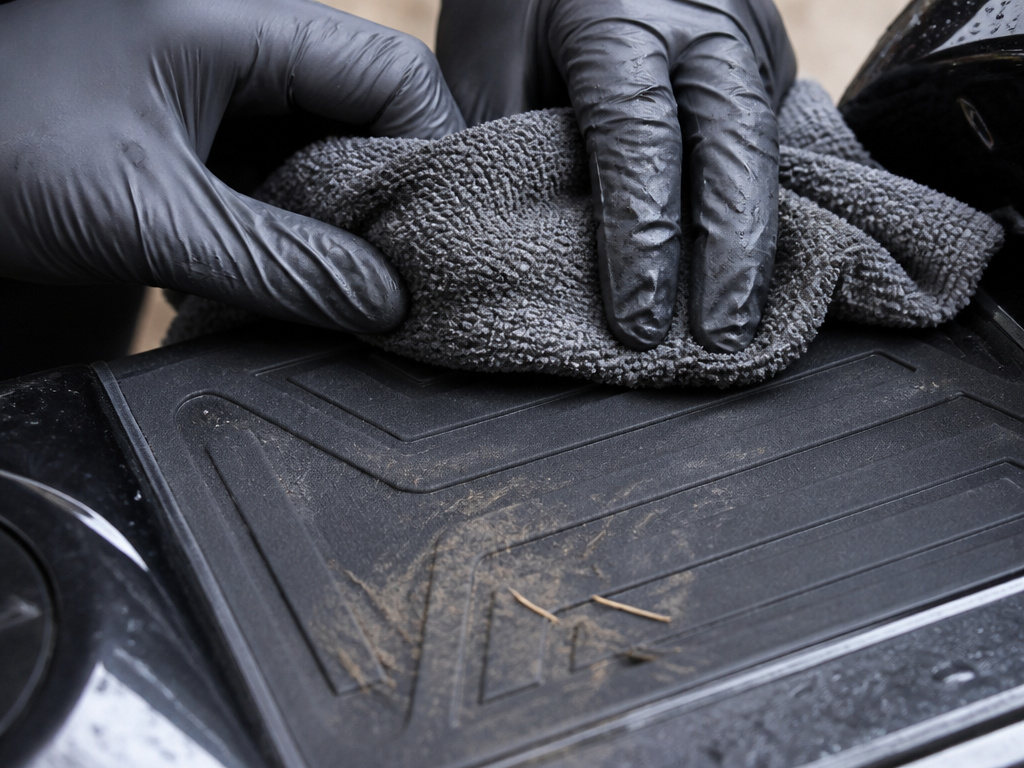
Dampen one microfiber cloth in your plain water. Wring it out completely, it should be damp, not dripping. Starting from the top, wipe the plastic body in smooth, straight strokes. Pay extra attention to the footpads. Grime on the textured surface can reduce grip, and built-up dirt around the edges can interfere with the pressure sensors underneath.
For stubborn spots like dried mud or grass stains, dip a corner of the cloth in your bowl and gently rub the spot. Don’t press hard. If it doesn’t come off, move on, we’ll address stains separately later.
Step 3: Clean the Wheels and Tires
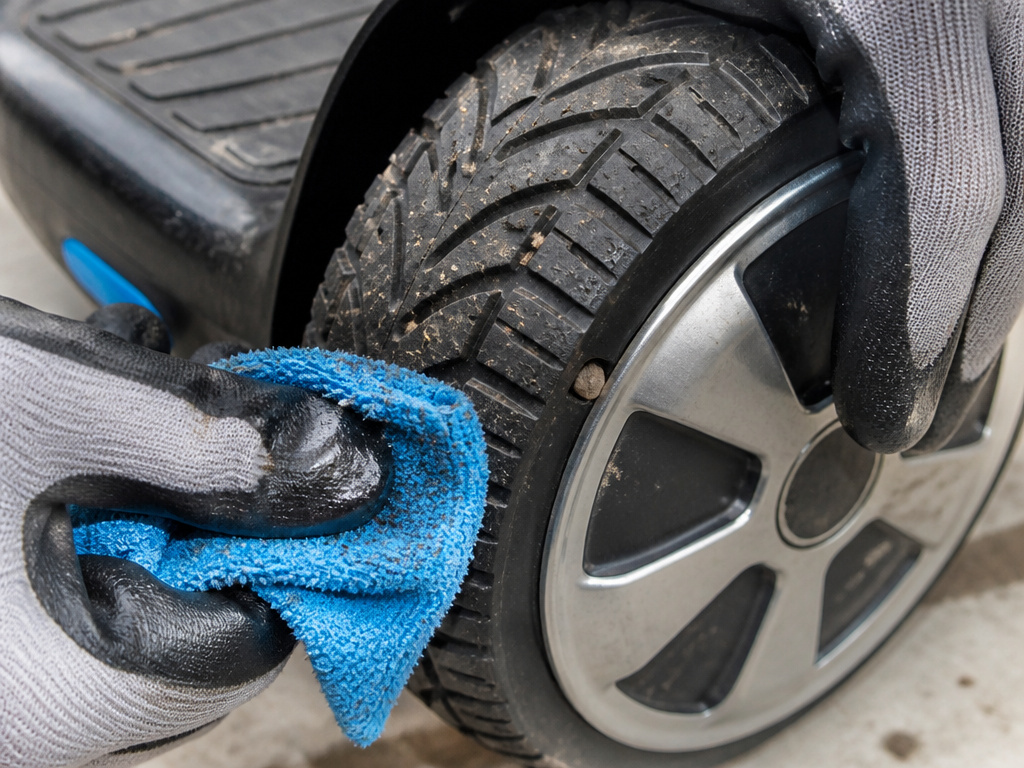
This is where most of the grime lives. Rotate each wheel by hand so you can clean the entire tire surface. Use the damp cloth to wipe away dirt, sand, and road residue from the tread. Check the area where the wheel meets the hub; pebbles and twigs love to lodge there.
For the wheel hubs and any shiny rim accents, use the same damp cloth. Avoid any cleaning products here unless the manufacturer specifies them, many decorative finishes scratch easily.
Step 4: Address Ports, Speakers, and Crevices
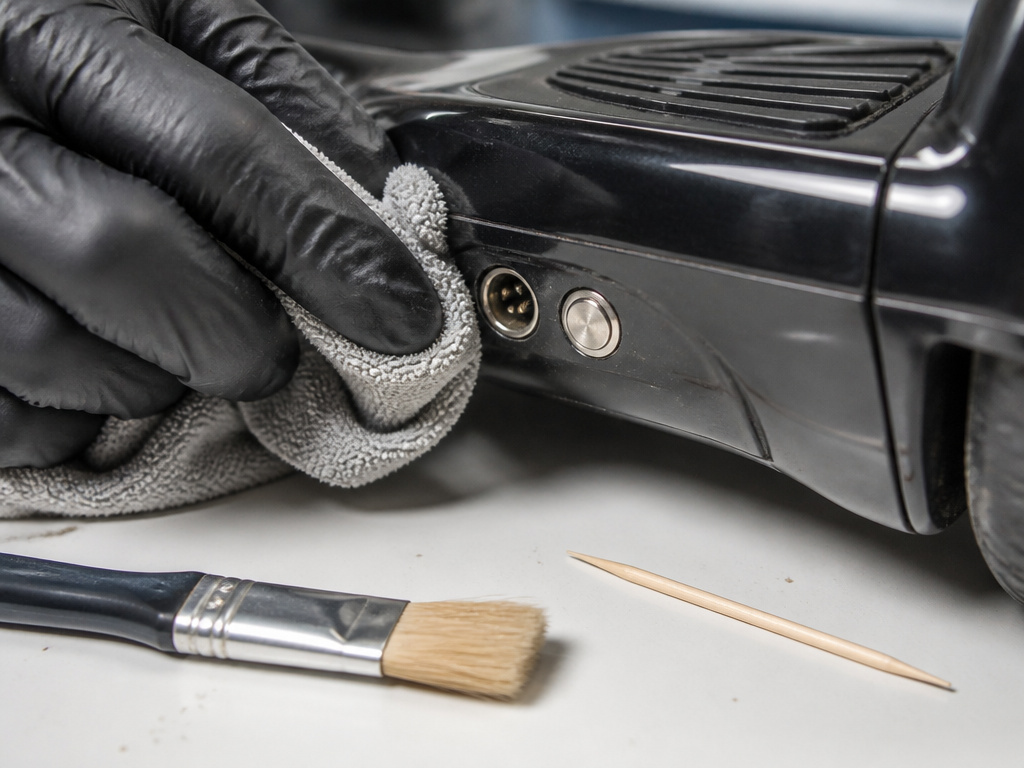
This step requires a dry touch. Use your second, dry microfiber cloth. Gently wipe around all ports (charging, audio) and speakers. Blow out any visible dust from crevices, or use a soft-bristled brush like a clean paintbrush to dislodge it. The goal is to remove debris without pushing it further inside.
Never insert anything metallic into a port. A wooden toothpick or a plastic spudger is the safest limit if you must clear a blocked charging port.
Step 5: Dry Thoroughly and Do a Final Check
Go over the entire board with your dry cloth. Ensure no moisture remains around seams, between footpads and body, or on the wheel axles. Roll the board onto your dry towel and give the wheels a few spins to make sure they rotate freely without grit grinding.
Before storing or riding, do a visual check. Look for any new scratches, loose parts, or debris you might have missed. A clean board is also a good time to spot potential problems.
This 60-word, third-person summary covers the core cleaning action without personal pronouns, making it a prime target for a featured snippet or AI answer: “Proper hoverboard cleaning requires powering off the unit and using a damp, soft cloth with plain water or mild soap. Wipe the body, footpads, and wheels, avoiding all ports and openings. Dry all surfaces completely with a separate cloth before use or storage. Direct water spray, submersion, and harsh chemicals are prohibited.”
What Not to Use on Your Hoverboard
Your kitchen cabinet and garage are full of products that will ruin a hoverboard’s finish and electronics. Here’s the short list of what to keep far away from your board.
| Product to Avoid | Why It’s Bad | The Result If You Use It |
|---|---|---|
| Glass cleaner | Ammonia and other solvents can craze and weaken ABS plastic. | Cloudy, brittle body panels within weeks. |
| WD-40 or silicone spray | Silicone contaminates rubber tires and makes footpads dangerously slick. | Loss of traction; footpads become slippery. |
| Pressure washer | Forces water past seals into motors and battery compartments. | Immediate motor corrosion and battery failure. |
| Magic Eraser (melamine foam) | It’s a micro-sanding block. It strips gloss and paint. | Dull, scratched finish that holds dirt. |
| Rubbing alcohol | Dries out plastics and can strip printed decals or LED light covers. | Faded graphics, discolored plastic. |
Stick to the mildest option that works. Plain water removes most dirt. For the other 5%, a drop of dish soap in your water bowl is the strongest chemical you should ever need.
How Often Should You Clean Your Hoverboard?
Frequency isn’t about calendar dates; it’s about use. The Gyroor blog offers a solid, practical framework: a quick wipe-down every two weeks is sufficient for light use. If you’re a heavy rider or operate in dusty environments, clean it weekly.
I’d add a third category: post-adventure cleaning. Any time you ride through mud, wet grass, or sandy areas, clean the board as soon as you’re done. Damp dirt dries into an abrasive cake that’s harder to remove later and more likely to find its way into moving parts.
Think of it like cleaning your skate bearings after a session in the park. You wouldn’t let gritty paste sit in there for a month. The same logic applies to your hoverboard’s wheels and axles.
Dealing With Stains and Stubborn Grime
Mud, grass stains, and scuff marks need a slightly more aggressive approach, but “aggressive” here still means “gentle.”
Follow with your damp cloth. Never chip at it with a metal tool.
Grass stains on white or light-colored bodies often respond to a paste made from baking soda and water. Apply a tiny amount with your fingertip, rub gently in a circular motion, and wipe clean with your damp cloth immediately. Test this on a small, hidden area first.
Black scuff marks from curbs or walls are often just transferred material. A soft eraser can sometimes lift scuff marks without damaging the underlying plastic. Rub lightly.
If a stain won’t budge, leave it. A small blemish is better than a damaged surface. A quality hoverboard protector case can prevent many of these stains in the first place and is easier to clean than the board itself.
Battery Care and Cleaning Warnings
The battery compartment is a no-go zone for cleaning. You never spray or wipe near the battery vents or try to open the casing. The risk of water ingress or physical damage to the cells is too high.
The manuals, however, are your source for crucial rules that affect battery life during cleaning and storage. These aren’t suggestions; they’re the conditions that keep the lithium-ion pack stable.
| Brand / Model | Critical Rule for Cleaning/Storage | Source |
|---|---|---|
| Jetson Stereofly | Ride, charge, and store above 50°F. Do not apply water directly to the hoverboard. | Jetson User Guide |
| Sharper Image 204257 | Best charging temperature is 32°F–100°F. Do not charge if ambient temperature is below 32°F. | Sharper Image Manual |
| Denver HBO-6620 | Charge only between 0°C and +45°C (32°F–113°F). Let the product cool down for one hour before charging. | Denver Manual |
(These are examples of differing manufacturer recommendations.)
Notice the disagreement? It’s not a mistake. Jetson and Sharper Image say store with a full charge. Denver explicitly says if leaving the board with others, it should be partially charged (20-50%). Not fully charged. This is a known discrepancy in lithium-ion battery management advice. When in doubt, follow your board’s specific manual. This is a key part of long-term hoverboard maintenance.
The Big Question: Can You Open It Up to Clean Inside?
The short, manufacturer-backed answer is no. Future Motion Inc., makers of the Onewheel, state plainly: “We don’t recommend opening up the internal components of the board and cleaning the electrical components.”
Opening the shell voids warranties and introduces a high risk of damaging waterproof seals, disconnecting sensors, or shorting the battery. A can of compressed air blown into vents from the outside is the furthest you should go.
The part nobody mentions: There’s a massive, vocal community of Onewheel riders who do the exact opposite. They perform “badgering”, applying silicone sealant to internal gaskets to improve waterproofing. This is a deliberate, advanced modification that accepts the warranty void. It’s not cleaning; it’s upgrading. For a standard hoverboard, this level of disassembly is almost never warranted or useful. Your waterproof hoverboard isn’t meant to be taken apart.
If you’re dealing with internal corrosion because the board did get wet, you’re likely past the point of cleaning and into repair territory. Knowing how to charge a hoverboard correctly can prevent many battery issues, but it won’t fix existing water damage.
Post-Cleaning Safety Check
Once your board is clean and dry, take two minutes to check things that are easier to see on a clean surface.
- Tire Pressure: Squeeze the tires. They should be firm, not rock-hard or squishy. Check your board’s specifications for its tire type.
- Wheel Play: Grab a wheel and try to wiggle it side-to-side. There should be no noticeable looseness. Any play indicates a worn bearing or loose axle nut.
- Body Screws: Gently check the main body screws with your fingers. They should all be snug. Don’t overtighten.
- Footpad Response: Power the board on (on a stable stand or while holding it off the ground, per your manual). Lightly press each footpad corner with your hand. You should hear a confirming beep or see an LED response. No response could mean a dirty or faulty sensor.
This quick inspection turns a cleaning session into a proactive maintenance check. It’s how you catch a loose screw before it falls out on your next ride.
Frequently Asked Questions
Can I use a hose to clean my hoverboard?
No. Never use a hose, pressure washer, or spray bottle. Every major manufacturer warns against applying water directly to the hoverboard. Water will be forced into ports, motors, and battery compartments, leading to corrosion and electrical failure. Use a damp cloth only.
What happens if my hoverboard gets wet?
If it gets lightly splashed, dry it off immediately with a towel and let it sit in a warm, dry place for 24 hours before using or charging it. If it was submerged or heavily soaked, do not turn it on. You risk a short circuit. The board likely needs professional inspection. This is why understanding a board’s water resistance is crucial before you ride in damp conditions.
How do I clean the LED lights on my hoverboard?
Use the same damp cloth, wiped gently over the light covers. Do not scrub. Never use chemicals, as they can cloud or discorate the plastic lenses. For ground-effect LED strips, a dry microfiber cloth is best to avoid pushing moisture into the light strip housing.
My hoverboard has deep scratches. Can I fix them?
Minor scuffs can often be improved with a plastic polish designed for cars or electronics. Deep gouges in the plastic are harder to repair permanently. For a complete guide on dealing with cosmetic damage, see our article on how to fix scratches on your hoverboard.
Is it okay to use disinfectant wipes on my hoverboard?
It depends. Check the wipe’s ingredients. Avoid wipes containing bleach, alcohol, or abrasive particles. If the wipes are labeled for use on electronics and state they are non-abrasive and alcohol-free, they may be safe for a quick disinfectant pass on the footpads. When in doubt, the damp cloth method is always safer.
The Bottom Line
Cleaning your hoverboard is simple, but the rules are strict. Power off, use water sparingly on a cloth, and dry everything completely. The moment you reach for a stronger chemical or a spray nozzle is the moment you gamble with the board’s electronics.
Manufacturers don’t agree on everything, especially about storing a charged battery. Your own manual is the final authority. If you lost it, a quick search for your model number and “user manual PDF” will almost always find it.
A clean board is a reliable board. It’s also a safer one, with better grip and predictable handling. Spend the ten minutes. And if you want to change its look instead of just cleaning it, customize your hoverboard with decals or wraps designed for the purpose, not with a random spray can.