Skater XL Switch Review: The 60 FPS Trade-Off
This post contains affiliate links. As an Amazon Associate, we earn from qualifying purchases.
Skater XL on Nintendo Switch runs at a solid 60 FPS in both handheld and docked modes, delivering smooth physics-based gameplay, but achieves this with significant graphical concessions: 540p resolution handheld, 720p docked, muddy textures, and pop-in. The Switch version includes 8 maps, 4 pro skaters, and Mod.io support at launch, but its digital triggers and Joy-Con stick limitations impact the replay editor and trick precision.
That 60 FPS target was the developer’s absolute requirement. Easy Day Studios delayed the Switch port because the initial build ran at a “jumpy 30FPS” that didn’t match the fluid feel of other platforms. The final release on December 5, 2023, hits that target, but the path to get there reshaped the game’s visual identity on Nintendo’s hardware. This is a key point in any skater xl switch review.
What follows is a breakdown of where those 60 frames per second come from, what you trade for them, and whether this specific port is the right skateboarding sandbox for your Switch. We’ll compare it directly to its main rival, Session, and name the one controller that makes the experience actually playable.
Key Takeaways
- Skater XL on Switch holds a steady 60 FPS but renders at 540p handheld and 720p docked, leading to noticeable texture quality reduction and pop-in.
- The official Nintendo listing promotes playing “with the Joy-Cons,” while the Nintendo World Report review states a Pro Controller is the best way to play due to the Joy-Cons’ small analog-stick angle windows causing accidental spins.
- The game’s digital ZL/ZR triggers (on or off) prevent feathering for slow-motion effects in the replay editor, a feature possible on other platforms.
- At launch, the Switch version includes 8 maps and, according to the official listing, supports the Mod.io browser for user-generated gear and maps, countering some community reports which claim there is no mod browser.
- For a direct Switch vs Switch comparison, Session offers more gameplay settings and structured missions, while Skater XL provides smoother performance and a brighter, more accessible sandbox, reflecting the split in community opinion.
Handheld vs Docked: The Specifics
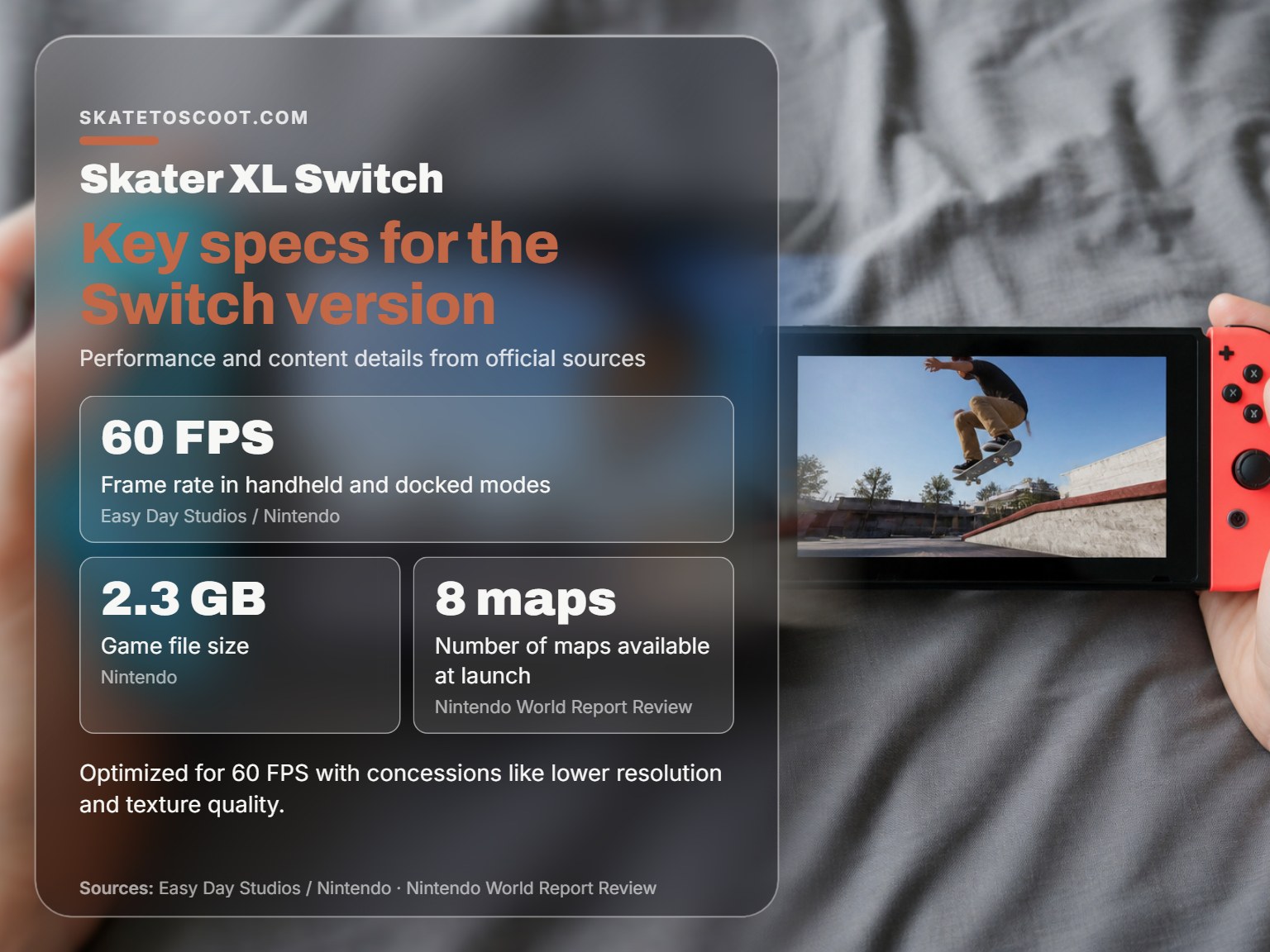
The performance specs aren’t vague promises. According to the Nintendo World Report skater xl switch review, the game renders at 540p in handheld mode and up to 720p when docked. The frame rate, confirmed by both Nintendo and Easy Day Studios, is a locked 60 FPS in both configurations.
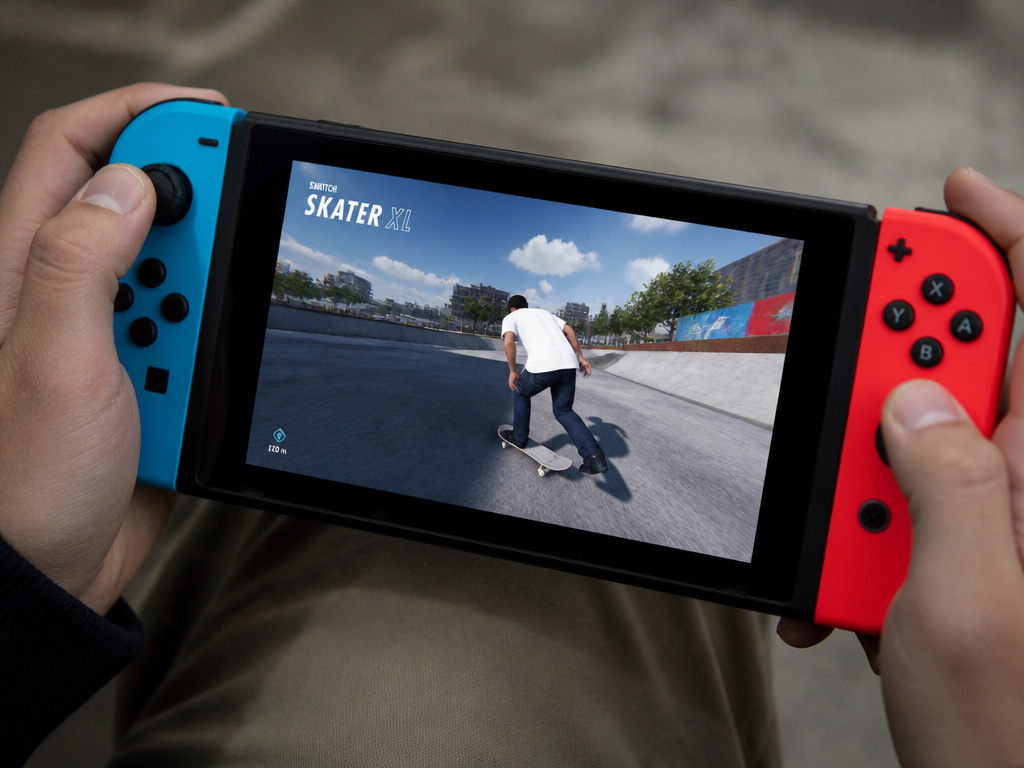
The Switch version of Skater XL delivers 60 FPS gameplay at 540p resolution in handheld mode and 720p when docked. This performance is achieved through significant asset re-structuring and optimization, as detailed in the developer’s interview, but results in visible texture pop-in and a generally muddy visual presentation compared to other platforms.
That last part is the trade-off. The “buttery smooth 60FPS” marketing line is technically true, but your eyes will register the cost. Textures take a hard hit. Distant objects and map details pop in as you skate towards them. On the Switch’s smaller handheld screen, it’s manageable, a bit like watching a compressed YouTube skate edit. On a large TV in docked mode, the 720p image and muddy textures are impossible to ignore. It’s a visual experience closer to the late Xbox 360 era than the current generation.
The 2.3 GB file size is a clue to this compression. The developers reworked art assets from the ground up to fit the Switch’s memory bandwidth while keeping the physics calculations running at full speed. The result is a game that feels responsive and fluid, even when it doesn’t always look the part.
The Control Scheme: Where the Joy-Cons Fail
One point is clear: the official Nintendo page says to play “with the Joy-Cons™.” This is bad advice. The Nintendo World Report skater xl switch review states directly that “a Pro Controller is the best way to play this game.” The reason is purely mechanical.
The analog sticks on the Joy-Cons have very small physical angle windows. In a game where each stick controls a foot and subtle flicks dictate flip tricks, this lack of range is a problem. A slight, unintended tilt registers as a full input. You’ll find yourself adding accidental 360 spins to your kickflips constantly. It turns a session of dialing in a clean line into a fight against your hardware.
Switching to a Pro Controller gives you the full range of motion you need. The larger sticks allow for the nuanced, graduated inputs that Skater XL’s physics system demands. It’s the difference between mashing buttons and playing an instrument. If you’re serious about playing this on Switch, consider that controller not an accessory, but a required peripheral.
| Controller | Best For | Primary Limitation |
|---|---|---|
| Joy-Cons | Portable, on-the-go play only. | Very small analog-stick angle windows cause accidental spin inputs, breaking trick consistency. |
| Nintendo Switch Pro Controller | Docked play, precision trick input. | None for gameplay; it’s the recommended control method. |
| Third-Party Wired Controllers | Budget precision; some may offer larger sticks than Joy-Cons. | Quality varies; lack of official wireless support. |
The other control quirk is the digital trigger. The Switch’s ZL and ZR buttons are binary, pressed or not pressed. This makes a specific replay editor feature impossible. On other consoles, you can feather the analog trigger to create a slow-motion effect as you scrub through your clip. On Switch, that’s gone. The trigger is either on or off. It doesn’t break the game, but it removes a creative tool the community uses heavily.
Content and Gameplay: What’s Actually In the Box
Skater XL is, and has always been, a sandbox. You won’t find a story mode, XP bars, or a career to climb. The fun is purely intrinsic: pick a spot, imagine a line, and work on it until it looks and feels right. The Switch version launches with the same eight maps as other platforms:
- Easy Day High School
- The Big Ramp
- Downtown Los Angeles
- California Skatepark
- West L.A. Courthouse
- Hudland (community map)
- Streets (community map)
- Grant Park, Chicago (community map)
You also get four real-life pro skaters as playable characters: Tiago Lemos, Brandon Westgate, Evan Smith, and Tom Asta. Their inclusion, along with gear from over 30 core skateboarding brands, adds a layer of authenticity.
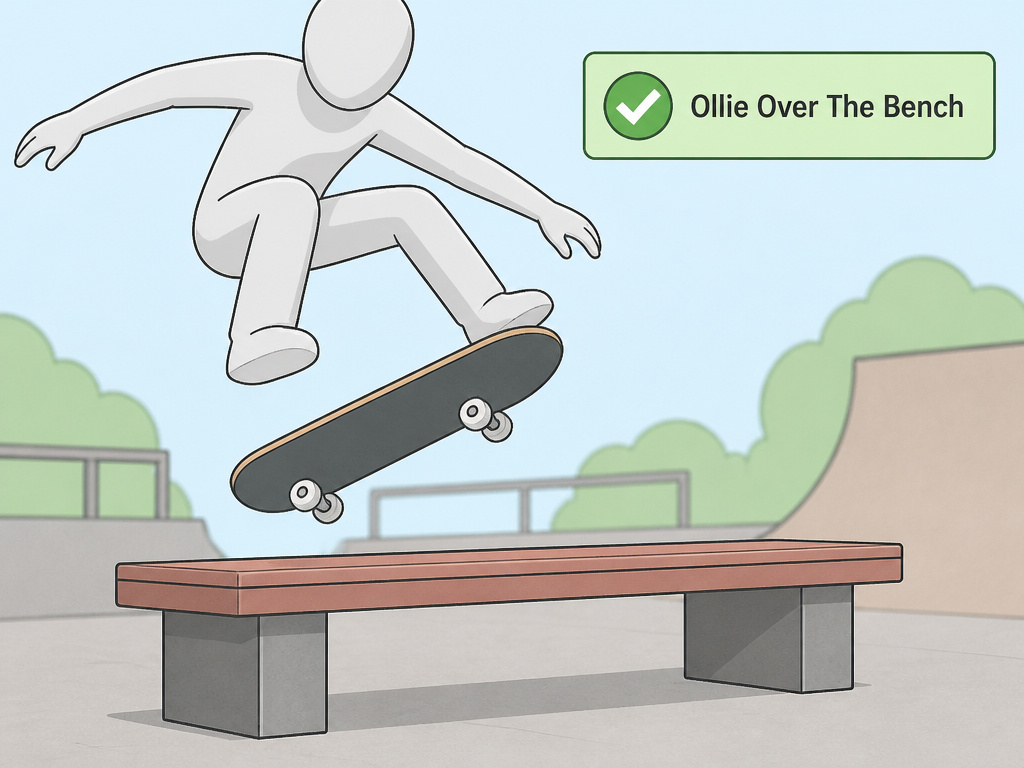
The “Mild Blood” ESRB rating is there, but it’s incidental, you’ll see a slight red smear on concrete if you slam hard. More important are the challenges. Each map has a list of specific trick objectives (e.g., “Ollie Over The Bench”). Completing them ticks a box, but you earn no points or new content. They function as a structured tutorial, teaching you how the game’s unique control language translates to board movement.
Skater XL vs Session: The Switch Showdown
This is the most common question from Switch owners. Both are simulation-style skateboarding games released on the platform. They are not the same. Your choice hinges on what you value more: polished performance or deep customization.
According to its proponents, Skater XL on Switch wins on performance and immediacy. The 60 FPS gameplay is consistently smooth, making the physics feel responsive and predictable. The lighting is brighter, the colors are more vibrant, and it includes grab tricks and transition skating (ramps, half-pipes) which Session currently lacks. It’s the easier game to just pick up and skate around in.
According to its proponents, Session: Skate Sim on Switch wins on mechanical depth and structure. It offers a massive menu of gameplay settings (stat mods) to tweak board pop, grind friction, and catch timing to your exact preference. It has a mission-based progression system that gives you goals to complete, even if the detection can be finicky. However, it runs at 30 FPS, and the overall feel is considered “jankier” by many players, with a steeper initial learning curve.
Where this goes sideways: Buying Skater XL expecting Session’s stat-menu customization, or buying Session expecting Skater XL’s fluid 60 FPS performance. They cater to different preferences on the same hardware.
For a casual player who just wants to replicate the feeling of cruising and landing tricks, Skater XL’s smoother performance is a significant advantage. For a tinkerer who wants to simulate a specific skateboard setup and doesn’t mind a lower frame rate, Session’s toolset is unmatched.
Mod Support and Longevity
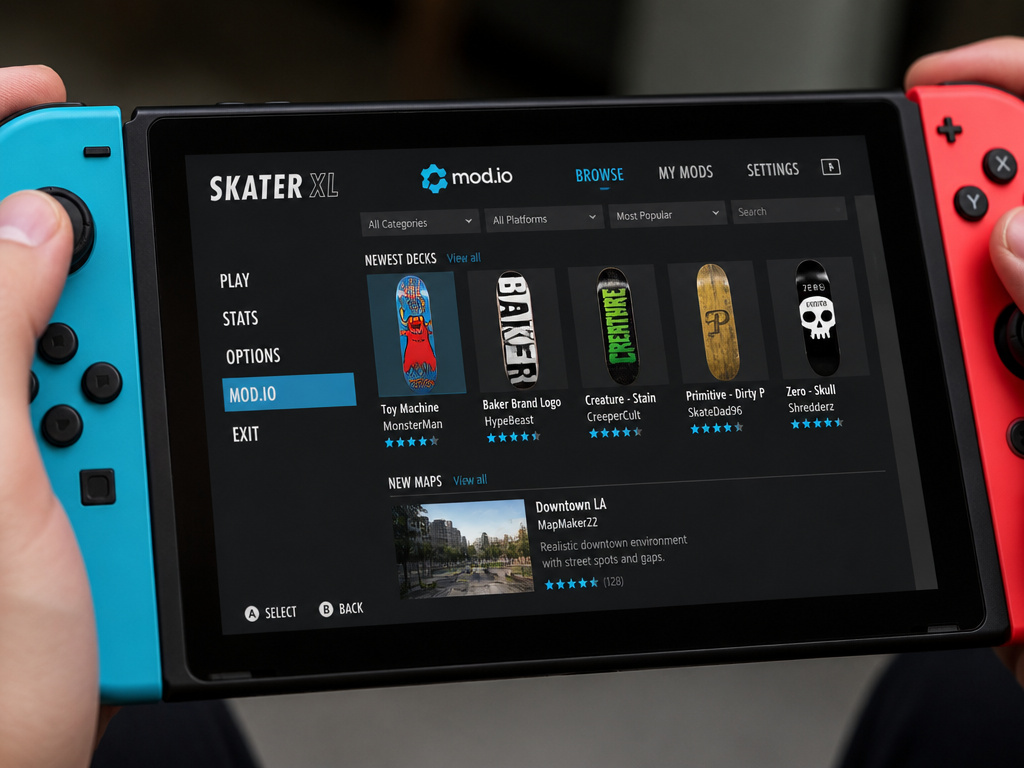
At launch, the Switch version includes the Mod.io browser. This is a curated portal for user-generated content, not the full free-for-all you find on PC. You can download new gear (decks, shoes, clothes) and additional maps created by the community. The Switch version supports Mod.io for user-generated content at launch.
This addresses a major point of confusion. While many forum threads and Reddit comments claimed the Switch version had “no mod browser,” the official listing states Mod.io support is available at launch. The functionality is there, powered by Mod.io. The Switch version supports the Mod.io browser for user-generated content at launch.
The online multiplayer supports up to 10 players in a freeskate session. It works as advertised, a digital spot to hang out and skate with friends. There’s no competitive mode, just a shared space. It’s a niche feature, but for those who use it, it’s a core part of the experience.
Who Is This For? The Final Verdict
Skater XL on Switch is a niche product for a niche audience. It’s not for someone seeking the arcade-style scoring and progression of Tony Hawk’s Pro Skater 1+2. It’s a simulator.
Get Skater XL on Switch if:
- Your primary goal is smooth, responsive skateboarding gameplay on the go.
- You value 60 FPS performance over graphical fidelity.
- You already own a Nintendo Switch Pro Controller.
- You enjoy creating your own fun in an open sandbox with no objectives.
- You want grab tricks and transition skating in your sim.
Look at Session on Switch instead if:
- You want to fine-tune every aspect of your board’s physics with in-depth settings.
- You prefer a mission-based structure to guide your play, even if it’s buggy.
- A stable 30 FPS is an acceptable trade-off for greater mechanical control.
- The latest updates and developer communication are a high priority for you.
The physics are the same as other platforms. The feeling of controlling each foot independently, of the board reacting to your weight and flicks in real-time, that magic is intact. It’s just wrapped in a visual package that shows its seams. It can be a compelling skateboarding sim for Switch owners. At full price, you’re paying mostly for that technical achievement of 60 FPS on mobile hardware. Either way, use a Pro Controller.
Frequently Asked Questions
Is Skater XL on Switch good?
It is good at one specific thing: delivering smooth, 60 FPS physics-based skateboarding on Nintendo’s handheld. It achieves this by making significant graphical compromises (540p handheld, muddy textures). If you prioritize gameplay feel over visuals and understand it’s a sandbox with no goals, it can be a great pickup, especially with a Pro Controller.
Which game is better, Skater XL or Session?
On Switch, there’s no universal “better.” Skater XL offers smoother performance (60 FPS), brighter visuals, and grabs. Session offers deeper customization via stat menus, a progression system, and more realistic sound design but runs at 30 FPS with a jankier feel. Choose Skater XL for fluidity and immediacy; choose Session for granular control and structure.
What is the best skateboard game on the Switch?
For simulation: The choice is between Skater XL (60 FPS, fluid) and Session (deep customization, 30 FPS), with community opinion split on which is better. For arcade-style action: Tony Hawk’s Pro Skater 1+2 is unmatched, but is not available on Switch.
Can you walk in Skater XL?
No. Your character is permanently attached to the skateboard. You can push to gain speed and control your stance, but you cannot get off and walk around. The game is entirely focused on the act of skateboarding itself.
The Bottom Line
Skater XL on Switch is a technical compromise that succeeds on its own terms. Easy Day Studios chose frame rate over fidelity, and the core gameplay benefits from that choice. The 60 FPS feel is genuine and changes the experience from a slideshow into a responsive skate sim.
But know what you’re buying. This isn’t the prettiest or most content-rich version of the game. It’s the portable, performance-focused version. If your expectation is a vibrant sandbox to mess around in, with a Pro Controller in hand, it delivers. If you’re looking for a polished, full-featured video game with clear goals, you’ll be skating away disappointed.
For the right skater, one who finds joy in the process, not the prize, those buttery smooth 60 frames are worth the muddy textures. Everyone else should wait for a sale, or spend their time watching comparison videos between this and Session. The difference isn’t minor; it’s fundamental to how you’ll interact with the game.