How Long Does a Jetson Hoverboard Take TO Charge?
This post contains affiliate links. As an Amazon Associate, we earn from qualifying purchases.
A Jetson hoverboard takes between 3 and 5 hours to charge from empty to full, with your specific model deciding the exact time. The Flash Dynamic and Nitro take up to 3 hours, the Stereofly and Litho X take up to 5 hours.
That’s the simple answer. The more useful one explains why your friend’s hoverboard charges in 3 hours while yours needs 5, what the lights on the charger and board actually mean, and how to avoid the single most common mistake that shortens battery life. A key question many users have is how long does a Jetson hoverboard take to charge. The difference isn’t just a number on a box; it’s a mix of battery size, charger output, and the board’s own safety logic.
What follows: a breakdown of charge times for every major Jetson model, a translator for the confusing world of indicator lights, and the manufacturer-recommended steps that keep your board running for seasons, not just weeks.
Key Takeaways
- Charge times vary by model and battery size, from 3 hours for the Flash Dynamic to 5 hours for the Stereofly.
- Always plug the charger into the wall outlet first, then into your hoverboard, to prevent power surges.
- The charger light is red while charging and turns solid green when full (except the Hali X, where it flashes green while charging).
- For long-term storage, Jetson advises a full charge, then a top-up once a month, this contradicts general lithium-ion advice, so know the trade-off.
- If your board powers on only when plugged in but dies instantly unplugged, the battery has likely failed and needs replacement.
Jetson Hoverboard Charge Times by Model
Your hoverboard’s charge time isn’t a mystery. It’s printed in the manual and determined by two things: the battery’s capacity (measured in Amp-hours, or Ah) and the output of the specific charger Jetson packed with it. A bigger battery paired with a slower charger means a longer wait.
I learned this the hard way recommending a “quick charge” to a student before a session, only to find the answer to how long does a Jetson hoverboard take to charge for their older model was the full five hours. We spent that time drilling fundamentals instead, sometimes a slow charger is a blessing in disguise.
Here are the charge times straight from the source material, the Jetson support pages and user manuals.
| Jetson Model | Battery Specs | Official Charge Time | Notes |
|---|---|---|---|
| Flash Dynamic (JFLASH-BB) | 24V, 4.0Ah | Up To 3 Hours | One of the faster charging common models. |
| Nitro (JNITRO-GM) | 36V, 2.0Ah | Up to 3 hours | Higher voltage, smaller capacity. |
| Aero (JAERO-BLK) | 36V, 2.0Ah | Up To 3 Hours | Same specs and time as the Nitro. |
| MotoKicks | 25.9V, 1.9Ah (each) | Up to 3 Hours | Charge time for the hover shoes. |
| Stereofly (JSTFLY-TEL) | 25.2V, 4.0Ah | ABOUT 5 HOURS | Larger capacity battery demands more time. |
| Litho X (JLITHX series) | 36V, 2.0Ah | UP TO 5 HOURS | Same voltage as Nitro/Aero but slower charge, indicating a weaker charger. |
| Rave | 25.9V, 4A | Not specified, but similar to Stereofly | Community reports suggest a 4-5 hour range. |
| Mojo | Not specified | Up to 5 hours | Per Reddit user report from Jetson support. |
The part nobody mentions: Two models can have identical battery specs (like the 36V 2.0Ah Nitro and Litho X) but wildly different charge times. The Litho X’s “up to 5 hours” versus the Nitro’s “up to 3 hours” tells you the charger’s output current is lower. They’re not interchangeable.
What about a half charge? If you need a quick top-up for a short ride, you can estimate. The charging process isn’t perfectly linear, but it’s a reliable rule of thumb for planning.
How to Read Your Jetson’s Battery Indicator Lights
You have two sets of lights to monitor: the ones on the charger itself and the battery indicator lights on the hoverboard. Misreading them is how people end up overcharging or, worse, thinking a dead board is charged.
Begin with the charger. For almost every Jetson model, the rule is simple: a red light means it’s charging, and a solid green light means the battery is full. There’s one exception. For the Hali X model, the charger light flashes green during charging and stops flashing, turning solid, when complete.
The lights on the board itself are more complex. Jetson uses different systems across its lineup. You need to know which category your model falls into.
Models with a single battery indicator light (like the Alpha L, Impulse, Flash, Force, Remix, Strike, and Spin) use color:
– Green: Charge is at or above 50%.
– Yellow: Charge is between 20% and 49%.
– Red: Charge is less than 20%. Time to plug in.Models with three battery indicator lights (like the Hali X, Input, J-Beat, Litho X, Rave, Sync, Zone, Magma, and Plasma) count illuminated lights:
– Three green lights: Charge is at or above 50%.
– Two green lights: Charge is between 20% and 49%.
– One green light: Charge is less than 20%.
Then there are the special cases. The Impact, Sphere, X10, and MotoKicks use three lights but with different percentages: three lights mean 30% or higher, two mean 20-30%, and one means below 20%.
The Lumino, Pixel, and Stereofly are different again: three lights mean 75%+, two lights mean 30-74%, one solid light means 10-29%, and one flashing light with an announcement means below 10%.
Why the complexity? Different battery management systems and firmware. It’s not a design flaw; it’s a consequence of a wide product line developed over years. The key is to find your model in your manual or on the Jetson support page and treat that as your bible.
The Correct Charging Procedure (Step-by-Step)
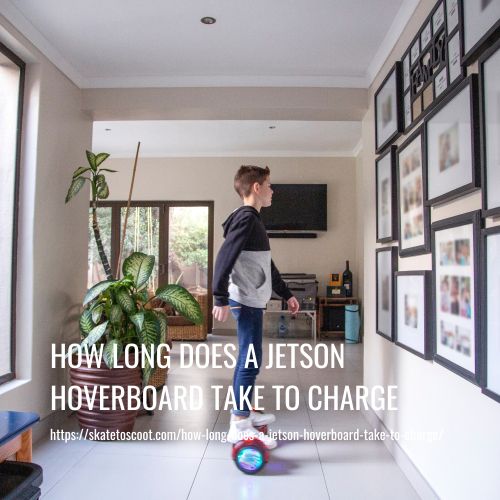
Knowing how long does a Jetson hoverboard take to charge is pointless if you don’t plug it in correctly. The official steps are designed for safety first, battery health second. Skipping them can lead to a dead charger or a stressed battery.
Here is the charging sequence recommended by Jetson.
- Plug the charger into the wall outlet. Always. This happens before you even look at the hoverboard. Connecting the board first can cause a small power surge that the board’s electronics really don’t like.
- Then, plug the charger into the hoverboard’s charging port. The charger light should immediately turn red (or flash green for the Hali X).
- Leave it alone until the charger light turns solid green. This is the full signal. For most models, this is the 3-5 hour window.
4.
Common mistake: Leaving the hoverboard charging overnight or for extended periods after the light turns green. Jetson explicitly warns against this. Overcharging stresses the lithium-ion cells, generating excess heat and accelerating their decline. A full charge cycle is enough.
What about temperature? The manuals are clear: ride, charge, and store your hoverboard above 50°F (10°C). Charging a cold battery is inefficient and can cause internal damage.
Storage, Battery Care, and Conflicting Advice
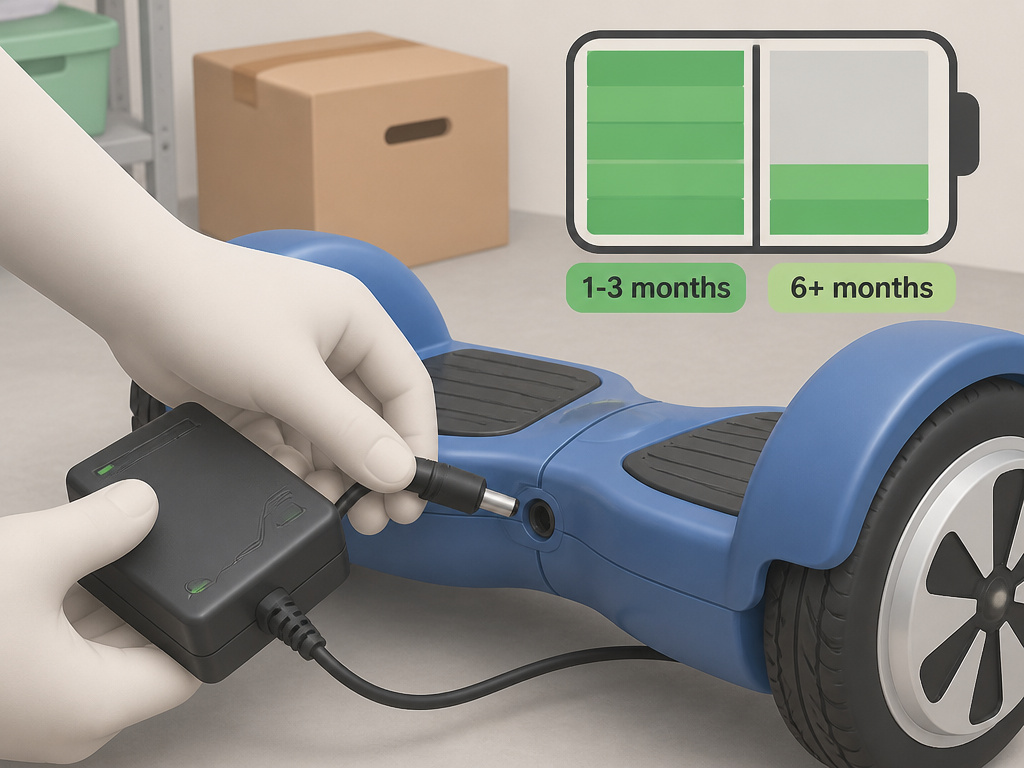
You need to store your hoverboard for the summer, or maybe a few months over winter. This is where the most confusing piece of Jetson advice comes into play, and where you have to make a choice.
Jetson’s official stance: “Charge your hoverboard to full capacity before storing it for long periods of time. While in storage, fully charge it once a month to maintain good battery and charger health.” General lithium-ion battery best practice (as cited in research material): Store batteries at a partial state of charge, ideally between 40% and 60%, for long-term health. A battery left at 100% charge for months undergoes more chemical stress than one at half-charge. These are two different approaches with different priorities.
My take? If you’re storing the board for 1-3 months, follow Jetson’s advice: charge to full, then top up monthly. It’s simpler and guarantees a working board. If you’re storing it for 6 months or more in a climate-controlled space, consider charging it to about 60%, then checking it every two months. It’s more work, but it’s gentler on the battery.
Worth knowing before you start: A hoverboard that’s been in deep storage for years with no charge may refuse to power up. Its battery management system can lock out a battery that has dropped below a critical voltage threshold (a safety feature). In this case, a standard charger won’t work, and you’re likely looking at a battery replacement.
How to Tell If Your Hoverboard Is Actually Charging
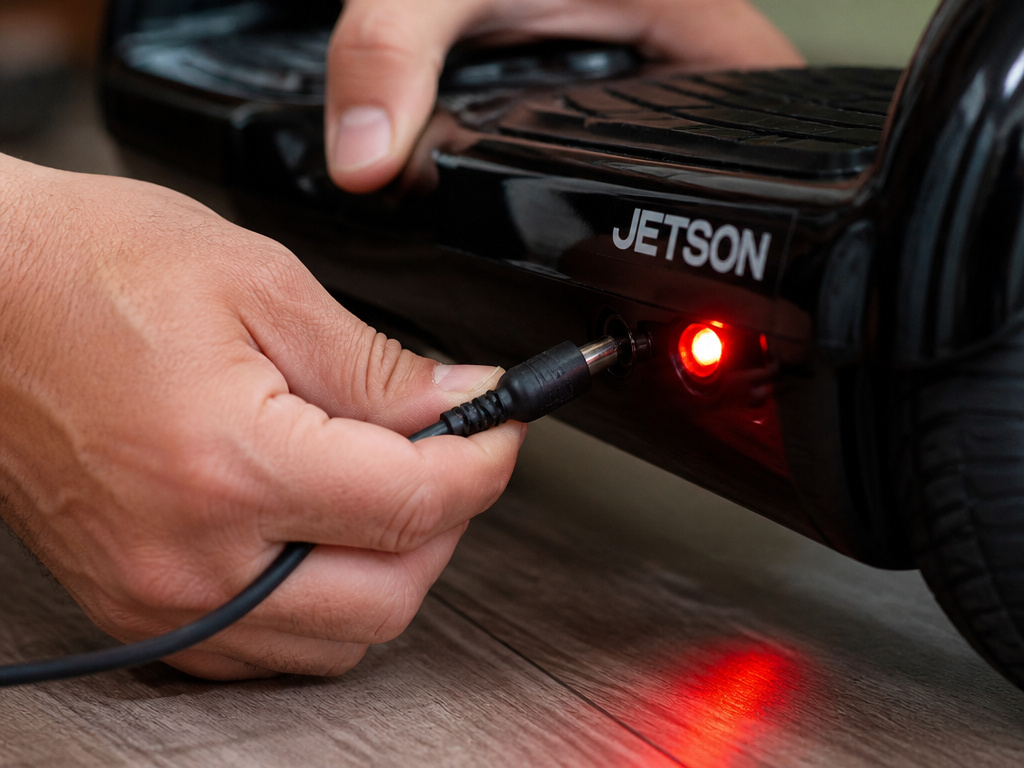
You plugged it in, but nothing seems to happen. No lights, no whirring sound. Is it charging? This panic is common, especially with older models or after a long storage period. Here’s a quick diagnostic flow.
First, confirm the basics. Is the wall outlet live? Is the charger firmly seated in both the wall and the board? Is the charger light on? It should switch to red once connected to a battery that needs charge.
If the charger light stays green after connecting to the board, that often indicates the battery is already full, or, more worryingly, the battery is not communicating with the charger due to a fault. Try unplugging everything, waiting 30 seconds, and starting the sequence again.
Listen and feel. The hoverboard itself is silent when charging correctly. If you can power the board on while it’s plugged in, don’t. Powering the board on while charging is not recommended. It can confuse the charging circuit.
The most definitive test is time. If the charger light is red, leave it for an hour. Then, unplug the board and try to turn it on. If it powers up and shows more battery lights than before, it was charging. If nothing changes, you have a deeper charging problem that needs troubleshooting.
Frequently Asked Questions
How long should I charge my Jetson hoverboard for the first time?
Charge it fully, following the official procedure. There’s no special “first charge” ritual like some older electronics required. Modern lithium-ion batteries are best calibrated with a full charge cycle from the start. Just avoid the temptation to leave it plugged in for days.
How long do Jetson batteries last?
Jetson hoverboard battery can last for many charge cycles. With proper care, avoiding total discharges, not overcharging, and storing correctly, you can expect 2-3 years of regular use before you notice a significant drop in battery life.
Can I use a faster charger with my Jetson hoverboard?
No. Only use the charger that came with your board or a Jetson-approved replacement. A charger with a higher amperage output might physically fit, but it can overheat the battery, damaging the cells and creating a fire risk. The charge time is a design feature, not a bug.
Why does my hoverboard die so fast after a full charge?
If you’re getting significantly less ride time from a full charge, the battery may be worn out. The solution is a battery replacement. Before you go that route, ensure you’re following the correct charging steps to rule out a poor connection.
Do I leave my hoverboard on while charging?
Never. It is recommended to have the hoverboard powered off while charging.
The Bottom Line
Your Jetson hoverboard’s charge time is a fixed number dictated by its model. Find that number, 3 hours for a Flash Dynamic, 5 for a Stereofly, and plan your sessions around it. Trust the lights: red means wait, green means go.
The real longevity hack isn’t a faster charger; it’s discipline. Plug into the wall first, unplug when the light turns green, and never let it sit on the charger for days. If you’re choosing between Jetson models, consider that a 5-hour charge time might be a dealbreaker if you need quick turnarounds.
For storage, I follow Jetson’s full-charge advice for simplicity, but I mark my calendar for that monthly top-up. It’s the one ritual that guarantees the board will wake up when you need it to. Everything else is just details you now understand.