How to Fix Electric Scooter Battery: Step-by-Step
This post contains affiliate links. As an Amazon Associate, we earn from qualifying purchases.
To fix an electric scooter battery, you must first diagnose the exact failure, a dead cell, a tripped BMS, corroded terminals, or a faulty charger, using a multimeter. For lead-acid batteries in models like the Razor E200, repair typically means safe replacement following the OEM manual’s tool list (Phillips screwdriver, 4mm Allen wrench, 8mm open wrench). For lithium packs, individual cell replacement is possible but requires spot-welding skills and carries a high fire risk if done incorrectly.
That diagnosis is the whole game. A battery that “won’t charge” could be a simple BMS lockout, fixed in minutes, or a cascade of dead cells, which is a full rebuild. Knowing how to fix electric scooter battery issues safely is critical. The difference isn’t just time and cost; it’s the risk of a thermal event if you force-charge a compromised lithium pack.
What follows: a five-step diagnostic to run before you touch a screwdriver, the model-specific toolkits pulled straight from Razor’s service bulletins, and the one field test that tells you whether to repair, replace, or call a pro.
Key Takeaways
- Diagnose first with a multimeter, check pack voltage, then individual cell groups if accessible. A reading of 0V often points to a tripped BMS, not dead cells.
- Lead-acid and lithium-ion chemistries fail differently, lead-acid batteries die from sulfation if stored discharged; lithium-ion cells swell and lose capacity from deep discharge cycles.
- The BMS is the most common failure point for lithium packs. A “BMS reset” can sometimes revive a pack that shows no voltage.
- Use only the tools specified in your model’s manual. For a Razor MX500, you need a 5mm Allen wrench and a 10mm wrench; using the wrong size strips bolts.
- Store lead-acid batteries fully charged, but for long-term lithium storage, aim for a ~50% state of charge to minimize degradation.
The 5-Step Diagnostic Process (Before You Open Anything)
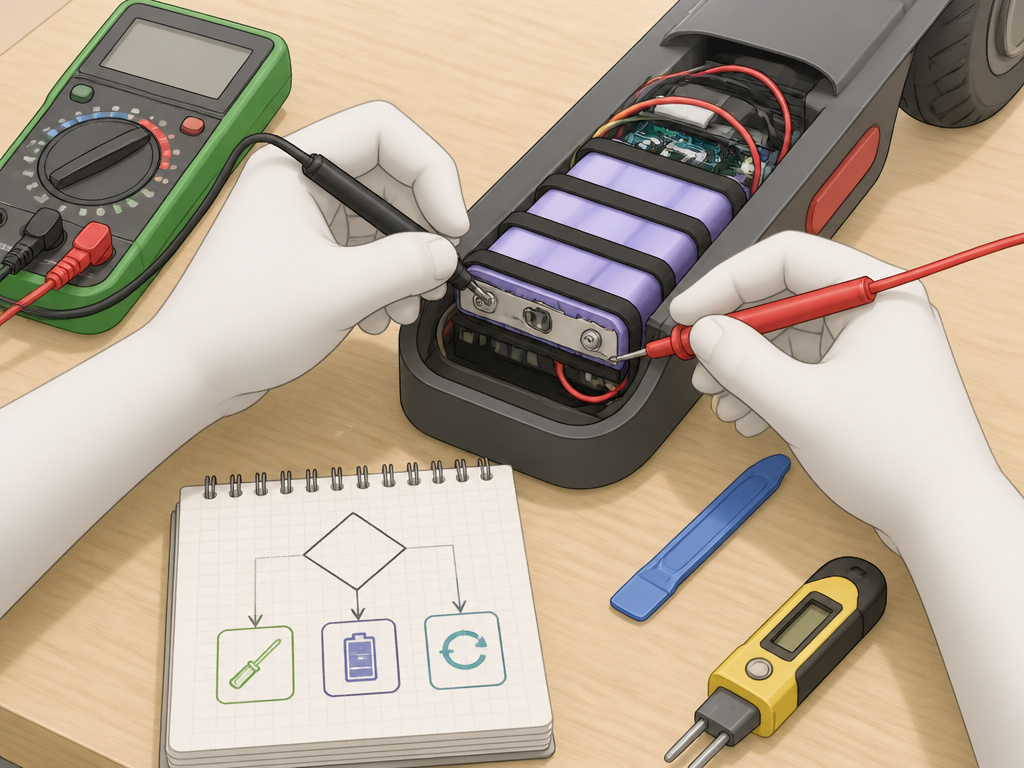
Ever plugged in your scooter, seen the charger light go green immediately, and felt that sinking feeling? The problem might not be inside the battery. Jumping straight to disassembly is how you turn a simple electrical glitch into a complicated mechanical repair.
Start here. You need a basic digital multimeter, which you can find for under $20. This tool doesn’t just give you numbers; it tells a story about where the energy flow stops.
Step 1: Test the Charger Output. Unplug the charger from the scooter. Set your multimeter to DC Volts, at a range higher than your charger’s rated output (e.g., 50V for a 36V or 48V charger). Carefully insert the probes into the charger’s output port. You should see a voltage within 1-2 volts of its rating. No reading means your charger is faulty and is the culprit.
Step 2: Check the Battery’s Main Voltage. Reconnect the battery to the scooter if it was disconnected. Find the main discharge terminals (often where the charger plugs in or a pair of thicker wires). Set the multimeter to DC Volts again. A healthy 36V battery should read a voltage close to its fully charged rating. A reading below 30V suggests deep discharge. A reading of 0V or near 0V is a classic sign of a BMS in lockout mode.
Step 3: Inspect for Physical Damage. Inspect for physical damage. Is the battery case swollen, cracked, or leaking? For lead-acid batteries, a crack means sulfuric acid leakage, do not proceed. For lithium packs, any swelling means internal cell damage has begun; the pack is a potential fire hazard and should be professionally recycled.
Step 4: Listen and Smell. Power the scooter on briefly. Do you hear a faint click from the battery compartment? That’s often the BMS relay engaging. Smell the battery vents (carefully, from a distance). A sweet, chemical odor from a lithium pack or a sharp, acidic smell from a lead-acid battery indicates a leak.
Step 5: Perform a Load Test (If Voltage Seems OK). This is the “why does it die when I ride?” test. With the scooter powered on and the rear wheel lifted off the ground, apply full throttle while measuring voltage at the main terminals. If the voltage sags dramatically under load, you have one or more weak cells dragging the whole pack down.
Where this goes sideways: Assuming a “dead” battery is unrecoverable. In my experience, about a third of scooters brought to me with a “dead” battery just have a tripped BMS or one bad cell in a parallel group. The owner had already ordered a costly replacement pack.
Safety First: Handling Two Very Different Hazards
This isn’t generic “be careful” advice. A lead-acid battery and a lithium-ion battery fail in fundamentally different, dangerous ways. Getting the how to fix electric scooter battery question wrong doesn’t just ruin your battery; it can ruin your day, your scooter, or your workspace.
For sealed lead-acid batteries (common in Razor E and MX series), the hazard is sulfuric acid. The OEM manuals are blunt: if acid contacts skin or eyes, flush with cool water for at least 15 minutes and call a physician. If a leak develops, avoid contact and place the damaged battery in a plastic bag. The terminals contain lead and lead compounds, wash your hands after handling. These batteries are heavy; dropping one can crack the case instantly.
For lithium-ion batteries, the hazard is thermal runaway. A physically damaged, overcharged, or short-circuited cell can heat up to over 400°F in seconds, venting toxic gas and potentially igniting. The Razor E Prime III manual explicitly warns not to charge at or below 32°F (0°C), as this can cause metallic lithium plating inside the cell, a hidden defect that can fail violently later.
Before you start: Turn the scooter’s power switch OFF and disconnect the charger before removing or installing batteries. This prevents a potential short-circuit shock and is step one in every OEM service bulletin. Failure to follow this can cause irreparable damage to the scooter’s controller.
| Battery Chemistry | Primary Hazard | If Leaking/Damaged | Storage Charge State |
|---|---|---|---|
| Sealed Lead-Acid | Sulfuric Acid Leak | Place in plastic bag, recycle professionally | Fully Charged (per Razor manuals) |
| Lithium-Ion | Fire / Thermal Runaway | Do NOT charge; store in fireproof container | ~40-60% Charge (industry best practice) |
The storage charge state in that table highlights a key conflict. Razor’s lead-acid manuals say charge before storage; leaving it discharged “will ruin it.” For lithium, Razor’s manual is silent, but electronics industry wisdom says a full charge for storage accelerates long-term capacity loss. This is a perfect example of why you must follow the manual for your specific battery.
Tools You’ll Actually Need (It’s Model-Specific)
Most guides give you a generic list: screwdrivers, wrenches, maybe a multimeter. That’s not how it works in the real world. The difference between a 30-minute battery swap and a stripped bolt headache often comes down to using the exact tool size the manufacturer designed.
I learned this the hard way on an old Razor MX650. I assumed a standard hex key set would cover it. The 5mm Allen wrench for the fairing bolts worked fine, but the 10mm wrench for the bolts underneath was essential. My cheap, thin-walled 10mm wrench flexed and rounded the nut. I had to drill it out, adding an hour to the job. Now I use a six-point socket for those.
Here are the tool lists, verbatim from Razor’s own service bulletins, these are your shopping list.
| Razor Model Series | Tools Required (Per OEM Manual) | Key Use Case |
|---|---|---|
| E200, E300, E100, E125, E150, E175 | Phillips head screwdriver, 4mm Allen wrench, 8mm open wrench | Removing deck plate, battery bracket |
| MX500, MX650 | Phillips screwdriver, 4mm Allen wrench, 5mm Allen wrench, 10mm wrench | Removing fairing (4 hex bolts), seat bolts (2 hex bolts), battery cover |
| General Diagnostics | Digital Multimeter, Insulated Gloves, Safety Glasses | Voltage checks, continuity tests, safe handling |
The takeaway is simple. Before you open anything, find your scooter’s model number and download the official manual. The five minutes you spend confirming you have a 5mm Allen wrench instead of a 4mm will save you a trip to the hardware store mid-job. If you’re tackling problems with the wiring, add wire strippers and electrical tape to this core list for how to fix electric scooter battery tasks.
Step-by-Step Battery Removal & Inspection
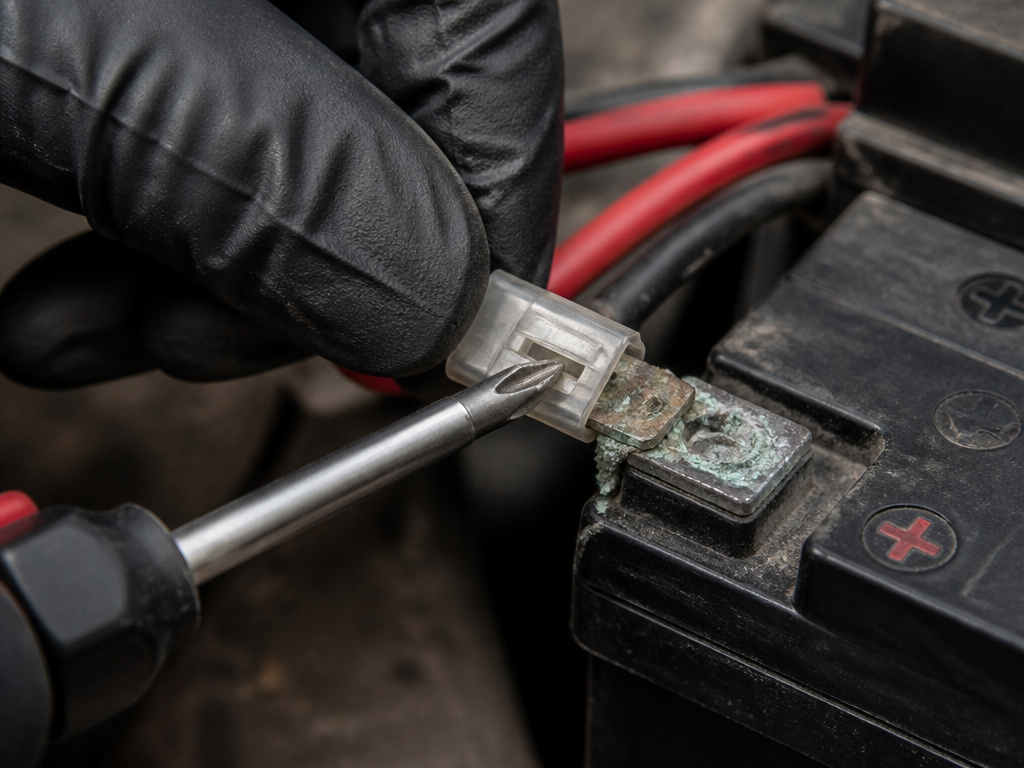
We will break this down for a common scenario: a Razor E200 with a dead lead-acid battery. The process is similar for many deck-style scooters, but the principle, systematic disassembly, visual inspection, safe disconnection, applies everywhere.
- Power Down & Prep: Turn the scooter’s power switch OFF. Unplug the charger. Place the scooter on a stable, flat surface. Have your tools (Phillips, 4mm Allen, 8mm wrench) and a container for screws ready.
- Remove the Deck Plate: Using the Phillips screwdriver, remove the 4 screws in the front of the deck. Use the Phillips and 8mm wrench to remove the 2 screws and locknuts in the back. Finally, use the 4mm Allen wrench to remove the 2 Allen bolts. Lift the deck plate off.
- Locate and Disconnect the Battery: You’ll see the battery secured by a bracket. Remove the bracket screws with the Phillips driver. Before disconnecting wires, take a photo with your phone. This is your reference for reassembly. For connectors, you may need to depress a small plastic tab to release them. Pull straight out, never yank on the wires.
- The Critical Visual Inspection: This is where you diagnose with your eyes. Look for:
- Cracks or bulges in the battery case.
- White, blue, or green corrosion on the metal terminals (a sign of electrolyte leakage).
- Melted or discolored insulation on wires near connectors (indicating a past short circuit).
- Loose or broken solder joints on the battery tabs (common in cheaper lithium packs).
If you find terminal corrosion on a lithium pack, as one Reddit user did, it’s often more than a surface issue. “Those cells with the green crap on them are almost certainly corroded and stone dead,” one commenter noted. Cleaning the terminals might restore a connection, but the underlying cells are likely compromised.
The part nobody mentions: When you lift the battery out, note its orientation. Many have vent tubes or connectors on one side only. Reinstalling it backwards can block ventilation or strain the wiring. A dot of paint or tape on one side before removal saves the guesswork later.
When to Repair, Replace, or Reset
You’ve done the diagnostics. The battery is out on your workbench. Now comes the real decision: can you fix this, or is it time for a new one? The answer isn’t just technical; it’s economic and practical.
Repair (Cell Replacement) is feasible if:
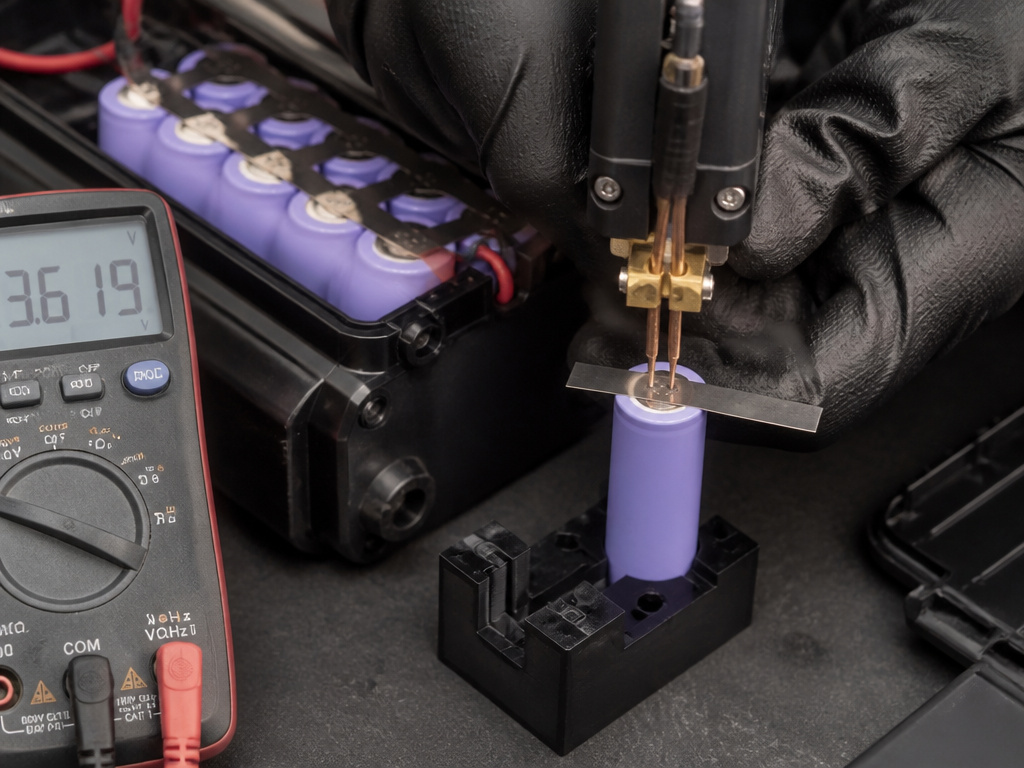
- You have a lithium-ion pack with accessible, standard cells (like 18650s).
- Your multimeter shows one parallel cell group is significantly lower voltage than the others.
- You own or can borrow a spot welder (soldering lithium cells is dangerous and not recommended).
- You can source exact replacement cells with the same capacity and discharge rating (C-rate).
Replacement (New Battery) is the better choice if:
- Your scooter uses a proprietary or hard-to-open pack.
- The battery is lead-acid (they are not user-serviceable).
- A significant portion of the cells in a lithium pack are weak or dead.
- You lack the tools, time, or confidence for a complex repair. A new battery from the OEM or a third-party seller is a known quantity. Just remember Razor’s warning for the MX500: “Do not use non-Razor products… May void your warranty and pose a fire hazard.”
Reset (BMS Revival) is your first and easiest attempt for a “dead” lithium pack. If your pack shows 0V, the BMS may have disconnected the output to protect the cells. To attempt a reset:
- Carefully open the battery case if possible.
- Locate the small balance connector from the cells to the BMS board.
- Using your multimeter, check the voltage of the entire cell stack directly at the cell terminals, bypassing the BMS. If this voltage is reasonable (e.g., >30V for a 36V pack), the cells are likely okay.
- Sometimes, applying a brief, low-current charge (1-2A) directly to the main cell terminals can “wake up” the BMS. This is a delicate procedure; monitor temperatures closely and stop immediately if anything gets warm.
This reset can often solve an issue where the scooter won’t turn on and the battery seems completely dead. It’s the digital equivalent of a kickstart.
Charging and Storage: The Lifespan Deciders
How you charge and store your battery determines its lifespan more than anything else. The factory manuals don’t just give times and temperatures for fun; they’re the result of the chemistry’s limits.
For Razor lead-acid batteries, the rules are strict and non-negotiable:
- Initial Charge: For a new Razor E200/E300/E100/E125/E150/E175 lead-acid battery, charge for at least 18 hours before first use. For a new Razor MX500/MX650 lead-acid battery, charge for at least 12 hours before first use. Never exceed 30 hours (24 for MX).
- Routine Charging: Charge after every use, regardless of ride time, for at least 12 hours.
- Storage: Charge before storing. Charge at least once per month, even if unused. Do not store in temperatures above 75°F or below -10°F for E100/E125/E150/E175 models; for MX500/MX650, do not store in freezing or below freezing temperatures.
For lithium-ion batteries (like the Razor E Prime III):
- Initial Charge: The manual specifies 8 hours for a new battery.
- Routine Charging: You can charge at any time; there’s no “memory effect.” Partial charges are fine.
- Storage: For long-term storage (months), the industry consensus is to store at a ~40-60% state of charge in a cool, dry place. Razor’s manual specifies a charging temperature range of 32°F to 113°F (0°C to 45°C), do not charge at or below freezing.
Common mistake: Letting a lead-acid battery sit discharged. The sulfate that forms during discharge hardens into crystals if left, permanently reducing capacity. That “ruined” battery in your garage? It was probably salvageable if you’d plugged it in within a few weeks.
The conflict on storage charge state is real. Razor says “charge before storing” for lead-acid. For lithium, they don’t specify, but storing at 100% for months stresses the cells. When in doubt, follow your specific manual, but for lithium, erring toward a half-charge for long-term storage is the wiser, if unofficial, move.
How to test individual scooter battery cells
Before opening a battery pack, ensure the scooter’s power switch is off and the charger is disconnected to prevent shock. A multimeter is the essential tool for this job. For lead-acid batteries, which are common in many models, you will be checking the voltage at individual cell terminals or the main battery posts. A healthy cell will show a voltage close to its rated value, while a dead or weak cell will read significantly lower and can drag down the entire pack. If you encounter a leaking cell, avoid contact with the acid and place the damaged battery in a plastic bag for proper disposal. Remember that battery terminals contain lead, so wash your hands thoroughly after handling.
Frequently Asked Questions
How do I reset an electric scooter battery?
True battery reset often means resetting the Battery Management System (BMS). For a lithium pack showing 0V, you can sometimes apply a low-current charge directly to the main cell terminals (bypassing the BMS) for a few minutes. If the BMS recognizes the cells are back in a safe voltage range, it may re-enable the output. This is not a guaranteed fix and carries risk; if the BMS is faulty, it may not work. For a simpler reset procedure, turn the scooter off, disconnect the charger, wait 30 seconds, and restart.
Can a scooter battery be repaired?
Yes, but within limits. Lead-acid batteries are typically replaced, not repaired. Lithium-ion battery packs can be repaired by replacing individual dead cells if you have spot-welding equipment and can source identical new cells. However, if the pack is swollen, the BMS is faulty, or many cells are weak, a full replacement is safer and more economical.
How do you fix an electric scooter battery that doesn’t charge?
First, diagnose the root cause. Use a multimeter to check if the charger is outputting the correct voltage. Then, check the battery’s main terminals for voltage. If the charger is good but the battery reads 0V, the BMS may be in lockout. If the battery reads a low voltage (e.g., 20V for a 36V pack), it may be deeply discharged and require a specialized charger or a careful manual charge attempt to revive it.
What tools do I need to replace a scooter battery?
The tools are model-specific. For a Razor E200/E300, you need a Phillips head screwdriver, a 4mm Allen wrench, and an 8mm open wrench. For a Razor MX500/MX650, you need a Phillips screwdriver, a 4mm Allen wrench, a 5mm Allen wrench, and a 10mm wrench. Always consult your scooter’s official service manual for the exact list before starting.
Is it safe to use a non-brand battery in my Razor scooter?
Razor’s official stance, printed in the MX500/MX650 manual, is “Do not use non-Razor products… Will void your warranty… May pose a fire hazard.” While third-party batteries can work and are often cheaper, they may use lower-quality cells or a different BMS. If you choose a third-party battery, ensure it comes from a supplier with strong reviews and clear compatibility information.
Why did my battery fail after being stored for a winter?
Lead-acid batteries fail from sulfation if stored in a discharged state. Lithium-ion batteries can suffer from slow self-discharge below the BMS’s low-voltage cutoff, triggering permanent protection. Always store lead-acid batteries fully charged and lithium batteries at a partial charge (~50%), and keep both in a climate-controlled space if possible.
The Bottom Line
Fixing a scooter battery is a puzzle with three pieces: accurate diagnosis, the right tools, and respecting the chemistry. If your multimeter reads 0V, try a BMS reset before you declare the pack dead. If you see physical damage, especially swelling, replacement is your only safe path.
For the majority of DIYers with a common Razor model, battery replacement is the most realistic fix. Follow the OEM manual’s tool list to the letter, that Phillips screwdriver and 4mm Allen wrench aren’t suggestions. The process is mechanical, not magical.
If you’re venturing into lithium cell replacement, treat it with the respect it demands. You’re not just fixing a battery; you’re managing contained energy that can fail spectacularly. The most important tool isn’t your spot welder; it’s your patience to walk away if the repair exceeds your skill or the risk outweighs the savings. Your scooter, and your safety, are worth that clarity.