How to Use Spin Scooter: Step-by-Step (Without Damage)
This post contains affiliate links. As an Amazon Associate, we earn from qualifying purchases.
To use a Spin scooter, download the Spin app, add payment, find a scooter on the map, and scan its QR code to start. You must push the scooter to 3 MPH (5 km/h) before the throttle will engage. End your ride in a designated parking zone, making sure the scooter is not within 10 feet of a crosswalk or curb ramp. Riders without a smartphone can use Spin Access by texting the vehicle number to start.
That 3 MPH push-start isn’t a suggestion, it’s a hardwired safety feature in the scooter’s motor controller, straight from the owner’s manual. Miss it, and you’ll stand there squeezing a dead throttle while your ride timer ticks. Knowing how to use Spin scooter means understanding that the rest of the process hinges on matching the scooter’s digital rules to the physical city around you, from geofenced slow zones to parking enforcement that hits your wallet.
What follows: a pre-ride check that can catch many scooter failures before you pay, the exact steps for app and SMS starting, how to navigate speed-restricted and no-park zones, and what to do when the scooter just won’t move, all part of learning how to use Spin scooter. By the end, you’ll know the difference between a dead battery and a geofenced throttle, and how to park without triggering a fine.
Key Takeaways
- Push to 3 MPH first. The motor won’t engage until you manually get the scooter rolling, squeezing the throttle on a stationary scooter does nothing.
- Check the map before you start. Red zones on the Spin app map are no-ride or no-park areas; starting in one means you can’t begin, and parking in one means you can’t end your ride.
- Use Spin Access if you lack a smartphone. Text “start” plus the vehicle number (found under the QR code) to (206) 800-6703. Text “lock” to the same number to end the ride.
- Park at least 10 feet from crosswalks. The official Greeley pilot rules state this distance; parking closer blocks ADA access and can lead to fines or account penalties.
- A monthly battery charge is mandatory for owned models. If you buy a scooter, its manual requires a recharge every month, even in storage, to prevent permanent battery failure.
Before You Start: Gear and Local Rules
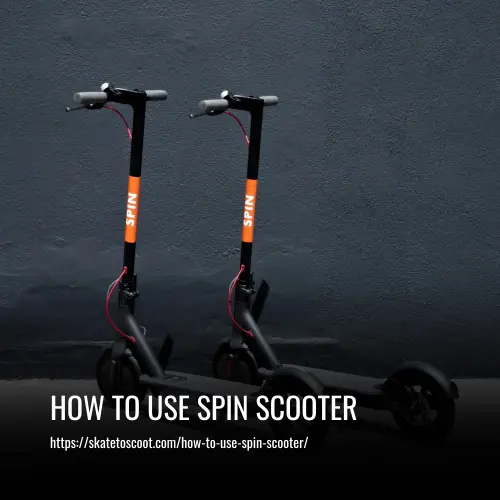
First, consider safety gear. I’ve coached enough skaters to know that the most common injury isn’t from a high-speed crash; it’s from a simple, unexpected loss of balance. On a scooter, that translates to a palm-first meeting with the pavement. A helmet is essential. Beyond that, know your local laws. In Colorado, for example, state law requires you to give a verbal cue when passing pedestrians on a shared path, a simple “on your left” keeps everyone safe and avoids a citation.
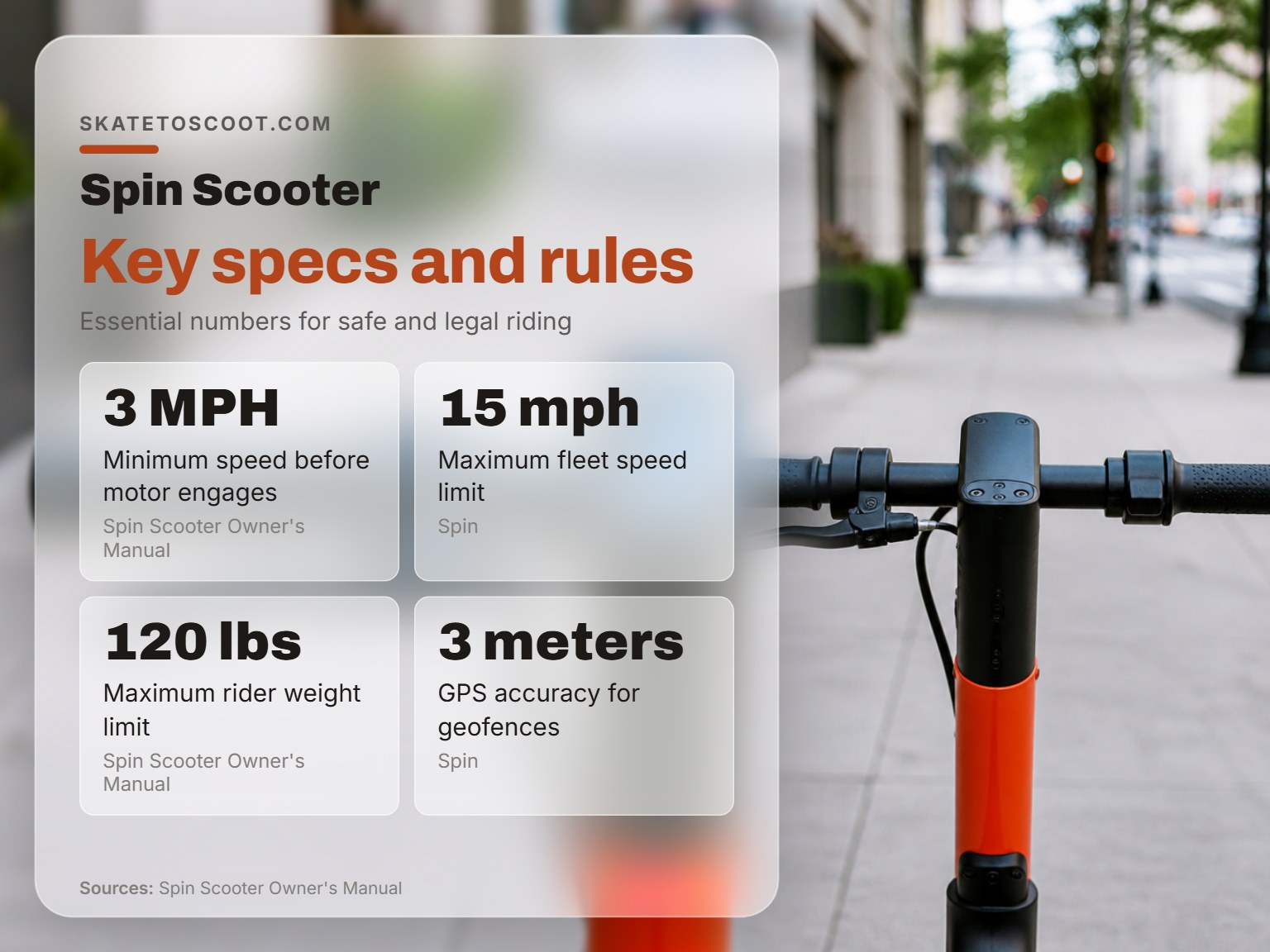
Before you start: Scooters have a 120 lbs (54 kg) maximum weight limit per the OEM manual. Exceeding this limit can damage the scooter and is unsafe. Also, never ride under the influence of drugs or alcohol; it’s illegal and voids any damage protection.
The 3-Second Pre-Ride Safety Check (You Can’t Skip)
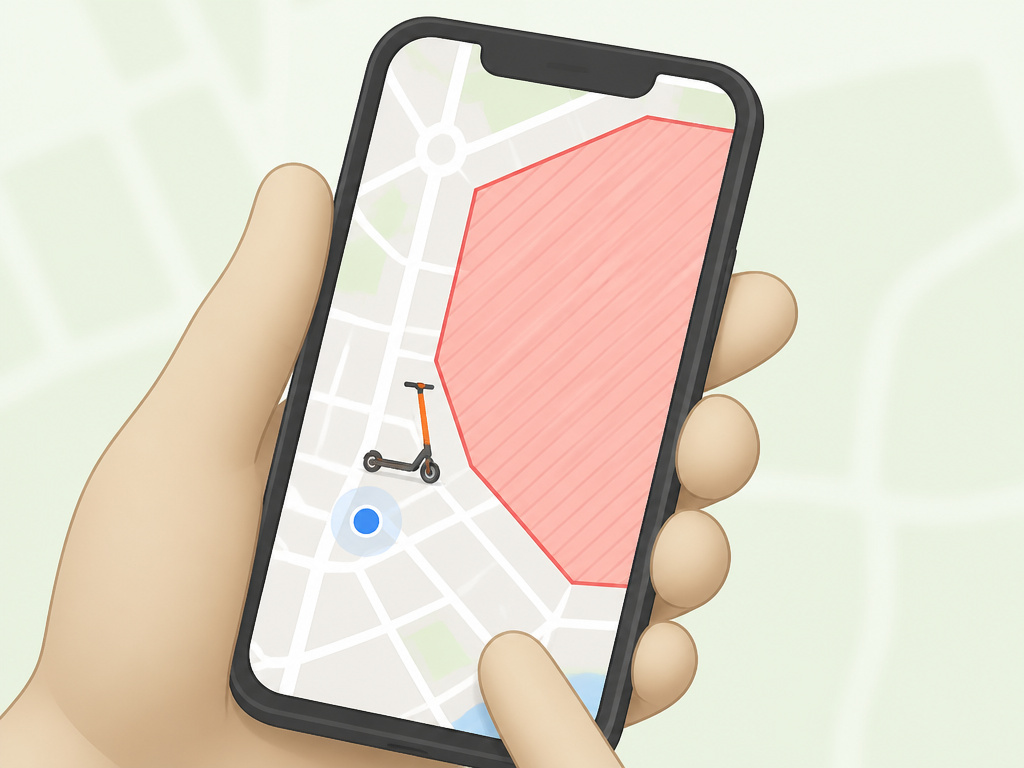
You find a scooter, scan it, and hop on. Then you realize the brakes are spongy or the front tire is flat. Now you’re paying for a ride on a broken machine while you figure out how to report it. Do this three-point check before you start.
- Brake Lever Feel. Squeeze the brake lever on the left handlebar. It should engage with firm resistance about halfway through its pull. A lever that goes straight to the grip without tension may indicate a problem with the brakes.
- Tire Pressure. Give the front and rear tires a firm press with your thumb. They should be solid, not squishy. A completely flat tire is obvious, but a soft tire will make the scooter wobble dangerously at speed.
- Standing Stability. Give the scooter a gentle rock side-to-side. It should feel planted. If the kickstand is deployed or the folding mechanism is not secure, the scooter may feel unstable.
This isn’t just about safety, it’s your proof. If you find an issue, you can report it in the app before you start your ride, which often nets you ride credit and gets a broken scooter off the street for the next person.
Unlocking Your Spin Scooter (App or SMS)
The core process is straightforward, but two edge cases trip up most new riders: the app’s map zones and the SMS system for non-smartphone users.
For Smartphone Users: The App Method
- Download and Set Up. Get the Spin app from your device’s app store. You’ll need to add a payment method, a credit/debit card or, in some cities, a prepaid card.
- Find a Scooter. Open the app’s map. Available scooters appear as icons. Crucial: Look for shaded red areas. These are “no-ride” or “no-park” geofences. If a scooter icon is inside a red zone, you cannot start it there.
- Scan to Unlock. Walk to the scooter. Open the camera through the app and scan the QR code on the stem or deck. You’ll hear a click and the scooter will beep, indicating it’s ready. Your ride timer starts now.
For Non-Smartphone Users: Spin Access SMS
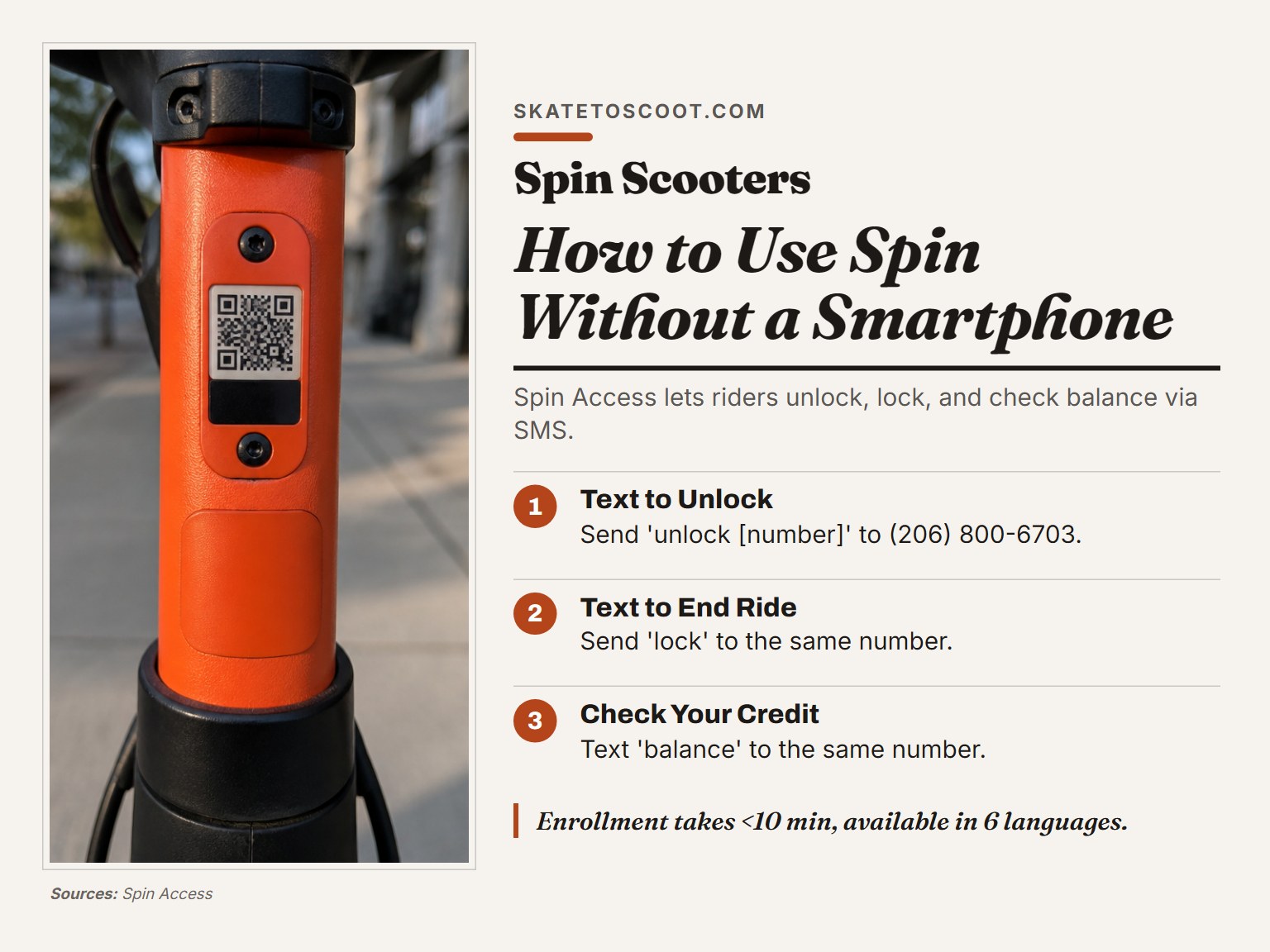
This is a vital, often-overlooked feature. Spin Access provides access for riders without smartphones or credit cards.
- Locate the Vehicle Number. Find a Spin scooter. The vehicle number is usually printed directly underneath the QR code or on a label on the stem.
- Text to Unlock. From your mobile phone, send a text message to (206) 800-6703. The format is:
start [vehicle number]. For example,start 12345. - Text to End. When you finish your ride, send the text
lockto the same number to end the trip and lock the scooter. - Check Balance. You can text
balanceto the same number to see any remaining credit on your account.
The Spin Access enrollment process takes less than 10 minutes online and is available in six languages: English, Spanish, Russian, Chinese, Vietnamese, and Filipino. It also offers discounted fares for eligible riders.
How to Actually Ride: Throttle, Balance, and Zones
Here’s where people get stuck. You’re on the scooter, you press the throttle on the right handlebar, and nothing happens.
You must push off first. According to the Spin Scooter Owner’s Manual, the scooter must be traveling at 3 MPH (5 km/h) before the motor engages. Give yourself a firm kick-off with your foot, then press the throttle. The motor will take over.
Once moving, keep your weight centered, with a slight bend in your knees to absorb bumps. Use the brake lever gradually, not in a sudden jerk.
| Zone Type (Geofence) | What Happens | Why It Exists |
|---|---|---|
| Slow Zone | Scooter speed is reduced to a set limit (e.g., 8-10 mph). | High pedestrian areas, parks, or safety corridors. |
| No-Park Zone | You cannot end your ride within the zone. The app forces you to move. | Prevents blocking sidewalks, crosswalks, and building entrances. |
| No-Ride Zone | Throttle disengages, scooter stops, and an audible alarm may sound. | Unsafe areas, private property, or prohibited trails. |
Spin’s GPS is accurate to within 3 meters, and they implement these city-requested geofences within 24 hours. Ignoring a no-park zone means your ride timer, and your fare, keeps increasing until you park legally outside of it.
How to Park a Spin Scooter Correctly
This is the single biggest point of user friction and city complaints. Park wrong, and you block access, get fined, or have your account suspended.
The universal rule from the Greeley pilot FAQ: do not park within 10 feet of a crosswalk or curb ramp. This space is essential for ADA accessibility. Beyond that, use this hierarchy:
- Designated Scooter/Bike Parking Corral (Best)
- “Street Furniture Zone” (The area on a wide sidewalk next to a bench or trash can)
- Legal Parking Zone (A clear, non-obstructed spot on the sidewalk adjacent to the curb)
Where you CANNOT park:
- On private property without explicit permission.
- Blocking a bus stop or loading zone.
- In a way that narrows a sidewalk to less than 36 inches of clear passage.
- Inside any area marked as a “No-Park Zone” on the Spin app map.
Common mistake: Leaving the kickstand undeployed. Ensure the kickstand is fully deployed and locked into place according to the scooter’s design. If you just kick it, it often springs back up and the scooter falls over.
To end your ride in the app, simply press the “End Ride” or “Park” button. Follow the app’s instructions to properly end your ride and confirm parking. Take this seriously, it’s your record against an improper parking report.
Troubleshooting: When Your Spin Scooter Won’t Work
You’ve paid, but the scooter is dead. Before you report it, run through this diagnostic table.
| Problem | Likely Cause | Immediate Fix |
|---|---|---|
| Throttle does nothing | Scooter is stationary. | Push off manually to 3 MPH, then engage throttle. |
| Throttle disengages/alarm sounds | You entered a No-Ride Zone. | Move the scooter out of the red zone on the map. |
| Scooter suddenly stops mid-ride | Motor overload breaker tripped (steep hill, excess weight). | Wait a moment, then check if the scooter has a reset function as described in its manual. |
| App says “Cannot end ride here” | You are in a No-Park Zone. | Move the scooter to a compliant parking spot. |
| Battery dies quickly | Scooter is at end of charge cycle or has old battery. | Report in app; seek a different scooter. |
If you exhaust these fixes, use the “Help” section in the Spin app to report the specific issue. Note the vehicle number. You can report the issue in the Spin app; they may offer a refund or credit for a malfunctioning ride.
Scooter Care and Battery Longevity (If You Own One)
If you’re using shared Spin scooters, this doesn’t apply. But if you’re considering buying a personal scooter like the models Spin uses (e.g., the Spin Max Model or a Segway Ninebot), battery care is everything.
The Spin Max Model Scooter is certified to UL 2272 and ASTM F2641 safety standards and uses a swappable 36V lithium battery. For long-term health, the manuals present a clear disagreement you should know about.
| Source | Storage Charge Instruction | Notes |
|---|---|---|
| Spin Scooter Owner’s Manual | Recharge at least once a month when not in use. | Prevents battery from refusing a charge. |
| S Pro Travel Scooter Manual | Charge fully every time and at least monthly for storage. | Contradicts common Li-ion advice of ~40-60% charge for storage. |
| Common Li-ion Guidance | Store at ~40-60% charge in a cool, dry place. | Prolongs overall battery lifespan. |
The takeaway? If you own a Spin-branded or Segway scooter, follow its specific manual to the letter. For other brands, the 40-60% storage rule is generally safer for long-term battery health.
How to contact Spin customer support
For issues during a ride, your first stop is the support section within the Spin app. If you don’t have smartphone access, the Spin Access program provides SMS support. You can text commands like ‘start [vehicle number]’, ‘lock’, or ‘balance’ to a dedicated phone number. The online enrollment for Spin Access is a quick process and the application is available in multiple languages. For more complex problems not solvable via the app or SMS, use the contact form or email address on the official Spin website.
How to get a refund or dispute a charge from Spin
If you believe you were incorrectly charged, gather your ride details including start and end times. Open the Spin app and navigate to your ride history or the support section. Initiate a dispute by clearly describing the issue, such as a scooter malfunction that ended your trip early or an overcharge due to a parking error. Providing specific facts, like the scooter failing to reach its minimum speed for motor engagement, helps support your case. Check your account for updates, as the support team will communicate their decision through the app.
Where Spin scooters and bikes are available
Spin operates in specific cities and neighborhoods, and their service area is defined by geofencing technology. You can only start and end trips within the approved operational zone shown on the Spin app map. Attempting to ride outside these boundaries may cause the scooter to slow down or stop. Cities can request new geofences, like no-park zones, which Spin implements within 24 hours, or within 1-3 hours for emergencies during business hours. Always check the app map before your ride to see the current service area and any active slow-down or no-parking zones to avoid penalties.
Frequently Asked Questions
How do you use a Spin scooter for the very first time?
Download the Spin app, create an account with your email and phone number, and add a payment method. Use the map to find a scooter, scan its QR code to start, push off to 3 MPH, then engage the throttle. End your ride in a legal parking zone and take the required photo.
Why isn’t my Spin scooter moving when I press the throttle?
The most common reason is not pushing off first. The motor has a 3 MPH (5 km/h) engagement speed. Give the scooter a firm kick-start, then press the throttle. If it still doesn’t work, you may be in a no-ride geofence, or the battery may be dead.
How do I use a Spin scooter without the app?
Use Spin Access. Locate the vehicle number on the scooter (under the QR code) and text “start [number]” to (206) 800-6703. To end the ride, text “lock” to the same number. You must pre-enroll in Spin Access online or by phone to use this service.
Can I ride a Spin scooter on the sidewalk?
Local laws vary, but Spin’s own policy recommends bike lanes when available and safe. If you must use the sidewalk, ride slowly and yield to all pedestrians. In Colorado, state law requires a verbal cue when passing pedestrians on a shared path.
What happens if I park a Spin scooter incorrectly?
The app may prevent you from ending your ride, causing your fare to increase. You may also receive a fine from the local city, and repeated violations can lead to temporary or permanent suspension of your Spin account. Always check the app map for no-park zones.
Before You Go
Your first few rides will feel awkward. That’s normal. The rhythm comes from pairing the physical action, the push-start, the centered stance, the smooth brake, with the digital layer of geofences and app prompts. Forget one, and the system pushes back.
If you take one thing from this guide on how to use Spin scooter, let it be this: never start a scooter without a glance at the app map for red zones and a three-second check of brakes and tires. That habit alone saves you 90% of the headaches riders report. Everything else, from scooter rental basics to comparing Spin pricing with other services, builds from that fundamental awareness of your machine and your environment. Now go roll.