How to Remove Speed Limiter on Electric Scooter
This post contains affiliate links. As an Amazon Associate, we earn from qualifying purchases.
To remove a speed limiter on an electric scooter, you must first identify its type: a software limit in the controller, a physical wire limiter, or a hidden menu setting. Common methods include accessing a hidden menu (like on E-TWOW models), cutting a specific wire (like on some Razor scooters), or flashing custom firmware (like on Xiaomi M365). Each method voids the warranty, risks damaging the scooter, and may be illegal in your area.
That distinction between software, hardware, and hidden settings is where most guides get vague. They’ll tell you “cut a wire” or “use an app” without explaining why your specific scooter only responds to one approach. The controller’s design decides everything, which is the first thing to understand when learning how to remove speed limiter on electric scooter.
What follows is a breakdown of the three limiter types, the step-by-step procedures that actually work for named models, and the real consequences each one carries for your scooter’s battery, motor, and your own safety.
Key Takeaways
- Identify the limiter type first. Modern scooters use software limits; only older or specific models like the Razor MX350 use a physical speed limiter wire you can disconnect.
- Accessing a hidden menu is the safest software method. For E-TWOW and UScooter models, a button sequence (like brake + power) can activate higher speed levels, including a Sport mode that removes the cap entirely.
- Flashing firmware is high-risk. Rewriting the scooter’s controller software, as required for a Xiaomi Mi M365, can brick the scooter if the process fails.
- Cutting wires requires exact identification. Mistaking a motor phase wire or a brake sensor wire for the limiter can cause immediate, permanent damage.
- Performance trade-offs are guaranteed. Removing the limiter slashes range, the E-TWOW GT Sport‘s range drops from 30-35 km to 20-25 km in Sport mode, and increases strain on the motor and battery.
The 3 Main Ways a Scooter Limits Speed (and How to Remove It)
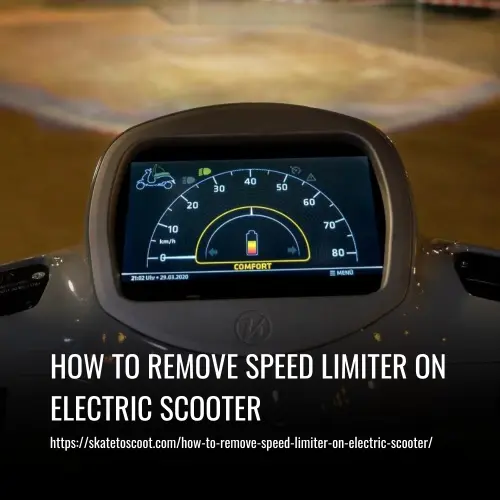
You can’t fight a limiter you haven’t identified. Manufacturers use three basic systems, and your approach changes completely based on which one you have.
Software Limit (Controller Firmware): An electronic cap programmed into the scooter’s main controller board. It’s the most common type on modern scooters. Removal requires either accessing a hidden manufacturer menu, flashing custom firmware via a computer, or, in rare cases, replacing the controller entirely.
Hidden Menu Access. This is your first and safest check. Many scooters, including E-TWOW and UScooter Booster models, have a diagnostic or settings menu not shown in the manual. The community-documented method is to hold the brake lever, press and hold the power button until the display changes, then navigate using the throttle or brake. On the E-TWOW GT Sport, this menu allows you to select speed levels L1 (6 km/h), L2 (25 km/h), L3 (40 km/h), and L4 (46 km/h), and sometimes a “P3” or Sport mode that removes the limit completely.
Firmware Flashing. If there’s no menu, the limit is buried deeper in the controller’s code. Scooters like the Xiaomi Mi M365 require connecting the controller to a computer and using specific software to upload a modified firmware file. This is where things get delicate. A failed flash can corrupt the controller, leaving your scooter completely unresponsive, a “brick.” The Xiaomi FAQ explicitly warns that unauthorized disassembly voids the warranty, and a bad flash is a perfect example of why. (E-TWOW also warns against modification, while community guides detail removal methods.)
Physical Wire Limiter: A discrete component, often a resistor or a simple loop of wire, placed between the battery and the controller to reduce power. It’s common on budget, kid-focused brands like Razor.
Locate and Disconnect. On the Razor MX350, the limiter is a physical switch inside a screw-secured cover under the deck. Flipping it changes the mode from LOW (10 mph) to HIGH (14 mph). On even simpler models, a single wire with a connector might be the culprit. The old-school advice is to find and cut this wire. Here’s the critical part: wire colors are not universal. A red wire might be power on one scooter and a brake signal on another. Cutting the wrong one can blow the controller or disable the brakes. If you go this route, you need the official wiring diagram for your model, not a guess from a forum photo.
Display/App Software Limit: A speed cap applied by the scooter’s display unit or companion smartphone app. This is often the easiest to change.
Adjust Settings. Some scooters, like the Xiaomi Mi Electric Scooter, have a Speed Limit mode (18 km/h) that can be toggled off in the official app or via the display to restore Normal mode (25 km/h). Always check the manufacturer’s app or display settings before opening any panels. This is a software switch, not a removal, but it’s the only “safe” change endorsed by the maker.
A Step-by-Step Decision Guide
Don’t start cutting or flashing. Follow this sequence to find your path and avoid the most common dead ends.
- Consult the Official Manual. Search for your scooter’s exact model name and “user manual PDF.” Look for sections on “speed settings,” “modes,” or “technical specifications.” The E-TWOW manual lists its L1-L4 settings. The Razor manual shows the physical switch. If the manual shows a way to change speed, use that method first. It’s the only one that won’t void your warranty.
- Search for “Hidden Menu” + Your Model. Go to YouTube or a forum like r/ElectricScooters. Search your scooter’s brand and “hidden menu” or “P settings.” For example, “Qlaway K078 hidden menu” brings up a specific button sequence for the Vicont controller. These community finds are often your best option for a software modification without cracking the deck open.
- Identify Your Controller. If steps 1 and 2 fail, you’ll likely need to open the deck. Your goal is to see the main controller board and note any branding (e.g., “Vicont,” “Minimotors”) and model numbers. This information is crucial for finding the right firmware or wiring guide. Take a clear photo before disconnecting anything.
- Choose Your Method. Now, match your controller to the removal path:
- Has a hidden menu sequence: Use it. This is the lowest-risk software option.
- Controller is known for custom firmware (e.g., Xiaomi M365): Research the flashing tool (like “XiaoFlasher”) and the process extensively. Be prepared for the possibility of bricking it.
- Simple controller with a suspicious-looking single wire or resistor: This is the hardware limiter path. Proceed only if you have a verified diagram for your exact model.
- Test Cautiously. After any modification, do a low-speed test in a safe, open area. Check for erratic behavior, error codes on the display, or unusual motor sounds. The first ride isn’t about top speed; it’s about making sure the scooter still works.
| Your Scooter’s Clue | Likely Limiter Type | Recommended Action | Maximum Risk |
|---|---|---|---|
| Speed changes via app/display | App/Display Software | Toggle mode in official app. | None (warranty safe). |
| Manual mentions “speed levels” or “modes” | Hidden Software Menu | Find and use the button sequence. | Voiding warranty. |
| Simple, toy-like build (e.g., Razor) | Physical Wire | Find official wiring diagram before cutting. | Cutting wrong wire destroys controller. |
| Modern, app-connected (e.g., Xiaomi) | Controller Firmware | Flash custom firmware (community tools). | Bricking the scooter permanently. |
| No display, generic brand | Unknown | Open deck, identify controller brand first. | High risk of misdiagnosis. |
What Nobody Tells You: The Real Trade-Offs
Removing the limiter is a trade-off with physical and measurable costs, not a free performance upgrade.
Battery Life Plummets. The relationship between speed and battery drain isn’t linear; it’s exponential. Pushing a scooter past its designed speed forces the motor to draw more current. The E-TWOW GT Sport’s manual states clearly: Sport mode range is 20-25 km, while the regular mode (L1-L2) range is 30-35 km. You lose roughly a third of your range for that extra speed. Your battery also works harder, generating more heat, which accelerates the degradation of its cells.
Motor and Component Strain. The motor, gears, and bearings are rated for a specific maximum rotational speed and torque. Exceeding that creates heat and friction they weren’t designed to handle. You’ll hear the difference first, a higher-pitched whine under load that turns into a grinding buzz if you push too long. This is the actual process by which motors burn out.
Safety Systems Become Inadequate. The brakes on your scooter are engineered to stop its mass at the factory-limited speed within a certain distance. Increasing speed significantly increases the kinetic energy the brakes must dissipate. You’ll feel the brakes fade, they’ll feel mushy and less responsive as they overheat. The frame and wheels are also tested to certain stress limits. Hitting a pothole at higher speed transfers much greater force through the stem and deck, increasing the risk of damage.
Where this goes sideways: Assuming a “speed limiter wire” is a universal fix. On modern scooters, the limiter is almost always software in the controller. Cutting a random wire, especially one that’s part of a communication bus, will instantly cause an error code or complete failure, leaving you with a scooter that won’t turn on at all.
Model-Specific Procedures: E-TWOW, Razor, and Xiaomi
Generic advice fails here. You need the steps for your actual scooter.
For E-TWOW / UScooter Booster Models:
- Turn the scooter on.
- Pull and hold the brake lever.
- While holding the brake, press and hold the power button.
- The display will change, often showing “P-01” or a number.
- Use quick presses of the power button to cycle through settings until you find the speed limit setting (often labeled “P-10” or similar in community guides).
- Use the throttle or brake to adjust the value to its maximum or to a specific “Sport” mode code (like “P3”).
- Hold the power button to save and exit.
For Razor MX350/SX350/MX400:
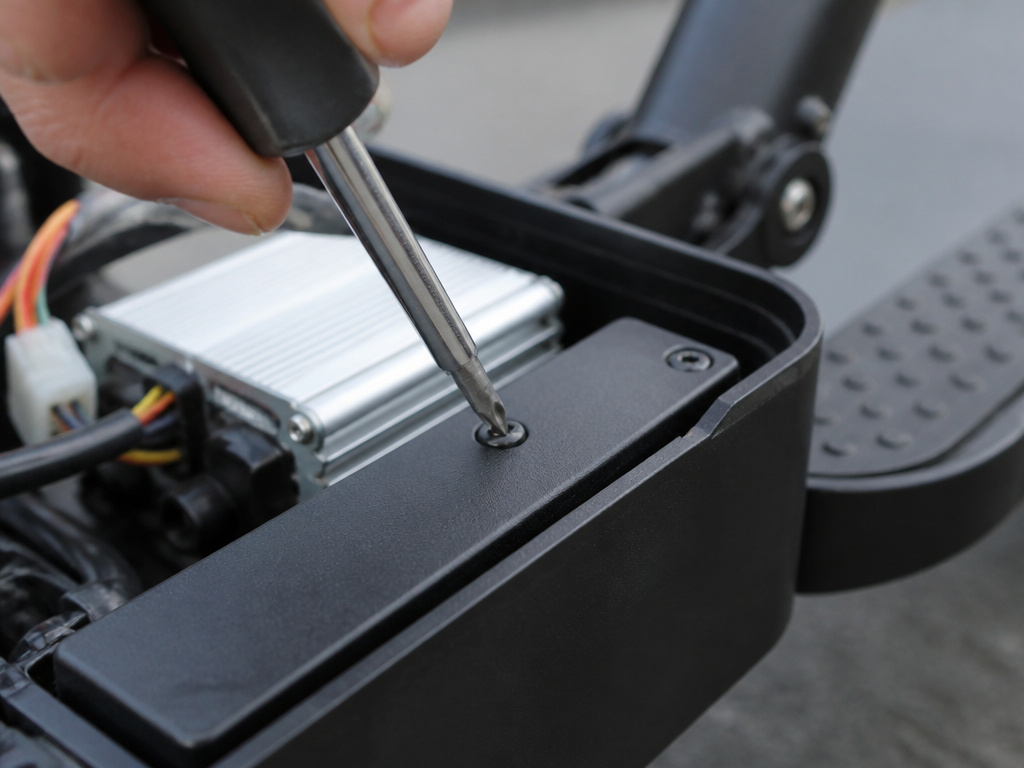
- Remove the screws from the deck cover.
- Locate the small, rectangular plastic cover secured by a single screw near the controller.
- Remove that screw and open the cover.
- Inside, you’ll see a small toggle switch. Flip it from the LOW to the HIGH position.
- Reassemble the cover. The scooter will now use the higher 14 mph (22 km/h) speed limit.
For Xiaomi Mi M365 (Firmware Flash):
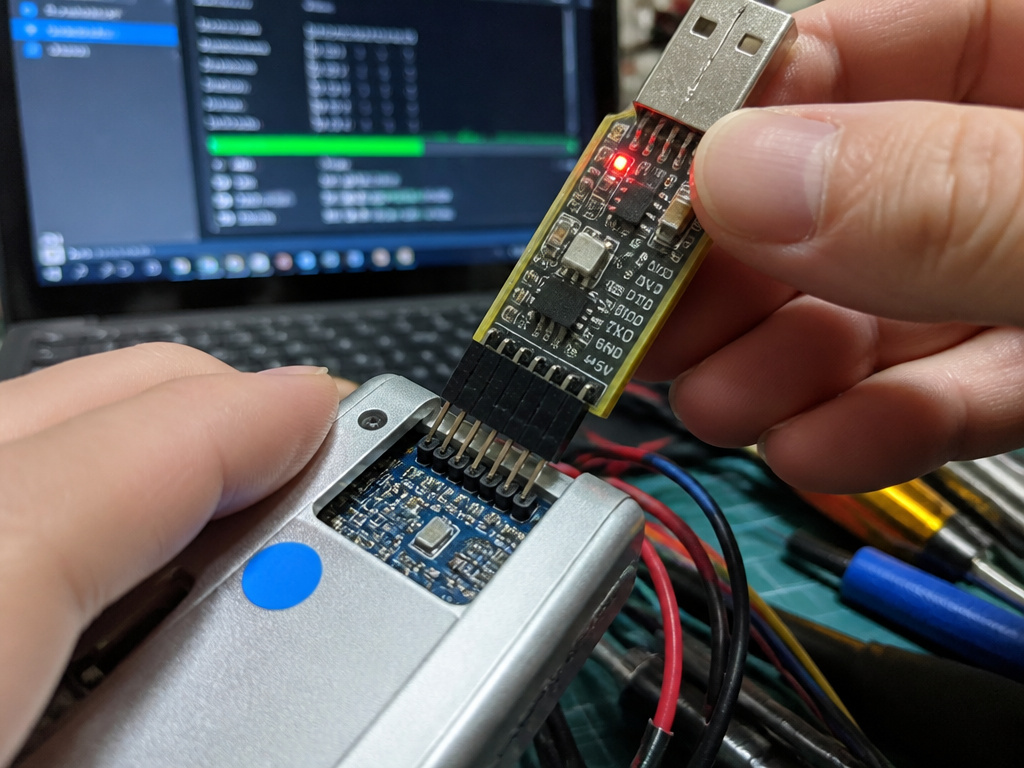
This is not a simple button press. It requires:
- A Windows computer.
- A specific USB serial adapter to connect to the scooter’s controller.
- Flashing software like “XiaoFlasher” or “DownG.”
- A custom firmware (.bin file) from a community source. The process involves opening the deck, locating the controller’s serial port pins, connecting the adapter, and carefully following the flash tool instructions. One wrong step, selecting the wrong COM port, interrupting the power, or using a corrupt firmware file, and the controller becomes an expensive paperweight. The Xiaomi FAQ’s warning about voiding the warranty is not casual; it’s based on the high rate of user-induced failures from this exact process.
Troubleshooting Common Post-Removal Problems
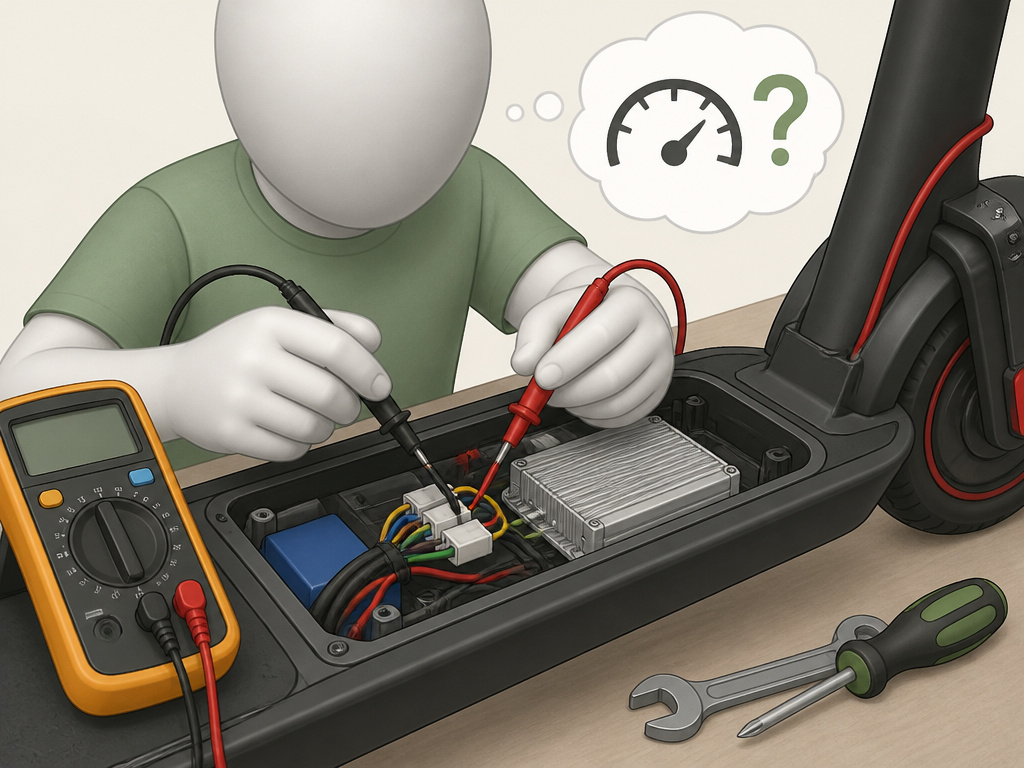
You got the speed, but now something’s wrong. Here’s what to check.
Scooter won’t turn on (Bricked):
- Cause: A failed firmware flash or cutting a critical wire (like a main power line).
- Fix: If you flashed firmware, try re-flashing the original stock firmware if you have a backup. If you cut a wire, you must re-solder it. If neither works, the controller is likely dead and needs replacement, a complex job requiring controller repair.
Error code on display (e.g., E7, E08):
- Cause: The controller detects a mismatch in expected signals, often from a disconnected sensor wire mistaken for a limiter.
- Fix: Review the error code in your manual. You probably need to reconnect a wire. This is a classic problem with the scooter wiring that requires careful multimeter testing.
Jerky acceleration or sudden power cuts:
- Cause: The battery can’t deliver the current demanded by the modified motor, especially when charge is low. The Xiaomi FAQ notes that at low charge levels, the scooter may not maintain top speed.
- Fix: This is often a permanent system limit. You can try performing a factory reset to clear any corrupted settings, but the underlying issue is an overloaded power system.
Reduced range is worse than expected:
- Cause: This is not a problem; it’s the guaranteed outcome. The physics are simple. The only “fix” is to ride slower or upgrade to a much larger, more expensive battery.
Before You Go: The Legality and Warranty Void
This isn’t just about mechanics.
It’s Probably Illegal. Most regions classify electric scooters as “Personal Mobility Devices” with a maximum legal speed, often 15.5 mph (25 km/h). Removing the limiter likely pushes your scooter into a different legal category (e.g., a moped), requiring registration, insurance, and a helmet. You could be fined, and your scooter could be impounded.
You Void the Warranty, Instantly. Every manufacturer’s terms include clauses against modification. The E-TWOW manual states modifications are done at the user’s own risk. The Xiaomi FAQ says disassembling the battery voids its warranty. If your motor burns out or your battery fails after a limiter removal, you pay for everything.
The Bottom Line
If your scooter has a safe, manufacturer-built menu option to adjust speed, use it. That’s your clear path. If it doesn’t, understand that chasing more speed is a technical hobby with real costs, to your wallet, your scooter’s lifespan, and your safety. The community methods work, but they treat the manufacturer’s warnings as mere disclaimers, while manufacturers state modifications are done at the user’s own risk and void warranties. Sometimes, those disclaimers are there because the company knows exactly how often a DIY attempt at a speed boost method ends with a fried controller and a frustrated rider. Your first upgrade should always be your own skill in evaluating the how to remove speed limiter on electric scooter process, not just the scooter’s spec sheet.
What Tools or Software Do I Need?
Your approach depends entirely on your scooter’s type of limiter. For some models, like certain Uscooters or E-TWOW versions, you may only need to know a specific button sequence to access a hidden menu. For others, such as the Xiaomi Mi M365, the process involves rewriting the software on the scooter’s controller, a procedure known as flashing firmware. This requires a computer, a specific flashing application, and the correct firmware file. A failed firmware flash can brick the scooter, rendering it unusable. Always start by consulting your official manual for any manufacturer-approved settings before considering unofficial methods.
Frequently Asked Questions
How do I deactivate the speed limiter?
First, identify the type. Check your scooter’s display or app for a “Speed Limit” or “Eco” mode and switch it off. If that doesn’t work, search online for a “hidden menu” button sequence specific to your model (e.g., “E-TWOW hidden menu”). Deactivating a hardware or firmware limiter requires physically modifying the scooter.
How do I make my electric scooter go faster?
The safest way is to ensure your scooter is in its fastest manufacturer-approved mode. For example, switch a Xiaomi Mi scooter from Energy Conservation/Speed Limit mode (18 km/h) to Normal mode (25 km/h) via the button. Other methods like ensuring tire pressure is at the recommended 45-50 PSI (for Xiaomi models) can reduce rolling resistance. True speed increases beyond factory specs require modifying the scooter’s software or hardware.
Can you unrestrict an electric scooter?
Yes, but “unrestricting” almost always means bypassing a manufacturer-set limit, which is a modification. It can be done via hidden menus, firmware flashes, or hardware changes. However, it is different from a simple mode change and always carries risks like voiding the warranty, damaging components, and creating legal liability.
Is it possible to remove a speed limiter?
It is technically possible, but not always reversible or advisable. Removal methods are model-specific. A Razor scooter’s physical switch is easily reversed. A firmware flash on a Xiaomi is permanent and risky. The possibility doesn’t mean it’s advisable for your particular scooter or your local laws.
Will removing the limiter damage my battery?
Yes, it will accelerate battery degradation. Running the motor at higher speeds forces the battery to deliver more current, which generates more heat and stresses the lithium-ion cells. The Xiaomi FAQ states that using a battery outside its ideal temperature range (below -10°C or above 40°C) damages it; an overloaded, hot battery is doing exactly that. Expect reduced overall battery lifespan after removing a limiter.
My scooter is jerky after I tried to remove the limiter. What did I do?
You likely disrupted a sensor signal or corrupted a firmware setting. A jerky throttle is often a sign of a problem with the throttle signal or a controller that’s receiving conflicting data. Try a factory reset first. If that doesn’t work, you may need to reflash the original firmware or physically check the wiring you touched.