How to Fix Electric Scooter Charger Stays Green: Key Steps
This post contains affiliate links. As an Amazon Associate, we earn from qualifying purchases.
When your electric scooter charger stays green, it means the charger thinks the battery is full or that it has no battery to charge at all. The fix requires a logical sequence: verify the battery’s actual state of charge, test the charger’s output with a multimeter, inspect the physical port for damage, check for internal wiring or fuse issues, and finally, diagnose the battery or its management system.
That “full or not charging” signal is the charger’s only language. You have to translate it. The green light isn’t the problem; it’s the symptom of a break in the chain between the wall outlet and the battery cells. A common user search is how to fix electric scooter charger stays green.
What follows is the five-step sequence every technician uses to answer how to fix electric scooter charger stays green, adapted for an owner with basic tools. This guide explains how to read your multimeter, spot subtle signs of port wear, and handle the brand-specific quirks from Apollo, Xiaomi, and others that can send you down the wrong path.
Key Takeaways
- Start with the Apollo App or a multimeter to check the battery’s true state of charge; a dashboard reading over 90% can keep the light green.
- A multimeter is essential for diagnosis; testing charger output voltage is the only way to rule out a faulty charger.
- Wiggle the charge port plug while watching the charger light; a flicker from green to red points directly to a loose or worn port.
- Temperature is a hard stop; Xiaomi scooters won’t charge below 2°C, and charging may also stop if the battery temperature rises too high during charging or after riding in hot weather.
- The final failure point is often the BMS; if the port gets voltage but the battery doesn’t charge, the battery management system is likely locked or faulty.
The Universal Diagnostic Sequence
Follow these steps in order. Jumping ahead wastes time and can lead you to replace a functional part.
Step 1: Verify the Battery’s Actual State
Before you touch a tool, answer this: is the battery actually low? Most scooter dashboards are approximations. Apollo Scooters states that if the battery charge is above 90%, the charger light may stay green, meaning the battery is already full.
If you don’t have a brand app, use a multimeter. Set it to DC voltage and measure at the charging port terminals (with the scooter powered off). Compare your reading to the scooter’s nominal voltage:
- A “48V” scooter should read a voltage corresponding to its full charge when full and a voltage within its operational range when chargeable. If you see a voltage significantly below the scooter’s nominal range, you may be dealing with a deeply discharged battery, which some chargers may refuse to start on.
This reading tells you if the problem is a simple miscommunication or a dead battery.
Step 2: Test the Charger Itself
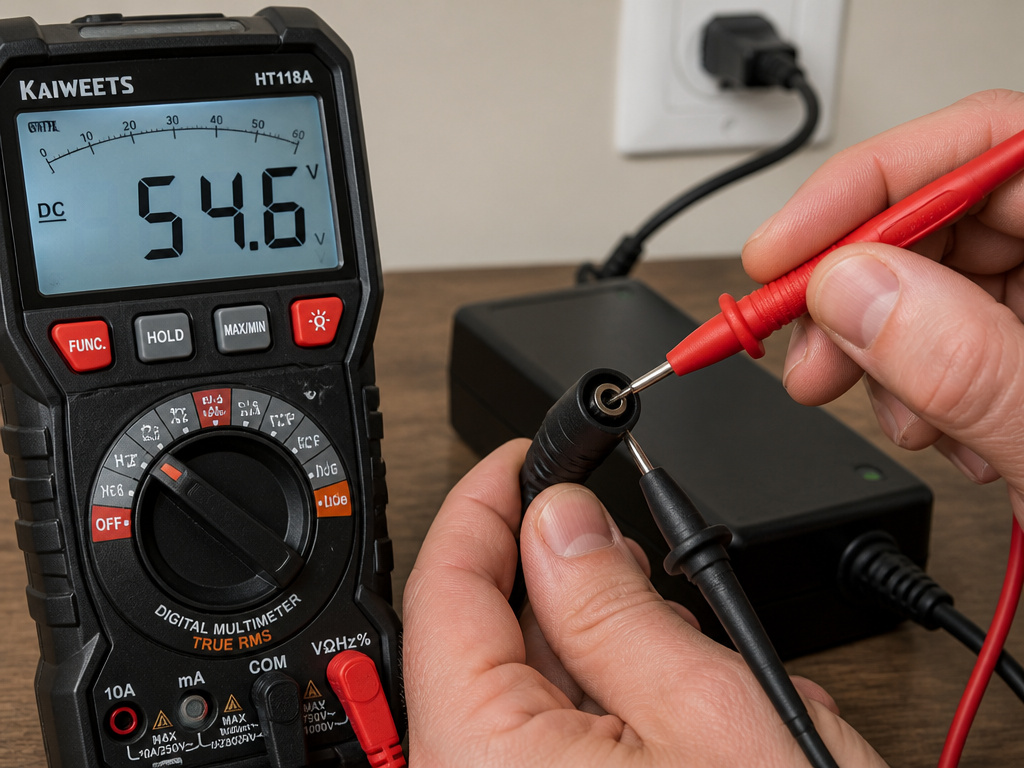
This is where you need a multimeter. Unplug the charger from the scooter, plug it into the wall, and set your multimeter to a DC voltage setting higher than the charger’s rated output (e.g., 200V DC for a 54.6V charger).
The Apollo procedure: Measure the voltage at the charger’s output plug. No voltage (0 V) means a dead charger. Compare your reading to the specs printed on the charger label.
Brands disagree on what constitutes a “bad” reading. Frey’s e-bike documentation states a charger is faulty if its measured output differs from the label by more than ±0.2V. Apollo’s guide states that no voltage (0 V) at the charger plug indicates a faulty charger. If it’s zero or wildly off, you’ve found your culprit.
Step 3: Inspect the Physical Connection
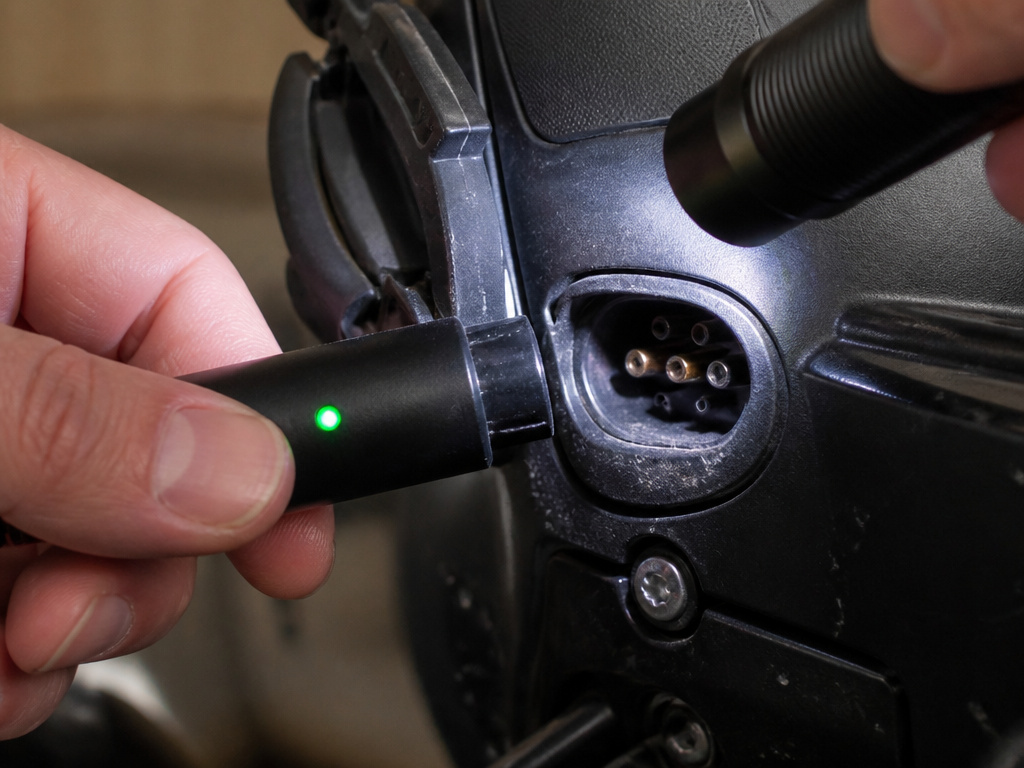
Power off the scooter and get a bright light. Look for dust, debris, corrosion, or discoloration on the metal pins of both the charger plug and the scooter’s port. Check for bent pins or melted plastic around the port housing.
Now, with the charger connected and the light green, gently wiggle the plug where it enters the scooter. Apollo’s guide says to watch for the charger light to flicker red. If it does, the port is loose or worn internally. That intermittent connection prevents the charger and scooter from communicating.
Before you start: Never insert metal tools like screwdrivers or paperclips into the charging port to probe or clean it. You can short the terminals, cause a spark, or permanently damage the port. Use compressed air or a soft, dry brush.
A clean, solid connection is mandatory. If you see melted plastic or significant corrosion, the port assembly needs replacement.
Step 4: Check Internal Wiring and Fuses
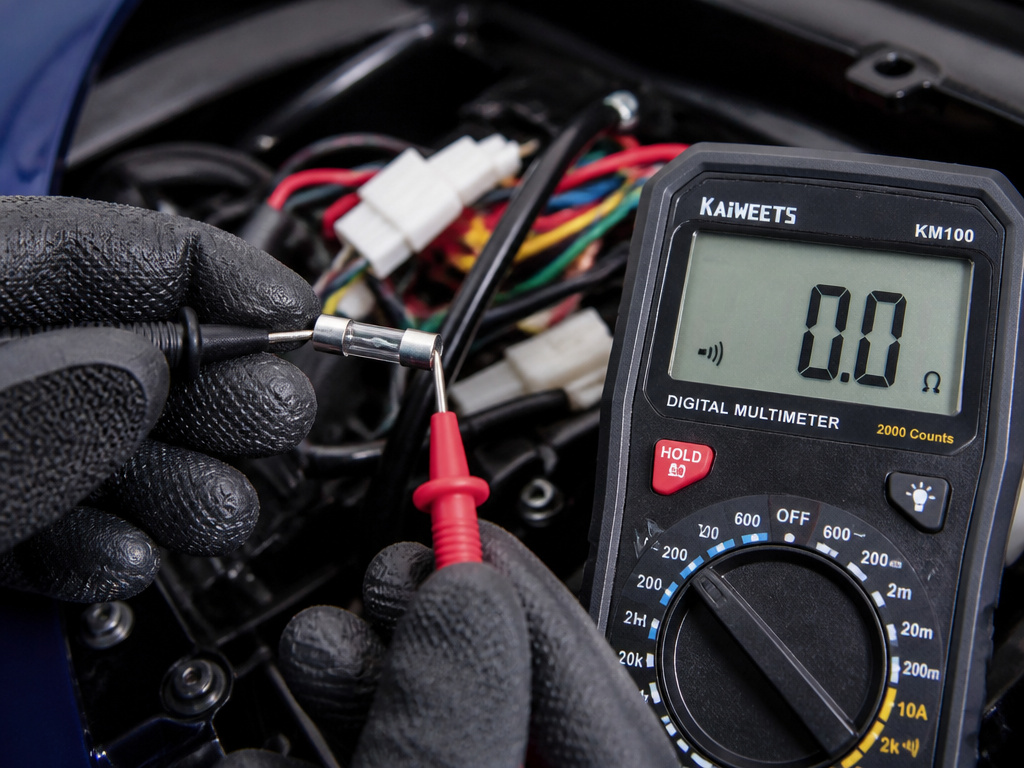
If the charger is good and the port looks clean, the fault may be inside. This means removing the scooter’s bottom cover (check your warranty first—Apollo states this doesn’t void theirs).
First, locate the main fuse. It’s often a cylindrical or blade fuse on the main power line near the battery. Use your multimeter’s continuity setting. A functional fuse will show near-zero resistance or a continuous beep. No continuity means it’s blown.
Next, with the scooter powered off and unplugged, set your multimeter to continuity (or low Ohms Ω). Probe from the charging port terminals to the battery or controller connector. You’re testing the wiring harness. Good wiring shows near-zero resistance or a continuity beep. An open circuit (no beep, high resistance) means a broken wire or a bad connection inside that harness.
Step 5: Diagnose the Battery or BMS
You’re here if the charger outputs correct voltage, the port is clean and has continuity, but the battery still won’t charge. Reconnect the charger to the scooter (power off) and measure the voltage at the port terminals again. It should now match the charger’s output voltage.
If the port shows the charger’s voltage but the battery voltage doesn’t rise, the issue is almost certainly the Battery Management System (BMS) or the battery pack itself. The BMS is a circuit board that protects the battery. It can lock out charging if it detects a fault, like an unbalanced cell group or a temperature extreme.
| Finding at Port | Likely Cause | Action |
|---|---|---|
| 0 V | Faulty charger or blown fuse | Replace charger or fuse |
| Charger voltage present, battery voltage static | BMS protection or bad battery | Contact support; battery likely needs service |
| Voltage fluctuates with plug wiggle | Loose/damaged port | Repair or replace charge port |
Why the “Green Light” Logic Fails
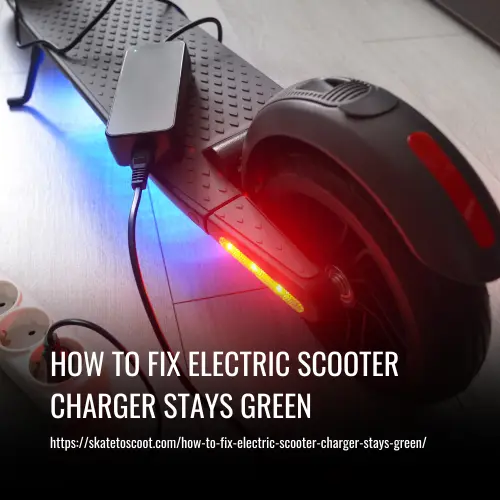
The charger isn’t talking to your battery. It’s talking to the circuit. A green light simply means the charger sees an open circuit (like no battery) or a voltage equal to its own output (like a full battery). It doesn’t mean the battery is good.
A deeply discharged battery can present as an open circuit. A faulty BMS can disconnect the battery entirely. A broken wire inside the port harness does the same thing. The charger responds to all of these failures with a polite green light, as if its job is done. Your job is to find the break.
Brand-Specific Quirks and Fixes
Generic advice gets you halfway. Manufacturers build in specific protections and procedures you must follow.
Xiaomi’s Temperature Lock: The Mi Electric Scooter 3 has a hard cutoff. If the battery temperature is below 2°C, charging is physically disabled. For Xiaomi scooters, charging is re-enabled only when the temperature rises to 5°C. Their advice: if the adapter light is green, move the scooter to a warmer environment. Conversely, if the battery is too hot from riding, let it cool for at least 30 minutes before plugging in.
Apollo’s App-First Approach: Apollo’s troubleshooting tree starts in their app. They require verifying the battery is below 90% charge before proceeding to hardware checks. They also emphasize recording video of any blinking charger lights or flickering during the port-wiggle test for support claims.
The Firmware Variable: Brands like VanMoof and Navee list updating the vehicle’s firmware as a first step for charging issues. A software bug can tell the BMS to refuse a charge, even with perfect hardware. Always check for firmware updates before dismantling anything.
Essential Tools You Already Own
You don’t need a full workshop.
- Digital Multimeter: The single most important tool. You need one that reads DC voltage and has a continuity buzzer.
- Small Screwdrivers: For removing bottom covers. Use the correct head (Phillips, Torx) to avoid stripping screws.
- Bright Flashlight: For inspecting dark, cramped charge ports.
- Compressed Air Duster: For safely blowing debris out of the port.
- Soft Brush: A clean, dry paintbrush works for dislodging dust.
Without a multimeter, you’re guessing. A basic model costs less than a replacement charger you might not need.
When to Stop and Call a Professional
Know your limits. Stop and seek help if:
- You find melted plastic, burn marks, or swollen components near the battery or port. This indicates a serious short circuit or overheating risk.
- Your multimeter shows correct voltage at the port but the battery voltage never increases, pointing to a locked or faulty BMS. Repairing these systems requires specialized knowledge.
- You are uncomfortable working with voltages above 60V.
- The diagnosis points to an internal battery fault. Opening a lithium battery pack is dangerous and can risk fire.
A local micro-mobility repair shop or the manufacturer’s support should be your next step. Provide them with your multimeter readings and photos; it will save everyone time.
Checking Wall Outlet and Connection Sequence
Start with the simplest possibilities. First, plug the charger into a different wall outlet that you know works, like one powering a lamp. Ensure the charger is firmly seated in the outlet. For the connection to the scooter, follow a specific order: plug the charger into the wall first, then connect it to the scooter’s charging port. A green light at this stage can be misleading. Xiaomi states that if the indicator turns green when the charger is plugged into the wall alone, the charger is not defective. Apollo Scooters states that if the charger LED stays green and no voltage appears at the port, the charger or its connector is defective. This discrepancy highlights why checking the physical connection is your essential first move when tackling how to fix electric scooter charger stays green.
Frequently Asked Questions
Why is my scooter charger staying green on a dead battery?
Deeply discharged battery can appear as an “open circuit” to the charger. The charger sees no complete path to push current into, so it defaults to a green “standby” or “full” state. You may need a technician to diagnose and potentially recover a deeply discharged battery.
How do I reset my electric scooter’s charging system?
True reset often involves the BMS. For some models, leaving the scooter powered off and plugged into the charger for an extended period may help. This allows a tiny trickle current to potentially bypass a locked BMS. For others, a scooter reset (usually holding the power button for 10+ seconds) can reboot the controller. Always check your manual for the specific reset procedure for your model.
My charger light flickers red and green. What does that mean?
Blinking or flickering light typically indicates an error code or an intermittent connection. Apollo specifically says a blinking charger LED requires you to record a short video and contact their support. It often points to a communication fault between the charger and the BMS, which could be due to incompatible voltage, a faulty charger, or a problem with the BMS itself.
Can a bad battery cause a green charger light?
Absolutely. A battery with a failed BMS, severely unbalanced cells, or an internal open circuit will not accept a charge. The charger plugs in, sees no valid battery to charge, and displays a solid green light as if the job is complete. This is why the multimeter test at the port is critical—it tells you if voltage is even reaching the battery.
The Bottom Line
A green light is a conversation ender for the charger, but it’s the starting pistol for your diagnostics. The sequence is fixed: verify real battery state, test charger output, inspect the physical port, check internal wiring, and finally confront the battery or BMS. Skipping steps, especially the multimeter test, means you’re buying parts based on a hope, not a measurement.
The one field test that reframes everything is the port voltage test with the charger connected. If you see the charger’s voltage there but the battery level doesn’t budge, your problem is almost never the charger or the port. Your path leads to the battery compartment, and likely, to a professional’s workbench.