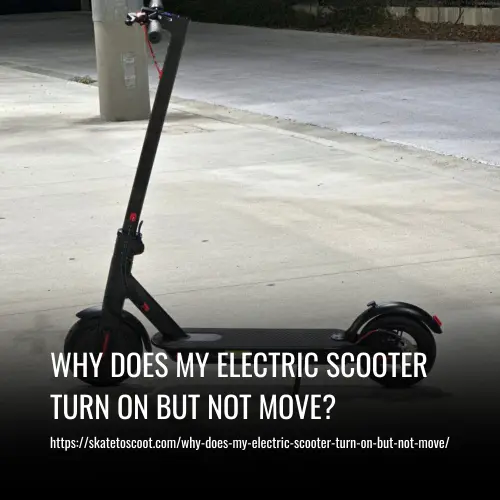
Why Does My Electric Scooter Turn on but Not Move?
This post contains affiliate links. As an Amazon Associate, we earn from qualifying purchases.
An electric scooter that turns on but won’t move has a power or signal interruption between the battery and the motor. Common culprits can include a stuck brake sensor, a faulty throttle, a loose connection, a controller failure, or a simple kickstart requirement that hasn’t been met. Start by checking if the scooter needs to be rolling before the motor engages.
That gap between “power on” and “motor engaged” is where the real diagnosis lives. A common question is: why does my electric scooter turn on but not move? The lights come on because the battery delivers low-voltage power to the dash, but the high-current circuit that spins the wheel is blocked somewhere. It’s not one mystery; it’s a short list of specific failures, each with a clear test.
What follows: a safe, tool-free diagnostic sequence anyone can follow, then a detailed look at each major component with signs that tell you whether you’re looking at a five-minute fix or a professional repair. We’ll ground every step in official manufacturer procedures and a real NHTSA recall that shows why sometimes the fix isn’t in your garage.
Key Takeaways
- Check the brake sensor first, a stuck lever or faulty sensor cuts motor power as a safety feature and is the most common fix.
- Confirm the kickstart requirement, many Razor models will not engage the motor unless the scooter is already moving at least 3 mph (5 km/h).
- A multimeter is a useful diagnostic tool for testing throttle output and brake sensor continuity.
- Controller failure can leave the scooter completely dead to throttle input, while a bad motor may still hum or vibrate.
- Water damage can cause corrosion on connectors or the controller.
The 5-Minute Diagnostic Sequence (Start Here)
Before you open any panels or buy any parts, run through this checklist. It’s ordered from simplest to most complex, and it solves the majority of “no movement” cases with no tools. If the scooter works after any step, you’ve found your problem.
Before you start: Ensure the scooter is on a stable, level surface with the rear wheel lifted off the ground. Never test the throttle with the wheel on the ground and weight on the scooter. Wear safety glasses if inspecting connections.
- Verify the kickstart. This is the single biggest point of confusion. For many Razor scooters, the motor requires the scooter to be moving before it will engage under normal riding conditions. The Razor E100/E125/E150/E175 troubleshooting guide states you must “Kick start scooter up to 3 mph while applying the throttle to engage motor.” Manually spin the lifted rear wheel while holding the throttle. If it now works, you’ve just discovered a feature, not a fault.
- Squeeze and release the brake levers. Listen and feel for a distinct click. A brake lever that doesn’t fully return, or a sensor that’s stuck in the “engaged” position, will tell the controller to cut all motor power. This is a primary safety system.
- Inspect for error codes. Look at the display. A red exclamation point, a brake icon, or a specific alphanumeric code (like “36U” or “E1”) is a direct message from the controller. Note it down.
- Check all physical connections you can see. Look where the throttle cable enters the handlebar, where brake cables connect, and any deck panel that seems loose. A completely disconnected wire is obvious; a corroded or partially pulled connector is less so.
- Perform a reset. Turn the scooter fully off. If there’s a physical circuit breaker or fuse, toggle it off and back on. For some models, a “soft reset” may involve holding specific buttons while powering on. This can clear temporary controller glitches.
If you’ve done all five steps and the wheel still doesn’t spin, the problem is deeper. The next sections will show you exactly where to look.
Throttle Malfunction: Signal, Not Power
The throttle is your accelerator. It doesn’t pump electricity to the motor; it sends a low-voltage signal (usually 0.8V to 3.8V) telling the controller how much power to deliver. If that signal is missing or stuck, you get lights but no go.
A throttle should return to its resting position. If it feels gritty, sticks, or has obvious physical damage, it’s likely bad. But the real test requires a multimeter. Set it to DC Volts (20V range). With the scooter powered on, probe the throttle’s signal wire (often the middle wire of three). You should see the voltage rise smoothly as you gently rotate the throttle.
| Symptom | Likely Throttle Issue | Quick Test |
|---|---|---|
| Throttle feels loose, no resistance | Internal spring or magnet dislodged | Open throttle housing (if possible) for visual inspection |
| Voltage reading is 0V or 5V and doesn’t change | Broken hall-effect sensor or severed wire | Check wiring continuity from throttle to controller connector |
| Voltage jumps erratically | Water damage or corrosion inside throttle | Look for green corrosion on pins; throttle likely needs replacement |
If your throttle issues stem from a bad connection at the controller end, repairing the wiring might solve it. But if the throttle itself is dead, it’s a swap-out job. The internal hall sensor is a sealed unit.
Brake Sensor Engagement: The Silent Kill Switch
Brake sensors are a critical safety feature. The moment you pull a lever, a switch or hall sensor closes a circuit that tells the controller, “Cut motor power now.” If that circuit stays closed, because a lever is stuck, a sensor is faulty, or debris is blocking it, the scooter acts like you’re always braking.
You can often hear or feel the problem. Pull and release the brake lever. You may hear or feel the sensor engage when the brake lever is pulled. No click might mean a mechanical jam. A lever that doesn’t spring all the way back is a clear sign.
Common mistake: Assuming both brakes work the same. Test each brake lever independently. Sometimes only one sensor is faulty, and the scooter will still refuse to move.
Electrically, you can test the sensor with a multimeter set to continuity (the diode symbol). Unplug the sensor connector (usually a 2-wire plug near the lever). With the lever released, the meter should show “open circuit” (no beep). Squeeze the lever, and it should show “closed circuit” (a beep). If it’s closed all the time, the sensor is stuck and needs replacement. This is a common fix for the frustrating “power on, no go” scenario.
Controller Failure: The Brain Is Down
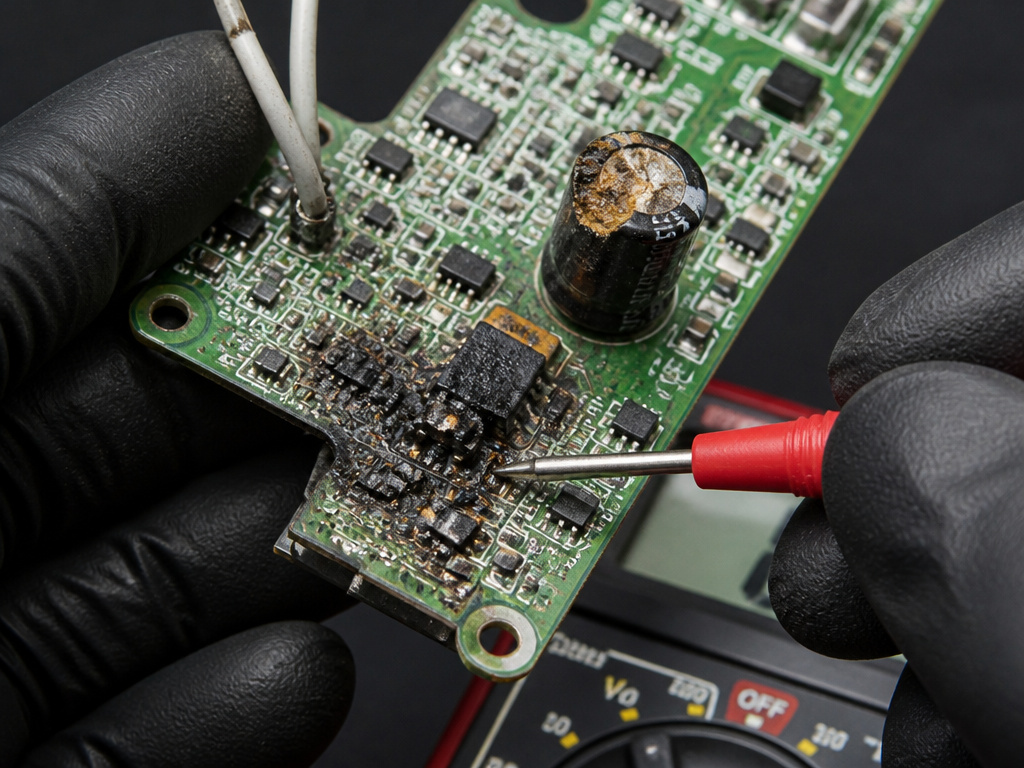
The controller is the scooter’s brain. It takes signals from the throttle and brakes, manages power from the battery, and drives the motor. When it fails, the scooter might still light up (because the dash gets power separately) but the motor gets nothing.
Here’s how to tell a bad controller from a bad motor. A failed controller may provide no response when the throttle is engaged. It’s silent. A controller failure may be accompanied by a burnt smell. Visually, look for bulging or leaking capacitors on the controller board, or scorch marks.
A motor failure can sometimes mimic this, but a bad motor often gives tactile feedback. A motor with a problem may vibrate or hum without turning. A motor with a burnt-out phase might also hum loudly.
When you compare a why does my electric scooter turn on but not move scenario, if you suspect a faulty controller, the repair is almost always a direct swap. Controllers are model-specific. Before you buy one, double-check that your battery is delivering proper voltage under load, a weak battery can make a controller behave badly.
Motor and Wiring: The Final Physical Check
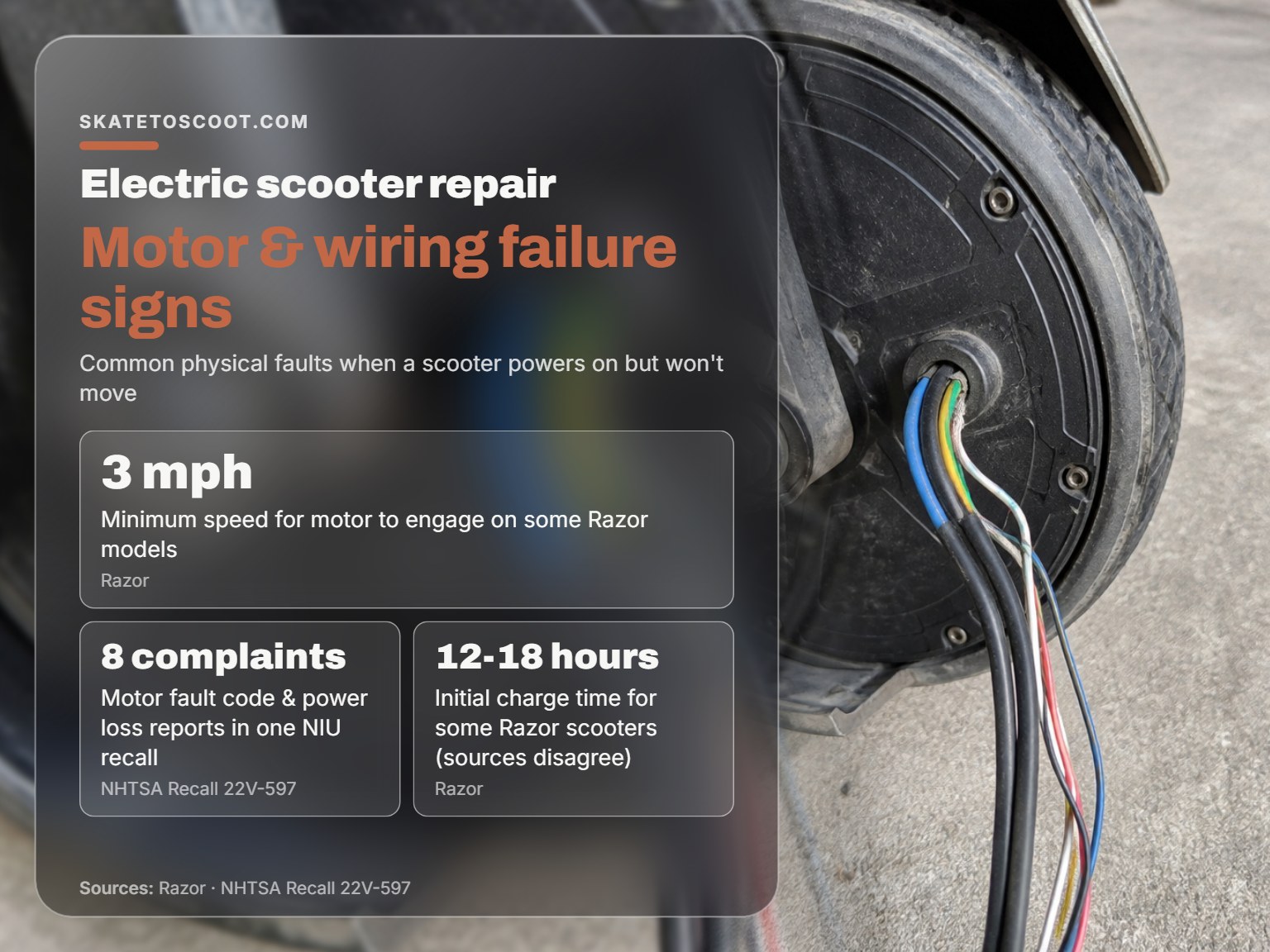
If the controller is getting the right signals and sending power, the breakdown is in the delivery system: the motor itself or the wires that connect it.
Start with the wiring. Trace the thick phase wires (usually 3) and the thinner hall sensor wires (usually 5) from the motor up into the deck. Look for any point where the insulation is cut, pinched, or melted. Pay special attention where the wires exit the motor hub, this is a high-flex area and a common failure point, as noted by owners in community forums. Corrosion here leaves a tell-tale green or white crust.
A motor can fail in a few ways. A seized motor won’t spin freely by hand (with power off). A motor with burnt windings might show a direct short between phase wires when tested with a multimeter for resistance. But the most common failure for a scooter that just stops, which is the core of why does my electric scooter turn on but not move, is a broken hall sensor inside the motor. These tiny sensors tell the controller the wheel’s position. If one dies, the controller gets confused and won’t send power.
Where this goes sideways: Assuming a “clicking” sound from the wheel is always the motor. That clicking is often the controller’s MOSFETs trying to fire a motor with a broken hall sensor or disconnected phase wire. The motor might be mechanically fine.
Testing a motor thoroughly requires more advanced tools. For most owners, if you’ve ruled out throttle, brakes, connections, and the controller, and the motor is getting power but not spinning, a bad motor is the likely conclusion.
Software, Firmware, and Hidden Resets
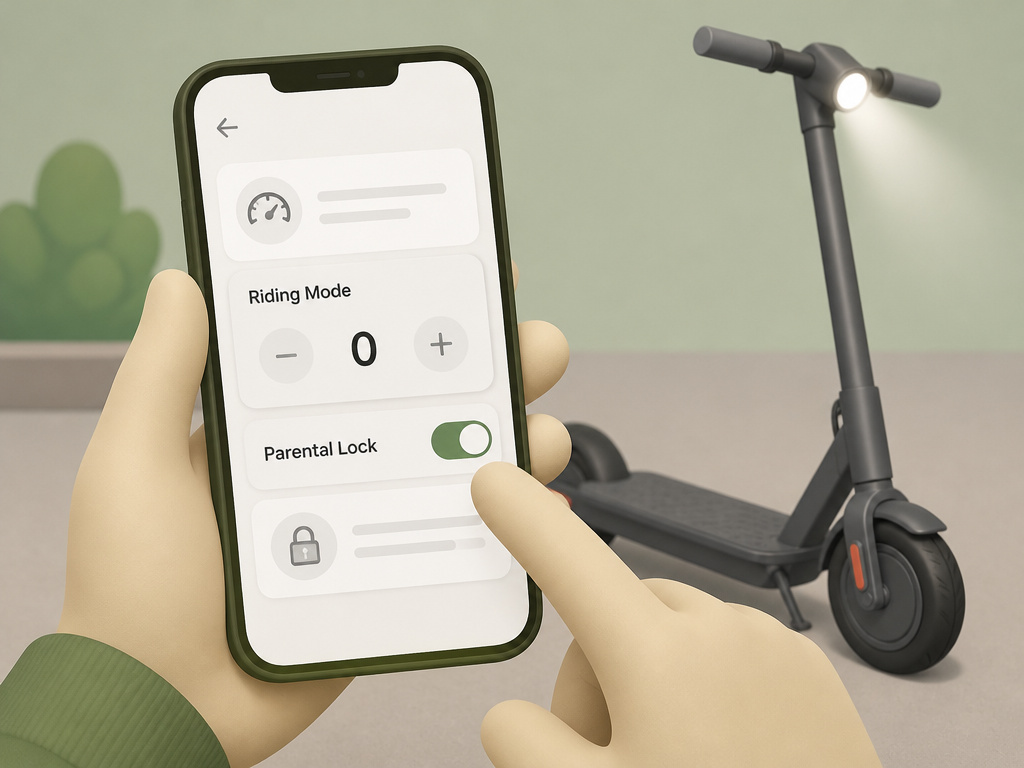
Not every “no movement” fault is physical. Software glitches, firmware bugs, and electronic lockouts can mimic hardware failure.
Many modern scooters have riding modes (Eco, Sport, etc.) or app-based locks. If a mode is set to “0” speed or a parental lock is enabled via an app, the scooter will power on but not move. Dig into the display menu or check the companion app.
A “hard reset” can clear these glitches. This isn’t just power cycling. For some models, a hard reset involves disconnecting the main battery to drain residual power from the controller. Refer to your manual for the exact sequence; it often involves holding specific buttons while powering on.
In rare cases, the fault is in the motor’s firmware itself. This isn’t user-fixable. The NHTSA recall report 22V597 for the NIU MQiGT EVO documents exactly this: “firmware issue within the electric motor” causing “loss of motor power.” The recall remedy was replacing the entire motor unit with one containing new firmware. If your scooter is under warranty and exhibits sudden, unexplained power loss with no physical damage, a firmware issue is possible.
Why does my scooter lose power when I try to ride it?
A scooter that turns on but won’t move often has a battery that can’t deliver power under load. The dashboard lights might look normal, but the battery voltage drops when you demand power to move. First, ensure the scooter is fully charged according to its specific guidelines. Initial charge times vary by model: Razor’s E100/E125/E150/E175 guide recommends 12-18 hours, the E Prime III recommends 8 hours, and the PC-E100/E100s recommends 12 hours. A weak battery may not provide sufficient power for the motor. For testing, manufacturers sometimes recommend a procedure where you secure the scooter, lift the rear wheel, and manually spin it to a minimum speed while applying the throttle. If the motor engages during this test, it points to a battery unable to provide the necessary startup surge.
Does the brand of my scooter change the troubleshooting steps?
Yes, specific brands and models have unique requirements. For several Razor models, the motor will not engage unless the scooter is already moving at a minimum speed. The Razor (E100/E125/E150/E175) guide specifies ‘up to 3 mph’, the Razor (E Prime III) specifies ‘at least 3 mph’, and the Razor (PC-E100/E100s) specifies ‘at least 3 mph’. You must kick-start it to that speed while applying the throttle. Charging protocols vary significantly by model. For example, initial charge times differ: Razor’s E100/E125/E150/E175 guide recommends 12-18 hours, the E Prime III recommends 8 hours, and the PC-E100/E100s recommends 12 hours. Official recalls for other brands, like a specific NIU model, have also been issued for motor fault codes causing a complete loss of motor power, with the remedy being a motor replacement with updated firmware. Always consult your specific manual first, as the correct first step depends entirely on your scooter’s design.
Frequently Asked Questions
How do I fix my electric scooter if it turns on but won’t accelerate?
Follow the diagnostic sequence: check the brake sensor, confirm kickstart requirements, look for error codes, inspect connections, and perform a reset. If those fail, test the throttle output with a multimeter. Most often, the issue is a stuck brake sensor or a misunderstanding of the kickstart feature.
Why does my electric scooter turn on but won’t move after I changed a setting?
You’ve likely activated a speed limiter, a “beginner mode,” or an electronic lock via the display or app. Consult your manual to find the factory reset procedure or the menu to revert the setting. Changing settings can sometimes activate a speed limiter or lockout mode.
Is there a reset button on an electric scooter?
Many scooters have a physical reset button, usually a small, recessed button on the deck or near the charging port. Others use a “soft reset” combo (e.g., hold brake + throttle while powering on). A full system reset involves disconnecting the main battery for several minutes. Performing an electric scooter reset is a key troubleshooting step.
Why does my scooter start but not move after getting wet?
Water causes corrosion on electrical connectors and can short the controller or motor hall sensors. The problem may not be immediate; corrosion builds over hours or days. Immediately dry the scooter thoroughly, disconnect the battery, and inspect all connectors for moisture or green corrosion. Water damage can cause electrical failure.
The Bottom Line
Start with the assumption that your scooter is trying to tell you what’s wrong. The brake light icon, the requirement to kick to 3 mph, An unusual smell from the deck, these are all specific clues. The process isn’t about randomly replacing parts; it’s about following the signal path from your thumb to the wheel.
If your scooter died suddenly mid-ride with a noise, think motor or controller. If it just stopped one day and now only lights up, think brake sensor or throttle. And if it’s a new scooter that’s never moved, think kickstart. That one distinction cuts the diagnostic tree in half.
Your first tool should be a $20 multimeter, not a $200 replacement controller. Knowing the throttle puts out 3.2 volts when you twist it tells you the problem is downstream. Knowing the brake sensor shows continuity when the lever is released tells you the problem is right there. That’s the difference between a weekend of frustration and a five-minute fix. Trust the process, not just the parts.