How to Unlock Lime Scooter: Via App, Cable, or Uber
This post contains affiliate links. As an Amazon Associate, we earn from qualifying purchases.
To start a ride on a Lime scooter, you need the Lime app (or Uber app), a working smartphone camera, and a scooter with a scannable QR code. Open the app, tap ‘Scan to Ride,’ point your camera at the QR code on the scooter’s stem or handlebar, and wait for the app to connect and the scooter’s lock to disengage.
That QR code is your key. It tells Lime’s servers which specific scooter you’re standing next to, and the servers send a signal back to it over a cellular connection to release the lock. This is the essential process for starting a ride on a Lime scooter.
What follows: the standard process, the common snags (from app glitches to stretched cable locks), and the official workarounds you won’t find in a two-sentence app prompt. By the end, you’ll understand why a scooter might show as “locked” on the map but be physically unlocked at the rack, and what to do about it.
Key Takeaways
- Starting a ride requires the Lime app or Uber app and a scooter’s unique QR code.
- If the app hangs on “unlocking,” manually type the scooter ID instead of scanning, a common fix for app glitches.
- A scooter shown as “locked” on the map is already in someone else’s ride; find another one.
- The Lime Access program offers a text-to-start service at 415-463-3473 for users without a smartphone.
- For scooters with a cable lock, wait for the blue light and pin to retract before pulling the cable; if stuck, move the scooter closer to the bike rack.
The Standard Unlocking Process (Lime App)
Open the app, find a scooter, scan the code. It sounds simple because it is, when the stars align. Here are the steps for a successful start, and what you should see and hear.
First, your phone needs data. The Lime app isn’t magically talking to the scooter next to you. You scan the QR code, your phone sends that code to Lime’s servers, and the servers send a command to the scooter over its own built-in cellular modem to release the lock. No internet on your phone means you cannot start the ride, no matter how clear your camera is.
Here are the official steps, verbatim from Lime’s guide:
- Scan the QR code on the vehicle in the Lime app.
- For e-scooters, release the kickstand by holding the handles and using your foot to pull the kickstand up and back.
- Place your front foot firmly on the baseboard.
- Use your back foot to push off from the ground to get moving.
The scooter’s front wheel lock disengages with a distinct thunk you can feel through the deck. You’ll usually hear a short digital chime from the scooter’s console at the same time. If you don’t hear or feel that, the scooter isn’t ready to roll.
The most common hiccup is the app freezing on the “unlocking” screen after you scan, which stalls the process. If the app hangs on “unlocking,” a common troubleshooting step is to manually type the scooter ID instead of scanning. The ID is the number printed right next to the QR code. The app’s scanner can glitch; your thumbs don’t.
Unlocking a Lime Scooter with a Cable Lock
Some Lime vehicles have a thick cable coiled around the stem. This isn’t a decoration; it’s a lock you use to secure the scooter to a bike rack when you end your ride. But first, you have to get it off.
The process is app-driven, but with a physical twist. You find a scooter with a cable, scan it to start your ride as normal, and then the app will instruct you to release the cable. According to Lime’s guide, you tap the lock button in the app, wait for the cable’s pin to retract and a blue light to show, then pull the cable free from its housing.
Where this goes sideways: If the cable pin doesn’t pop out after tapping the lock button, the cable may be stretched. Move the vehicle closer to the bike rack to ease tension. Do not pull the cable until the light is blue and pin is out, you can damage the mechanism.
This is a classic example of a step in the process that looks optional but isn’t. Yanking a stuck cable feels like the right move. It rarely is. The mechanism is under spring tension, and forcing it can leave you with a scooter you’ve paid for but can’t physically ride. The manual’s advice to reposition the scooter is the recommended solution if the cable is stretched.
| Step | Action | What Happens If You Skip It |
|---|---|---|
| 1. Scan & Start Ride | Unlock scooter via app as usual. | The cable lock won’t receive the unlock signal. |
| 2. Tap ‘Unlock Cable’ | Press the button in the app after ride starts. | The pin stays engaged. You cannot remove the cable. |
| 3. Wait for Blue Light | Look for the LED on the lock housing to turn blue. | Pulling early can shear the pin or strip the motor. |
| 4. Pull Cable Gently | Remove cable from loop and coil it. | Leaving it loose is a tripping hazard and can tangle in the wheel. |
Once free, you’re good to go. Remember to re-secure the scooter to a bike rack when you finish, not a street sign or private fence. When using the cable lock, Lime’s guide instructs you to take a photo showing you have secured the vehicle to a bike rack.
Unlocking via the Uber App as an Alternative
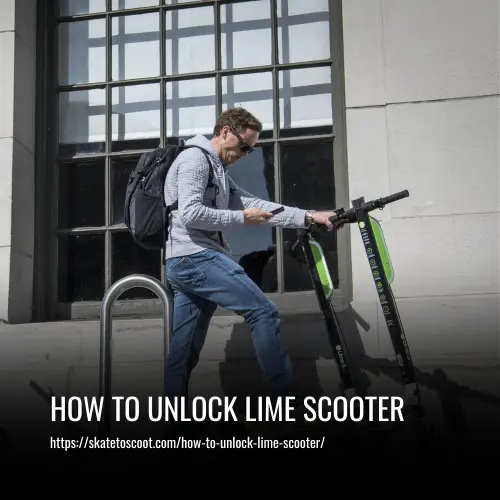
You don’t always need the Lime app. In many cities, Lime scooters are integrated into the Uber app. The process is nearly identical, but it lives inside a different interface.
Here’s the Uber-specific flow, from their help article:
- Open the Uber app.
- Tap the bike and scooter option and then “Scan to ride.”
- Scan the QR code on the vehicle.
Uber’s guide adds a specific troubleshooting tip for their bikes: “If you’re having trouble unlocking the bike, try rolling the bike forward or backward a few inches to release tension on the locking pin.” A slight jiggle can be the difference between starting the ride and a frustrated walk to another scooter.
Why use Uber? If you already have the app and an account with a payment method, it’s one less download. Your ride history and receipts also consolidate in one place.
How to Unlock a Lime Scooter Without a Smartphone
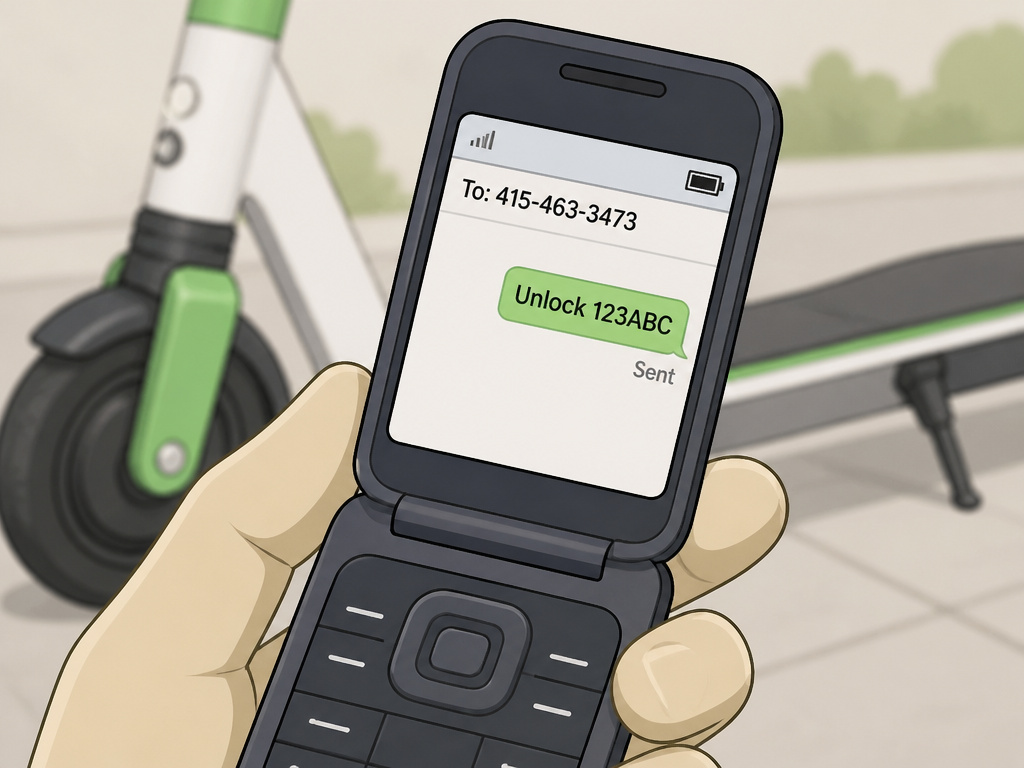
The Lime Gen 2.5 manual states a smartphone with mobile data is required to start/end the scooter ride, but Portland.gov documents a ‘text-to-start’ service via phone number 415-463-3473 for users enrolled in Lime Access.
However, city programs have carved out an exception. Portland’s transportation department documents a specific workaround for equity.
Portland’s guide states: “Lime is available for use without a smartphone for users who enroll in Lime Access, Lime’s discounted ride program. When they enroll, they will receive a text message from a phone number that they can continue to use for Lime rides (415-463-3473). To unlock a scooter, users can text ‘Unlock XXXXXX’ with the scooter ID to 415-463-3473.”
This is a critical, non-commodity insight. The absolute smartphone requirement can be waived if you qualify for a municipal discount program. This accessibility option is a real, documented feature, though it is not advertised in the main app flow. Users can also text “Account” or “Help” to the same number for balance and support.
| Method | Who It’s For | Key Requirement |
|---|---|---|
| Lime / Uber App | General public | Smartphone with camera & data |
| Text-to-Unlock (415-463-3473) | Lime Access enrollees | Enrollment in discounted program, basic phone |
The catch is enrollment. Lime Access isn’t automatically available everywhere, and it requires an application process to verify eligibility based on income or participation in other assistance programs.
Troubleshooting Common Unlocking Problems
The scooter is there, the app is open, and nothing happens. Or worse, something goes wrong. Here are the specific failure modes the manuals and forums actually describe, and what to do about them.
The app hangs on “unlocking.” As noted, the first fix is to manually type the scooter ID. If that doesn’t work, force-close the app, check your data connection, and try again. This is overwhelmingly the most reported software issue.
The QR code is damaged or missing. You can’t scan a scratched-off code. Your only option is to find another scooter.
The scooter shows as “locked” on the map. This is a point of massive confusion. A “locked” status on the map usually means the scooter is already in an active ride for someone else, or a juicer is collecting it for charging. Don’t waste a trip to that icon.
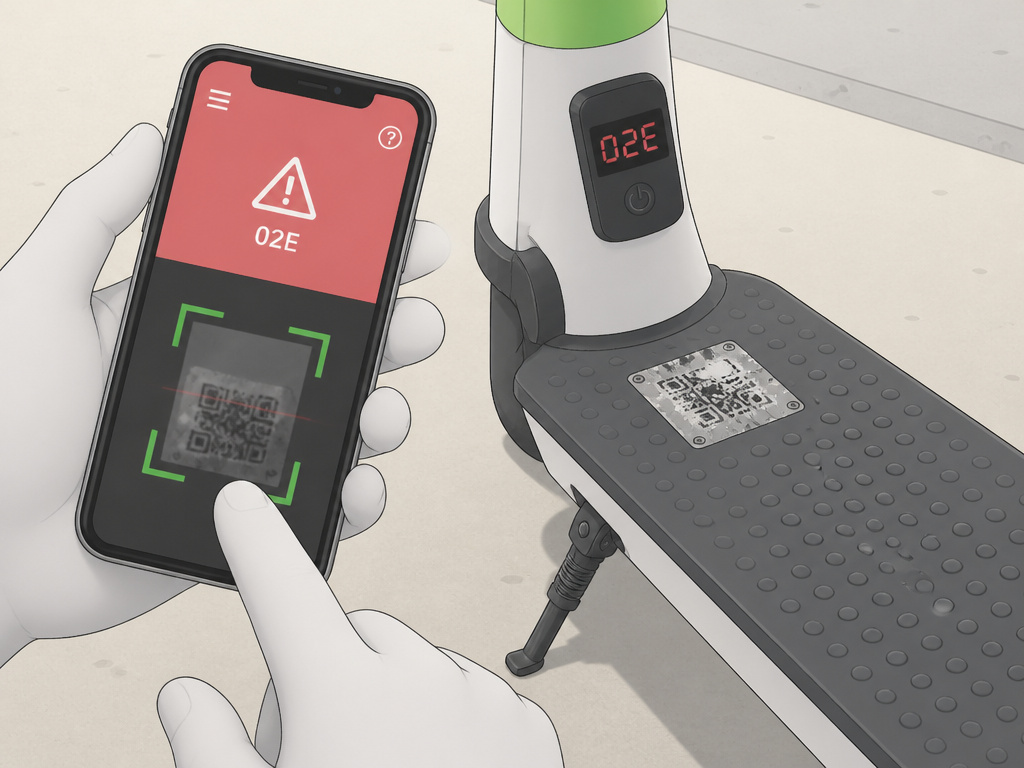
Error code 02E on the display. This is specific to the Lime Gen 2.5 scooter. The manual states: “If you see an Error code 02E on the Display, this means low battery. Simply charge the scooter fully and the 02E error code will automatically resolve in most cases.” You can’t unlock a scooter with this code. It’s a brick until it gets more charge.
The kickstand won’t release. This is a mechanical step people fumble. The instruction is to pull the kickstand “up and back” with your foot while holding the handles for stability. If the kickstand is stuck and won’t release as instructed, the scooter may be damaged and should not be ridden.
The cable lock won’t retract. We covered the “move closer to the rack” fix. If that fails, the lock might be broken. If the cable lock is broken and cannot be released, you should contact Lime support.
What “Locked” Really Means: Rental vs. Purchased Scooters
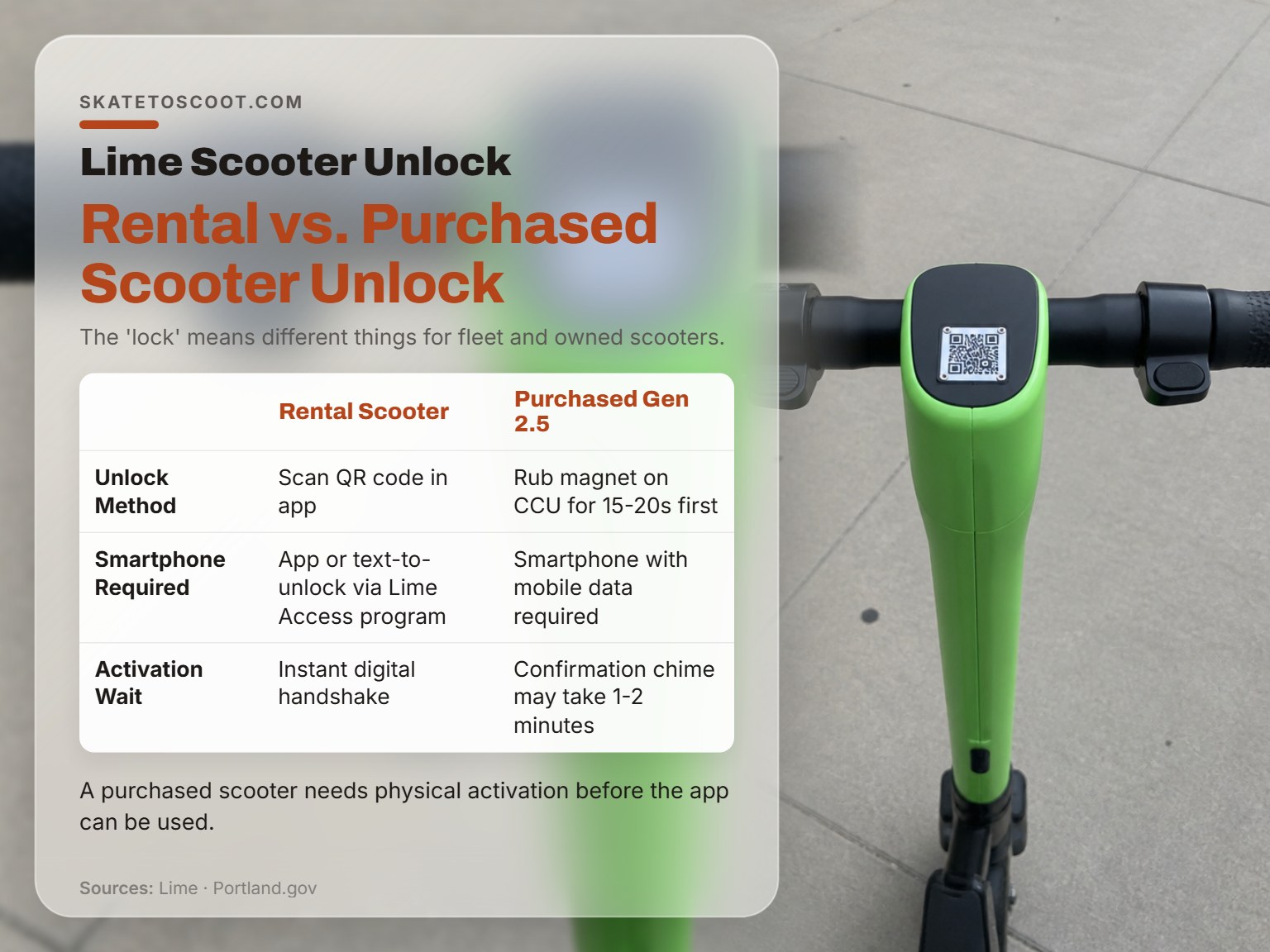
Here’s a distinction that clarifies half the forum questions: a rental scooter “lock” is digital, while a purchased scooter might have a physical activation lock.
For any Lime rental scooter you find on the street, unlocking is a digital handshake between your app and Lime’s servers. However, a purchased Gen 2.5 scooter requires a physical activation step with a magnet before the app can be used. The physical wheel lock releases electronically.
However, if you buy a Lime Gen 2.5 scooter at retail (like from an impound sale), the process changes radically. The owner’s manual for that model includes a physical activation step before the app even comes into play.
The Lime Gen 2.5 manual specifies: “Activating a purchased Gen 2.5 scooter requires rubbing a provided magnet ‘up and down continuously for 15-20 seconds on the front of the CCU.’ Activation confirmation chime ‘may take 1-2 minutes.'”
This is a completely different procedure. It exists because a purchased scooter is being introduced to your account for the first time, not simply accessed from a shared fleet. The magnet trick is a factory reset and pairing step. No magnet, no activation, no unlock, even with the app.
So when someone asks why they can’t unlock a scooter they own, the answer might live in a PDF manual, not the app store. The rental process and the ownership process are different beasts.
Frequently Asked Questions
Why won’t my Lime scooter unlock after I scan the QR code?
The most common fix is to stop using the camera scanner. Manually type the scooter’s ID number into the app’s unlock field instead. This bypasses a frequent app glitch. Also, ensure your phone has a strong data connection, as the unlock signal travels over the internet.
What does it mean if a Lime scooter is ‘locked’ on the map?
A ‘locked’ status on the map usually means the scooter is not available. It is likely in an active ride for another user, or a Lime charger has reserved it for collection. It does not typically refer to a cable lock. You should find a scooter that shows as ‘available’ or has a solid green icon.
How do I unlock a Lime scooter stand/kickstand?
The kickstand is a mechanical release, not an electronic one. After unlocking the scooter via the app, hold the handlebars for stability and use your foot to pull the kickstand up and back in one motion. It should flip up onto the deck. If it’s stuck, the scooter may be damaged.
Can you unlock a Lime scooter without the app?
For general public rental, no, you need the Lime app or Uber app. However, users enrolled in the Lime Access discounted ride program can use a text-to-unlock service by sending the scooter ID to 415-463-3473. This is a documented municipal accessibility option, not a standard feature.
Before You Go
The unlock process is a system. It needs your smartphone’s data, a scannable code, and a scooter with enough battery and a working lock. When one piece fails, the whole thing stalls. Now you know the workarounds: type the ID, check for the 02E error, and understand what a map status really means.
If you hit a true dead end, a physically broken lock, a scooter that won’t accept any input, use the app’s built-in reporting feature. Mark it as damaged. That gets it off the map for the next person and alerts Lime’s ops team. Wasting ten minutes on a broken scooter helps no one, least of all you. Your time is better spent finding one that works and getting on your way.