How to Customize a Hoverboard: A Step-by-Step Safety Guide
This post contains affiliate links. As an Amazon Associate, we earn from qualifying purchases.
To customize a hoverboard, you need to separate cosmetic changes, like applying vinyl skins, decals, or LED light strips, from functional modifications, such as wheel swaps or adding a go-kart kit. Cosmetic changes are low-risk if you avoid covering ports, lights, and sensors. Functional mods require opening the chassis, which can instantly void your warranty and, if done incorrectly, compromise the UL 2272 safety certification that guards against fire hazards.
That distinction is the line between a personalized ride and a potential safety recall. The CPSC is aware of more than 300 self-balancing scooter/hoverboard incidents related to fires or overheating, and a single misstep during a mod, like blocking a cooling vent or stressing a battery connection, can shift your board from a fun gadget to a documented hazard. Understanding how to customize a hoverboard safely is therefore critical.
What follows is a walkthrough of the tools, techniques, and safety checks for how to customize a hoverboard that separate a successful customization from a costly mistake. This guide explains the easy cosmetic wins, the tools for deeper mods, and the one warranty clause every owner needs to read before they pick up a screwdriver.
Key Takeaways
- Separate cosmetic from functional mods. Applying a vinyl skin or stickers is low-risk; opening the chassis to swap parts voids most warranties and risks compromising the UL 2272 fire-safety certification.
- Always cover ports and sensors before painting. Use high-quality painter’s tape and masking film to seal charging ports, LED lights, power buttons, and footpad sensors, paint in electronics is a permanent failure.
- Use the “Ride Jetson” app or equivalent for digital customizations. For models like the Jetson V8 Sport, you can customize speed modes and steering sensitivity safely via Bluetooth, avoiding physical tampering.
- Store and charge your modified board by the book. The CPSC recommends never charging a hoverboard unattended, especially overnight, and keeping it away from flammable materials, a critical rule after any modification.
- Keep your sales receipt for warranty claims. Most warranties, like the Jetson 1-year limited warranty, require a sales receipt from an approved retailer within 90 days and are voided by unapproved modifications or water damage.
Cosmetic Customizations: Skins, Decals & Paint
This is where most owners start when learning how to customize a hoverboard, and for good reason. A new skin changes the entire look without a single screw, similar to techniques used for longboard customization. But the difference between a pro job and a bubbly, peeling mess comes down to surface prep. The plastic shell of a hoverboard has a texture and often a slight factory coating that rejects adhesives.
You need two things: a clean, dry surface and patience. Wipe the entire shell with isopropyl alcohol (70% or higher) and a lint-free cloth, as detailed in our guide on how to clean a hoverboard. Let it dry completely, this means five minutes with a fan, not two minutes in the sun. Any residual dust or oil will create a bubble you can’t smooth out. When applying a pre-cut vinyl skin, use the hinge method: peel only a few inches of the backing, align it perfectly over your board, and slowly press it down while peeling the rest of the backing away with your other hand. A plastic squeegee or a credit card wrapped in a microfiber cloth is your best friend for pushing out air bubbles.
Common mistake: Rushing the drying step after cleaning. Isopropyl alcohol evaporates quickly, but the surface needs a full minute after the cloth passes to ensure all residue is gone. Skipping this leads to edge lift within a week.
Painting is a bigger commitment. It requires disassembly to do it right, spraying over wheels, lights, and grip tape is a one-way ticket to a ruined board. You’ll need a Phillips-head screwdriver, masking tape, and a well-ventilated area.
The 5-Step Process for Applying Skins & Decals (Without Bubbles)
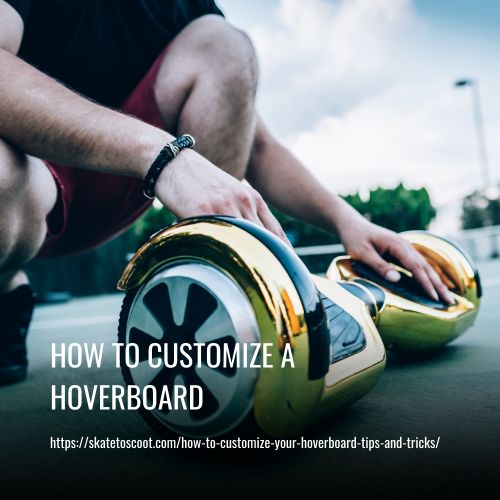
Here is a reliable sequence. Deviate from it, and you’ll see the consequences in the finish.
- Clean with isopropyl alcohol. Wipe the entire surface in one direction, then flip the cloth and wipe again. Wait 60 seconds for it to fully evaporate. If you skip this, oils from handling create invisible patches where the adhesive won’t bond.
- Dry-fit your design. Place the unpeeled skin or decal on the board. Use painter’s tape to mark alignment points at the top and bottom. This prevents the “I’ve already stuck it and it’s crooked” panic.
- Use the hinge method. Peel back 10-15% of the backing paper. Align that exposed adhesive section using your tape marks, press it down firmly, then slowly peel the rest of the backing away while smoothing the vinyl onto the board with your squeegee.
- Work out bubbles diagonally. If an air bubble appears, don’t lift the vinyl. Push the bubble towards the nearest edge with your squeegee using diagonal strokes. For stubborn bubbles, you can prick the very center with a fine needle and press the air out.
- Seal the edges with a heat source. After application, gently run a hairdryer on low heat along the edges of the vinyl for 10-15 seconds. This softens the adhesive and allows you to press the edges down firmly for a lasting seal. Don’t overheat, you just want it warm to the touch.
Adding Lights & Digital Features
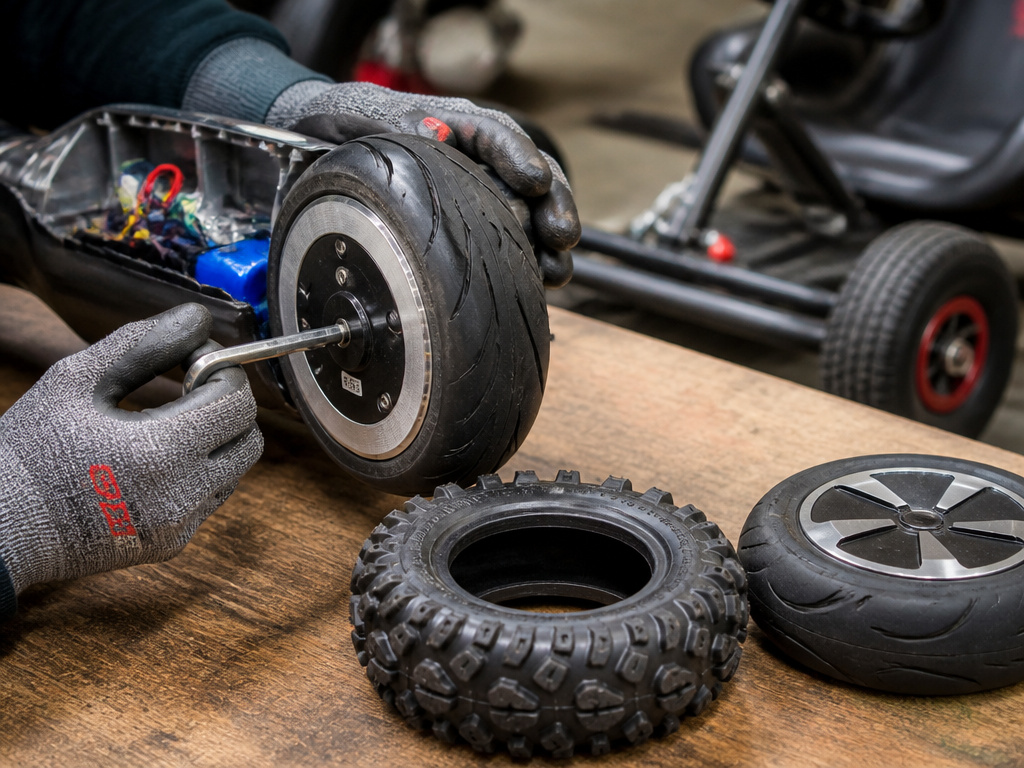
LED light strips are the next most popular upgrade, and they highlight the main choice you have: external or internal. External strips with adhesive backing are simple but vulnerable. Internal installations look clean but require opening the board.
For external lights, the rule is power management. Don’t just splice into any wire you find inside the board. Most aftermarket LED kits come with a separate battery pack. Use that. Sticking a 5V LED strip onto a 36V hoverboard battery circuit without a proper voltage regulator is a great way to fry the light controller or, worse, backfeed voltage into the board’s brain. If you want integrated lights that turn on with the board, you need to identify a switched 5V power line, which usually means consulting a wiring diagram specific to your model.
Digital customization is the safest and most powerful option for many modern boards. For example, the Jetson V8 Sport uses its “Ride Jetson” app, which connects via Bluetooth with the default password ‘000000’. Our guide on how to connect Bluetooth shows you how. The app allows you to adjust Steering Sensitivity, Driving Force, Maximum Speed, and Auto Shutdown Time. You can set a maximum speed of 4 mph in Beginner mode, 8 mph in Intermediate, or the full 10 mph in Advanced mode by learning how to switch modes. This is customization without a single tool, just your phone. The catch is compatibility. This only works for brands and models with dedicated apps. For others, you’re looking at physical mods.
| Customization Type | Tools Needed | Risk to Warranty | Best For |
|---|---|---|---|
| Vinyl Skins/Decals | Isopropyl alcohol, squeegee, hairdryer | Low (if no disassembly) | Quick visual change, beginners |
| Spray Paint | Screwdriver, masking tape, spray paint, ventilated space | High (requires disassembly) | Permanent color change, advanced users |
| External LED Strips | Separate battery pack, adhesive | Medium (if wiring is modified) | Adding light without opening board |
| App-Based Settings | Smartphone, manufacturer app | None | Adjusting performance safely |
| Internal Mods | Screwdriver, voltmeter, wiring skills | Very High (Voids warranty) | Performance upgrades, serious enthusiasts |
Adding Functional Upgrades: Wheels, Kits & Performance
This is where customization crosses into modification, and the stakes change. Swapping wheels for all-terrain tires or installing a go-kart attachment kit isn’t just about looks, it changes how the board handles, strains the motor, and affects the warranty.
Be honest about go-kart kits. They’re fun, but they completely change the device. A kit typically includes a seat, a steering column, and extended axles that bolt onto your hoverboard. The board becomes a seated vehicle, shifting the center of gravity and putting different stress points on the frame and motors. The Jetson V8 Sport has a 500W dual hub motor and a max load of 260 lbs. Add the weight of a rider, the seat, and the frame, and you’re testing that limit. The board’s gyroscopes and balance systems are calibrated for standing use; a kit changes that physics equation.
Where this goes sideways: Installing a go-kart kit without checking the board’s maximum load rating. Exceeding it strains the motors, leading to overheating. Within a few rides, you might hear a high-pitched whine from the motor hubs, that’s the sound of copper windings straining under excess heat, and it precedes a failure.
Wheel swaps are more straightforward but come with a sizing rule. The motor expects a specific wheel diameter. Going larger increases top speed but reduces torque, making it harder to start on an incline. Going smaller does the opposite. You must also match the wheel’s connector type to the motor axle, a mismatch means the wheel won’t seat properly and could detach while riding.
If you proceed, you’ll need to open the board. This is the point of no return for your warranty. The Jetson limited 1-year warranty is void if “unapproved modifications” are made to the product or if “weather-related water damage is determined.” Opening the shell is an unapproved modification. Before you turn a single screw, know that you are accepting full responsibility for any future repairs.
A Step-by-Step Disassembly Guide for Internal Mods
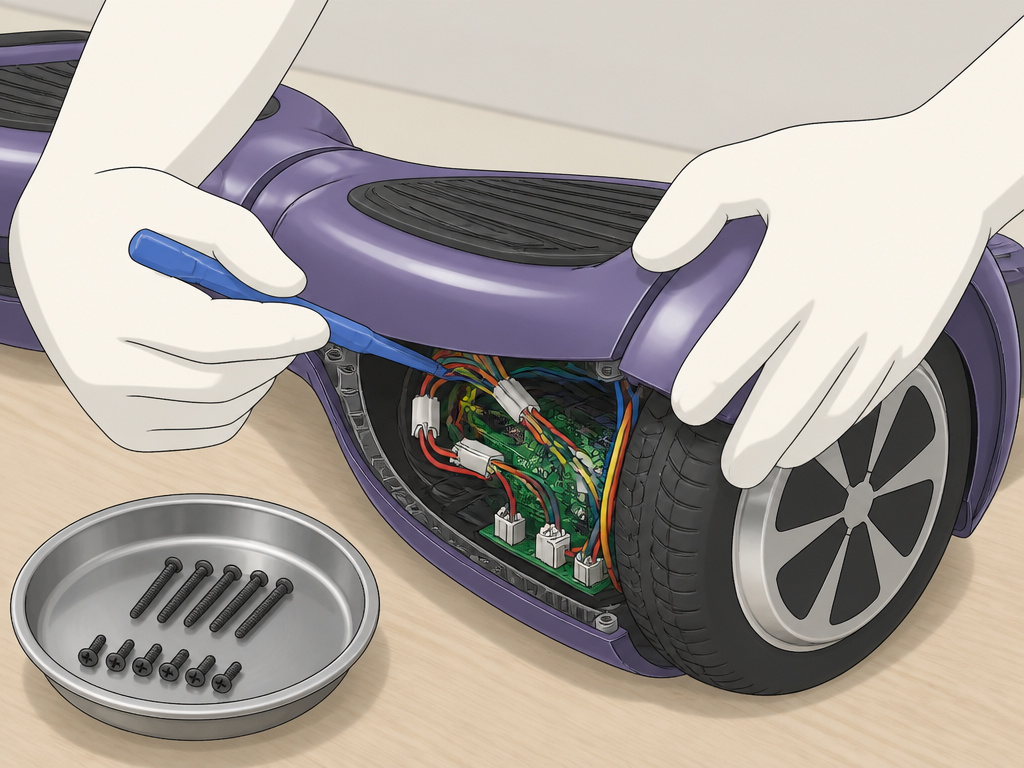
This is for informational purposes. If you’re not comfortable with electronics, stop here.
- Power down and remove the battery. Ensure the board is off. If the battery is removable, take it out. If not, you must disconnect the internal battery pack as your very first step after opening the case. A live battery is a shock and short-circuit hazard.
- Locate and remove all screws. Most hoverboards use Phillips-head screws. Some may be hidden under rubber pads or labels. Keep a magnetic parts tray or small containers to organize screws by location (left side, right side, front, rear).
- Separate the shell halves gently. Use a plastic spudger or a guitar pick to carefully pry the two halves of the plastic shell apart. Do not use a metal screwdriver, it will gouge the plastic. Work your way around the entire perimeter.
- Document all connections. Take clear, well-lit photos of the internal layout before you disconnect anything. Note where each wire bundle plugs into the main control board. Label them with tape if necessary.
- Perform your modification. Whether it’s a wheel swap, adding internal lights, or inspecting the board, work on a clean, static-free surface. When reassembling, reverse the order. Ensure all connectors are snug and no wires are pinched between the shell halves.
The Critical Safety & Warranty Check
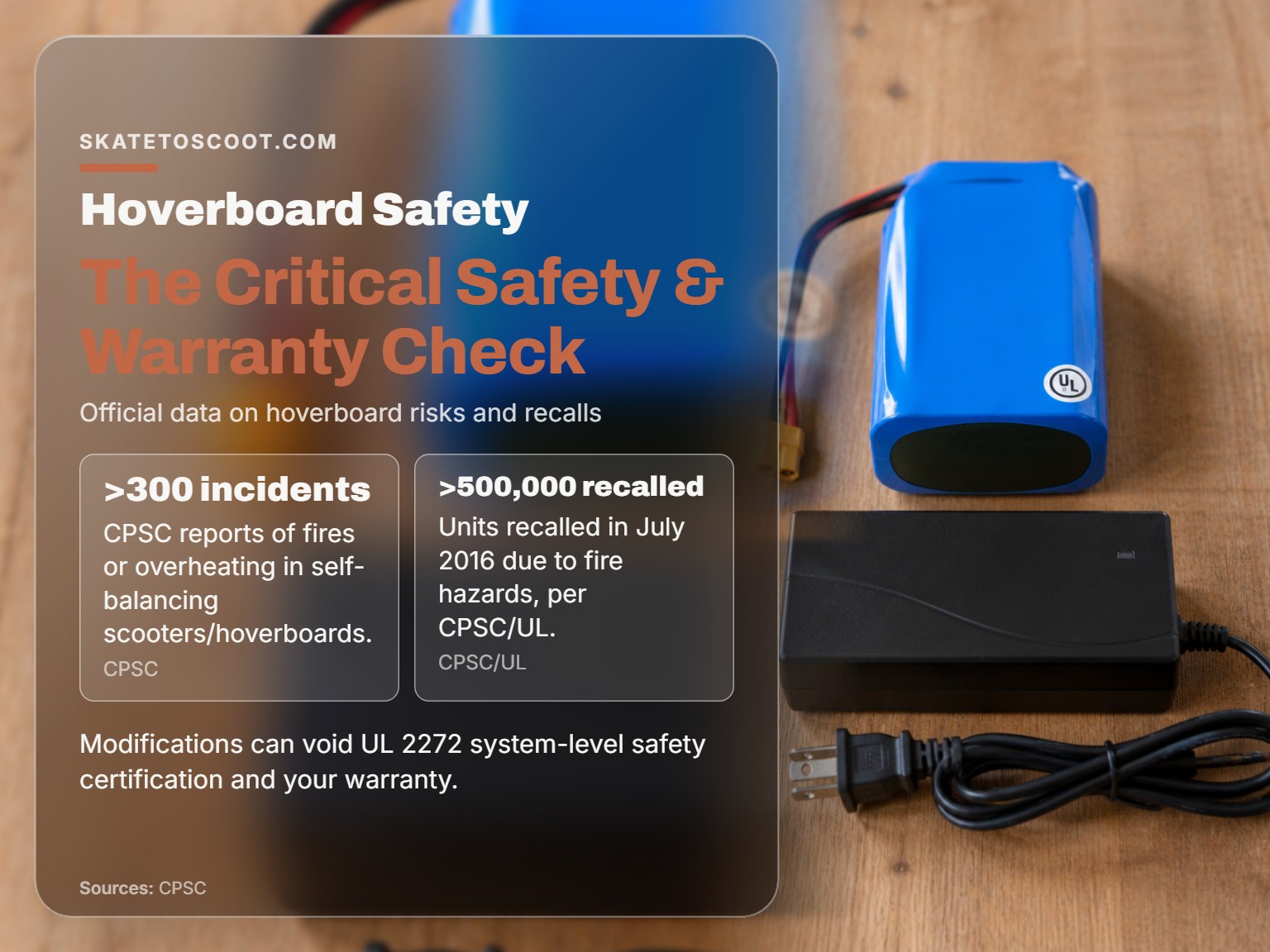
Every customization decision must be filtered through two lenses: physical safety and legal protection. The Consumer Product Safety Commission (CPSC) has documented the risks, and your warranty is a contract you likely void the moment you modify the device.
The essential safety standard is UL 2272. This isn’t a suggestion; it’s a system-wide certification that tests the entire hoverboard unit, battery, charger, motors, and electronics together, for fire and electrical hazards. The CPSC states any hoverboard purchased before January 29, 2016, is not UL 2272 compliant. The CPSC also cautions that sellers may claim “UL-compliant” parts, but UL 2272 covers the entire hoverboard unit, not just individual parts. If your modification, like swapping a battery or charger, replaces a certified component with an uncertified one, you have just invalidated that system-level protection.
The part nobody mentions: A modified hoverboard that causes a fire may not be covered by homeowners or renters insurance. If an investigation traces the fire to an unapproved, non-UL-certified modification, the insurer could deny the claim, leaving you liable for all damages.
Your warranty is your other layer of protection, and it’s fragile. It also explicitly states the warranty is void if “unapproved modifications” are made or if “weather-related water damage is determined.” Painting your board, adding lights, or installing a kit almost certainly qualifies as an unapproved modification. This isn’t scare talk; it’s the contract you agreed to when you bought the board.
So, how do you balance the desire to personalize with the need to stay safe and covered?
| Action | Safety Risk | Warranty Impact | Mitigation Strategy |
|---|---|---|---|
| Applying vinyl skins | None | None if no disassembly | Clean surface thoroughly, avoid covering sensors. |
| Spray painting the shell | Low (if ports masked) | High (requires disassembly) | Disassemble completely, mask all electronics, reassemble correctly. |
| Adding external LED lights | Medium (if wired incorrectly) | Medium (if wiring tapped) | Use a separate battery pack; do not splice into board wiring. |
| Using manufacturer app | None | None | A safe way to customize speed and handling. |
| Installing a go-kart kit | High (alters load & balance) | Very High (voids warranty) | Check max load rating, understand you assume all risk. |
| Swapping wheels/battery | Very High (if non-UL part) | Very High (voids warranty) | Source only UL 2272-certified components, know warranty is void. |
TL;DR: Cosmetic changes are low-stakes if you avoid the electronics. Functional modifications are high-stakes and should only be attempted if you understand you are voiding the warranty and assuming full responsibility for the board’s safety. Always prioritize UL 2272 system-level certification over any component-level claim.
Tools, Materials & Where to Buy Them
You don’t need a professional workshop, but the right tools prevent damage. For cosmetic work, a basic kit will do. For functional mods, your tool list expands significantly.
For Cosmetic Projects:
- Isopropyl Alcohol (70%+): For degreasing the shell. Found at any pharmacy.
- Microfiber Cloths: Lint-free is key. Auto parts stores have them cheap.
- Plastic Squeegee or Credit Card: For smoothing vinyl.
- High-Quality Painter’s Tape (3M Blue): For masking. Don’t use cheap masking tape; it bleeds.
- Pre-cut Vinyl Skins: Brands like MightySkins or DecalGirl offer hoverboard-specific designs. Buy from their websites or Amazon.
- Spray Paint for Plastics: Krylon Fusion or Rust-Oleum Painter’s Touch. Available at hardware stores.
For Functional Mods & Disassembly:
- Precision Screwdriver Set: Must include Phillips-head sizes #0 and #1.
- Plastic Spudger Set: For prying open the shell without gouges.
- Digital Multimeter: For checking voltages if you’re wiring lights or swapping components.
- Magnetic Parts Tray: To keep screws organized.
- Soldering Iron & Solder (if wiring): For secure, permanent connections.
- Go-Kart Kits or All-Terrain Wheels: Search for kits compatible with your hoverboard model on Amazon or specialty sites like HoverboardKits.com.
When sourcing materials, especially electronic components like LED strips or batteries, look for listings that mention UL certification specifically. Remember the CPSC’s warning: a “UL-compliant battery pack” is not the same as a component that is part of a UL 2272-certified system. For your safety, it’s best to avoid internal power mods altogether unless you are an experienced hobbyist.
Frequently Asked Questions
Can I make my hoverboard faster?
You can sometimes increase speed through the manufacturer’s app, like the Ride Jetson App which allows adjustment of the maximum speed setting. Physically modifying the board to go faster, such as by altering the motor controller, is complex, voids your warranty, and can cause the motor to overheat. The Jetson V8 Sport has a max speed of 10 mph; pushing beyond designed limits risks damage.
Will customizing my hoverboard make it unsafe?
Cosmetic customizations like skins and decals are safe if applied correctly. The safety risk comes from modifications that affect the electrical system, block cooling vents, or use non-certified parts. The CPSC hoverboard safety alert documents more than 300 incidents related to fires or overheating, underscoring the importance of not compromising the original design’s safety features.
How do I remove a customization if I don’t like it?
Vinyl skins and decals can be peeled off slowly, using a hairdryer to warm the adhesive for easier removal. Residue can be cleaned with isopropyl alcohol. Spray paint is permanent and would require sanding and repainting to change. Removing functional mods like a go-kart kit requires disassembly and may leave mounting holes or altered wiring.
Can I still use the Bluetooth features after I customize?
Yes, as long as you don’t damage the Bluetooth antenna or control board during your modification. The Jetson V8 Sport pairs via Bluetooth using the default password ‘000000’, and this function is handled internally. Cosmetic changes won’t affect it, but if you open the board, be careful not to disconnect or damage the Bluetooth module.
Where can I find custom parts for my specific hoverboard model?
Start with the manufacturer’s website or Amazon, searching for your model name (e.g., “Jetson V8 Sport skins”). For universal parts like LED strips or go-kart kits, read product descriptions carefully to ensure compatibility with your board’s size and weight rating. Specialty online retailers like HoverboardKits.com aggregate many options.
The Bottom Line
Customizing a hoverboard breaks into two distinct worlds. One is about appearance, skins, decals, and lights that make your board yours without touching its core functions. The other is about performance, wheel swaps, kits, and internal tweaks that change how it rides but also change who is responsible when something goes wrong.
The line between them is your warranty and the UL 2272 safety certification. Cross it by opening the board or swapping critical components, and you own all the risk. The documented consequences, from voided warranties to safety hazards, are real. The CPSC’s data on hoverboard fires isn’t theoretical; it’s a warning label written in incident reports.
So here’s the stance: personalize the heck out of your board with vinyl, paint it a wild color, and strap on some LED strips. Use the app to tune it to your riding style. But think twice, then three times, before you take a screwdriver to the chassis to chase more speed or a different ride style. The most satisfying customization is one you can enjoy for years, not the one that leaves you with a broken, unsafe board and a voided warranty after a single season. Keep it fun, keep it safe, and always keep an eye on that charger.