How Do You Attach a Hoverboard to the Cart?
This post contains affiliate links. As an Amazon Associate, we earn from qualifying purchases.
To attach a hoverboard to a cart, you need three things: brackets that fit the hoverboard’s width, a way to isolate the cart from the footpad sensors, and a tight, secure strapping system. Power off the hoverboard, adjust the kart’s brackets to sit centered on the footpads, install any required sensor-isolation pads, thread the straps under the board, and tighten them down before turning the power back on.
That’s the universal process. But the difference between a kart that works and one that constantly tries to run away from you isn’t the steps, it’s the specifics hidden in your manuals. A bracket that’s a quarter-inch too short, a missed electrical plug, or a hoverboard with a unique safety feature will turn a simple job into a frustrating afternoon. The first question is often how do you attach a hoverboard to the cart.
What follows is the field manual the product guides leave out: the five universal steps, the compatibility chart you actually need, and the three brand-specific quirks that decide whether your kart stays put or takes off on its own.
Key Takeaways
- Power off the hoverboard first. Turning it on while the kart’s brackets are pressing the sensors can cause it to lurch forward uncontrollably.
- The cart’s brackets must touch the hoverboard’s rubber foot pads. If the mount is too short, you lose all steering control, a specific warning from Denver’s manual.
- For Jetson combo units (Alpha, Force, Crush, Remix), you must plug a cord from the kart into the hoverboard’s charging port to power the kart’s lights; the Crush model requires an additional wire connection under the seat.
- Use the included sensor foam pads (like on the EVERCROSS EV2) or add your own spacer to prevent the seat from accidentally touching the footpad sensors, which can cause erratic behavior.
- Never exceed the weight limit. Most hoverboards and karts, like the Razor Hovertrax Kart, have a maximum weight limit of 176 lb (80 kg), including anything you’re carrying.
The Universal Attachment Checklist (The 5 Steps That Work for Most Karts)
Forget the brand for a minute. Every attachment process is a variation on these five steps. Get these right, and you’ve solved 80% of the problems before they start.
Step 1: Prep the Hoverboard.
Make sure the board is charged and calibrated according to its manual. Then, press the power button and wait for the lights to go out. You should see the indicator lights shut off. This isn’t just a safety tip, if the board is on when you start strapping, the pressure from the brackets can activate the sensors and make the wheels spin freely. You’ll be wrestling an active hoverboard.
Step 2: Position and Fit the Brackets.
Lift the kart frame and rest its two rear brackets on the hoverboard’s footpads. Position the hoverboard so its power button remains accessible. This is your only chance to check the fit. The front and back of each bracket should hug the front and back edges of the hoverboard. If there’s a gap, you need to adjust.
Most karts have an adjustment screw or slider on the bracket. Loosen the hardware, slide the bracket in or out, and retighten. The goal is a snug fit, not a crushing one. If you force it, you’ll warp the bracket and it will never sit flat.
Common mistake: Skipping the fit check. A bracket that’s even slightly too wide means the strap has to do all the work of holding the kart in place. It will shift on the first turn, and your steering inputs will be delayed and sloppy.
Step 3: Isolate the Sensors (The Step Everyone Misses).
The footpads have pressure sensors underneath. When you stand on the board, your feet press these sensors to control acceleration and steering. The kart’s brackets are meant to press these same sensors. But if the seat itself or the bracket frame touches the pad elsewhere, it can trigger the sensors unintentionally.
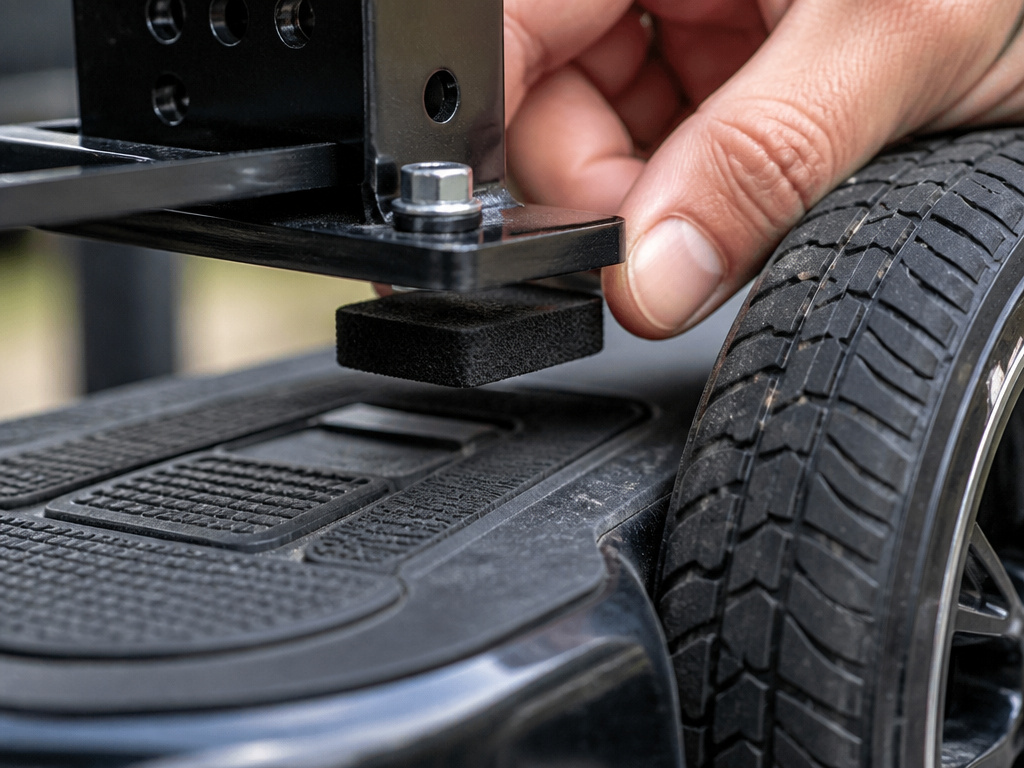
This is why some kits, like the EVERCROSS EV2, include 4 sensor foam pads. You install them under the pedal bracket so the seat doesn’t touch the sensors. If your kit didn’t come with pads, you need to make your own spacer. A folded piece of cardboard or a slim foam sheet works. You can add a spacer under the bracket to ensure clean activation only when you want it.
Step 4: Strap It Down Tight (But Not Too Tight).
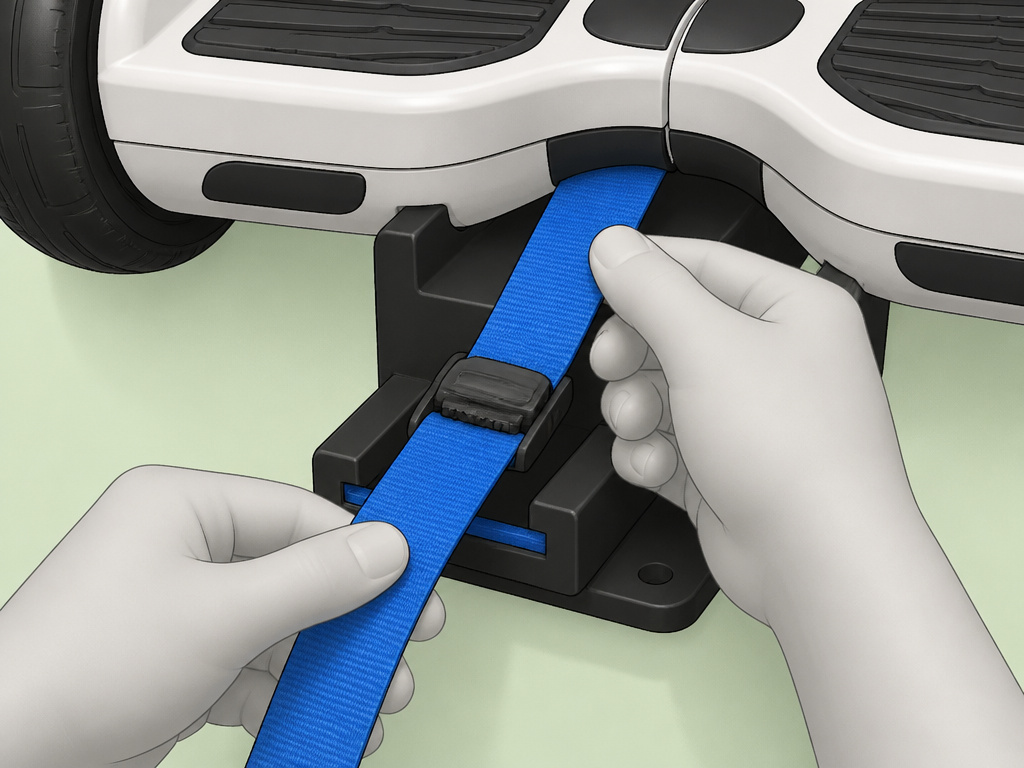
Thread the provided Velcro or nylon straps through the front slots of the brackets, under the hoverboard, and back up through the rear slots. Pull hard. You should feel the hoverboard lift slightly into the brackets. Lock the Velcro.
Here’s the tension rule: tight enough that you can’t shift the kart by hand, but not so tight that you deform the plastic brackets or compress the foam pads completely. The EVERCROSS manual warns: “Do not over tighten straps.” Over-tightening squeezes the life out of the isolation pads and can actually bend the brackets away from the sensors, causing a loss of control.
Step 5: Power On and Test.
With the kart secure, press the hoverboard’s power button. You will see the lights flash. Keep your hands on the kart frame. If the brackets are perfectly centered and pressing the sensors correctly, the board might try to self-level, causing a slight wheel movement. This is normal. If it tries to drive away, power off immediately and re-check your bracket centering and strap tightness.
Now, sit on the seat. The board’s lights will indicate it’s ready. Lean forward gently to go, lean back to stop, and steer by twisting the handles. Take your first test ride in a clear, open area.
Brand-Specific Quirks That Break the Mold
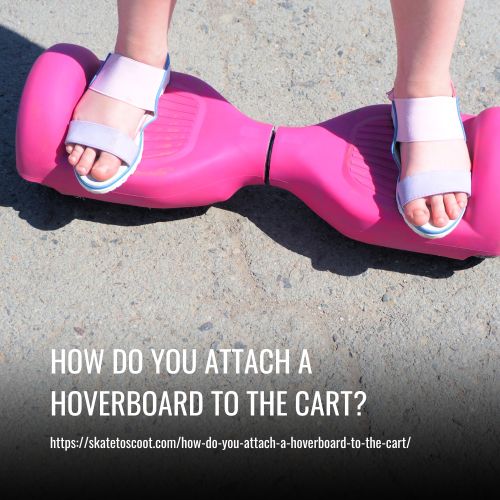
The universal steps assume all hoverboards and karts are created equal. They are not. Your specific model’s manual contains clauses that override the general rules. Miss one, and your kart won’t work as advertised.
The Electrical Connection: Jetson’s Lighted Karts
If you have a Jetson Alpha, Force, Crush, or Remix combo unit, strapping it down is only half the job. These karts have LED lights that draw power from the hoverboard. A cord runs from the rear of the seat to the hoverboard’s charging port. You must plug it in. For the Jetson Crush, there’s a second step: connecting two wires under the seat.
Forgetting this connection means your lights won’t work, but the kart will still drive. However, it also means you’ve missed a critical integration step that the manufacturer designed into the system.
The “Can’t Turn It Off” Problem (And The Denver Safety Feature)
A common complaint on forums is that some hoverboards won’t power off while the kart is attached. The sensors detect constant pressure and think a rider is still on board. This isn’t always a defect.
The Denver HBO-6610 has a specific safety feature that “prevent[s] accidental turning at high speed.” The manual then states: “when using a mount on this model, you must reduce speed in order to make turns.” It means you can’t steer the kart like a normal go-kart at full tilt; you must slow down first. If your kart isn’t responding to turns, this could be why.
Furthermore, the Denver manual gives a critical physical warning: “If the kart mount is too short, it will not touch the rubber pads correctly, and then you cannot control the hoverboard.” Length matters. A universal kart might not fit your specific board.
Weight and Age Limits: Not Just Suggestions
Every manual has these limits, but they’re often treated as soft guidelines. They are not. The Razor Hovertrax Kart manual states the maximum weight limit is 176 lb (80 kg), including backpacks. Exceeding this doesn’t just risk breaking the kart; it overtaxes the hoverboard’s motors and battery, leading to early failure or sudden shutdowns mid-ride.
Age recommendations vary slightly between models. The Razor Hovertrax Kart manual recommends the product for riders aged 8 years or older, while the Razor Hovertrax Prizma/Lux manual says children under the age of 8 should not be permitted to use it. These represent different recommendations from Razor for different products.
| Brand & Model | Critical Quirk / Requirement | What Happens If You Ignore It |
|---|---|---|
| Jetson Combo Units (Alpha, Force, Crush, Remix) | Must plug kart cord into hoverboard charging port. Crush needs extra wire connection under seat. | Kart lights won’t function. Kart lights won’t function. |
| Denver HBO-6610 | Has safety feature preventing high-speed turns. You must reduce speed to steer. | Kart will not respond to steering inputs at higher speeds, leading to loss of control. |
| EVERCROSS EV2 | Requires 4 sensor foam pads installed under brackets. | Seat may touch sensors, causing unintended acceleration or failure to start. |
| Razor Hovertrax Kart | Requires 5mm & 6mm Allen wrenches for assembly/adjustment. Max weight 176 lb. | Improperly tightened brackets can shift. Overloading damages motors and voids warranty. |
| Universal Kart / Generic Hoverboard | Mount length must match hoverboard width to touch rubber foot pads. | If mount is too short, you have zero control. The kart will not respond to handle inputs. |
Compatibility: Will Your Kart Actually Fit Your Hoverboard?
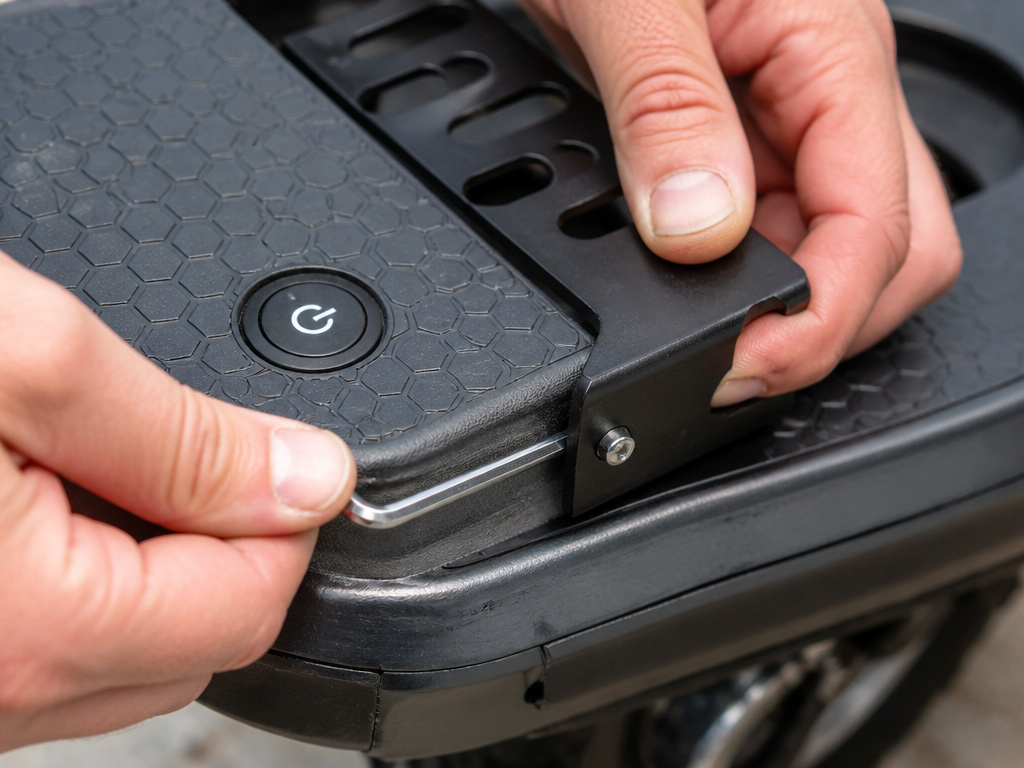
This is the how do you attach a hoverboard to the cart question that floods Reddit threads after Christmas morning. The short answer is: maybe. The long answer requires you to check two lists: the kart’s compatible models and your hoverboard’s physical specs.
Jetson publishes a clear list: their JetKart, JetKart 2.0, and JetKart 3.0 are compatible with hoverboard models like the Crush, Hali X, Litho X, Lumino, Lyra, Magma, Mojo, Pixel, Plasma, Plasma X, Prism, Sphere, Sync, Alpha L and Zone. Their combo units (Alpha, Condor, Force, Impulse, Remix, Rumble) must be used with the included hoverboard, mixing and matching isn’t supported.
For other brands, you’re often dealing with physical compatibility. You need to know the width between your hoverboard’s fenders and the length of the kart’s mounting arms. Some universal karts specify a required hoverboard width or fender spacing. If your board is wider or narrower, the brackets won’t seat properly.
Where this goes sideways: Assuming “universal” means “fits all.” A universal kart that doesn’t touch the rubber foot pads, as the Denver manual warns, is worse than useless, it’s dangerous. Always measure before you buy, or stick to a manufacturer-recommended pairing.
Troubleshooting Common Attachment Problems
You followed the steps, but something’s off. The board won’t start, it drives in circles, or it beeps angrily. Here’s how to diagnose the usual suspects.
Problem: The hoverboard won’t power on with the kart attached.
- Likely Cause: The brackets aren’t pressing the footpad sensors firmly or evenly.
- Fix: Power off. Re-center the brackets on the pads. Ensure they are flat and making full contact. Add a spacer (cardboard, thin foam) under a bracket that’s sitting too high.
Problem: The hoverboard turns on and immediately tries to drive away.
- Likely Cause: The kart is activating the sensors before you’re seated, or the board is on an uneven surface.
- Fix: Power off immediately. Check that the hoverboard is on a level floor. Loosen the straps slightly, over-tightening can warp the brackets and create uneven pressure. Make sure no part of the seat is touching the footpads.
Problem: Steering feels unresponsive or delayed.
- Likely Cause: The brackets are too loose, allowing play, or you have a model like the Denver HBO-6610 with a high-speed steering lock.
- Fix: Tighten the bracket adjustment screws and re-tighten straps. If you have a Denver model, try steering at a very slow speed first. If it works then, you’ve found your quirk.
Problem: The kart rocks side-to-side when riding.
- Likely Cause: The straps have stretched or loosened. This is the most common wear-and-tear issue.
- Fix: Stop riding. Power off the hoverboard and re-tighten all straps. If the Velcro has lost its grip, you can replace the straps with heavy-duty nylon ones from a hardware store.
How tight should the Velcro straps be?
Proper strap tension is critical for control and safety. The goal is to hold the kart mount firmly against the hoverboard’s foot pads without interfering with the sensors. For some models, specific foam pads are included to be installed under the pedal bracket, which prevent the seat from touching the footpad sensors directly. You should secure the straps so the mount makes solid contact with the rubber foot pads. If the mount is too short or the straps are too loose, it won’t touch correctly, leading to a loss of control. Conversely, over-tightening the straps can damage components or inadvertently press on the sensors. The connection should feel solid and not shift when you apply pressure, but the straps should not be cinched to their absolute limit.
What tools do I need to attach a hoverboard kart?
Assembly typically requires basic hand tools, with Allen wrenches being the most common. Specific sizes are often needed for different parts of the job. For instance, one kart model requires a 6 mm Allen wrench for seat assembly and a 5 mm Allen wrench for bracket adjustment. Always use the tools specified in your kart’s manual, as using the wrong size can strip bolts or result in an insecure connection. Before starting, clear a workspace and lay out all the included hardware and instructions. Having the correct tools on hand prevents frustration and ensures a tight, safe fit for all brackets and connectors, which is essential for stable riding.
Frequently Asked Questions
Do hoverboard carts fit all hoverboards?
No. Carts are designed for specific hoverboard sizes and models. Universal carts rely on adjustable brackets, but they still have minimum and maximum width limits. Always check the kart’s specifications against your hoverboard’s wheelbase width (the distance between the inner fenders) before purchasing.
How do you connect a hoverboard to a go-kart?
The physical connection is made by strapping the kart’s frame to the hoverboard, as outlined in the how do you attach a hoverboard to the cart steps above. However, some “go-kart” attachments are more complex, involving a full frame that the hoverboard docks into, often requiring bolt-on assembly. The principle is the same: secure the hoverboard so its footpads are actuated by the kart’s control mechanism.
Why does my hoverboard beep constantly with the kart attached?
Constant beeping is an error code. It usually means the hoverboard is not level, the sensors are receiving conflicting pressure inputs (one bracket pressed, one not), or the battery is low. Power off, place the board on a flat surface, check that both brackets are seated evenly, and ensure the battery is adequately charged.
Can I leave the kart attached to the hoverboard for storage?
It’s not recommended. Constant pressure can compress the footpad sensors and any isolation foam over time. For the longevity of both devices, detach them and store separately.
Before You Go
Attaching a kart transforms a hoverboard from a balance test into a seated cruiser, but it introduces a new layer of mechanical variables. The universal five-step process is your foundation, but the real success lies in the footnotes of your specific manuals.
The one rule that overrides all others? If the kart’s mount doesn’t touch the hoverboard’s rubber foot pads, stop. You cannot control a system that isn’t fully connected. Whether it’s a Denver model needing a longer mount or a generic kart needing a spacer, that physical bridge is essential.
For most people, the path of least resistance is to buy a matched combo unit from a brand like Jetson or to verify exact compatibility before clicking “buy” on a universal kart. It’s less exciting than crossing your fingers, but it guarantees that when you power on, you’re going for a ride, not chasing a runaway board down the driveway.